


- Joined
- Dec 3, 2015
- Messages
- 10
- Reaction score
- 3
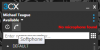
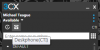
Ever since the upgrade to v15, any 3CX client that is reconfigured with the attachment in the Welcome email defaults to Softphone. Operators are not able to transfer calls through the 3CX client until they remember to switch to Deskphone(CTI) every morning.
How do you configure the 3CX Windows client to default to Deskphone(CTI)?
Currently defaults to:
I'd like all clients to actually default to:
I have not been able to find this setting in either the 3CX client or the PBX config.
How do you configure the 3CX Windows client to default to Deskphone(CTI)?
Currently defaults to:
I'd like all clients to actually default to:
I have not been able to find this setting in either the 3CX client or the PBX config.


