Dialing Rule Configuration

Status
Not open for further replies.

Deepak | Aastitva.com

Free User
Joined
Jun 3, 2021
Messages
68
Reaction score
4
Hi,

Most people in India stores number in mobile as 0xxxxx (0mobile number) or just the number xxxxx. Hence, we prefer to use the 3CX Android app.

When a person is dialing from contacts, one has to key in the trunk number, say 5 in this case. And then copy paste the number from the 3CX contact list.

How can we make the process seamless? That the moment someone dials within the country, the trunk routing is auto understood,

We have tried setting the E.164 but it is not helping.

Regards,
Abhijit
 
In this case, you would set an outbound rule with, say, numbers with a length of populated with the digit length to of the numbers dialed, that are not with the leading 0, then set this to prepend the leading 0

for example
1689874354450.png
 
When a person is dialing from contacts, one has to key in the trunk number, say 5 in this case. And then copy paste the number from the 3CX contact list.
If you have various trunks, each with a different access prefix, then you will still have to add the access digit in front of each number, if it can change for each call. You can create outbound rules that deal with specific numbers, or prefixes, so that a routing digit is not required. They would use the trunk you specifed in the rule. However, if the trunk choice is changing all the time, short of storing the same number multiple times, on a device, each with a different prefix, you will probably have to continue dialing the way you have been.
 
Hi @leejor , thank you for your revert. When we are keeping the trunk prefix 'nil' it is not sensing the trunk. You have not mentioned the trunk prefix, and we followed the way you have mentioned.
 
The normal number storage format +91. +91 is the country code.
We tried to configure the Prefix as + or +91 or +91. But with none of the 3 prefixes, the trunk is not being understood by the dialer.
 
If you make use of the E164 settings, then they would (normally) convert the + into the prefix as used by your provider depending on it being an international, national, or local call. If the issue is that any call that does not have a +91, does not go though, then that will depend on what your provider requires when dialing a national or local number. If you must dial +91 for all calls, then you will require an outbound rule (or rules) that recognizes numbers that are missing the +91, and prefixes it, before the number is sent to your provider.

You mentioned the digit 5 earlier, where does that come into play?
 
How the trunk will be understood while routing without prefix. We have 5 trunks.
 
As I said, If you have multiple trunks, each with it's own prefix, and you want to use whichever you happen choose at the time you place the call, then you will have to continue to add the prefix manually, per call, or have multiple entries in the directory, for each device, with a different prefix on each number. Then you would simply select the complete number, in the directory with the prefix already attached.

Do you just randomly select which trunk to call out on, or do some numbers (certain prefixes) go out on certain trunks? If that is the case then the problem could possibly solved in the outbound rules.
 
@leejor - Thank you for your update again.

The 3CX app contacts are auto synced with phone contacts. Usually the custom to store number format in mobile is +91, or +1, or +44, and then the number.

My point was the moment we click the dial button from the contacts, based on +91 or +1, the SIP trunk to be chosen. Without dialing the prefix of the SIP trunk.

Is it possible by creating a dialing rule?
 
As I said, if the outbound rules are set up so that you are required to prefix a specific digit to select the trunk, which you want to be able to select any of the trunk, each time you place a call, then you will have to continue the way you have been, or by storing a number several times, each with a different prefix. You would then select the number from the directory, with the correct prefix.

I hope I'm understanding you correctly.
 
Last edited:
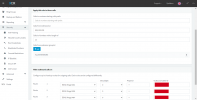
@leejor - Thank you again. I have been able to achieve that for the India number. Please note the screenshot. Now, it is dialing seamlessly with the number format stored like +911234567890. Thank you for your help in one of the post above. Without the numebr of Digits (12), it was not dialing properly.
 

Attachments

  • scrnli_7_24_2023_10-02-17 PM.png
    scrnli_7_24_2023_10-02-17 PM.png
    67.4 KB · Views: 13
Status
Not open for further replies.

Members Online Now

Forum statistics

Threads
111,832
Messages
589,285
Members
164,662
Latest member
DejanMDS