DID to extension not working

Status
Not open for further replies.

icloudbd

Free User
Joined
Apr 28, 2019
Messages
10
Reaction score
1
Hi all,
I've configured 2 DID number from one provider. route like *3333 to 0000 extention and *4444 to 0001. but when I call both DID number from my phone its only go one extension like 0000. if I call did *3333 its go 0000 and if I call *4444 did it'd also go 0000 extension instead of 0001. I try different extention, edit both sip but all time call goes one extension from different did number.
 
Look at the activity log to see what numbers are being passed from your sip provider , then adjust the DID rules.
 
  • Like
Reactions: icloudbd
Look at the activity log to see what numbers are being passed from your sip provider , then adjust the DID rules.
Tnx for reply.. I checked log and its show correct DID number what I dial but forward wrong extention.
 
What else does the activity log show (why the calls goes where it does)? 3CX will only send calls based on the DID number received and an exact match in a rule.
 
  • Like
Reactions: icloudbd
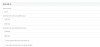
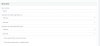
Pls pls kindly check the rules and log I attached. Where I try to call from my phone to DID number *8375 which route to Ext: 0001 but it ringing Ext:0002 which routed to *8333 DID.
NB: little bit modified number and ip's for security purpose.
 

Attachments

  • 33 route.png
    33 route.png
    10.4 KB · Views: 17
  • 75 route.png
    75 route.png
    11.2 KB · Views: 15
  • log.txt
    log.txt
    3.3 KB · Views: 5
Looking at the png files, you have setup them up a sip trunks - this is wrong

You need to use inbound rules , add DID for ddi numbers

Do the following

add the dId numbes to the main number sip trunk, under DIDs tab - you can use * in the number

then add the routing using inbound rules - add did
 
  • Like
Reactions: icloudbd
Looking at the png files, you have setup them up a sip trunks - this is wrong

You need to use inbound rules , add DID for ddi numbers

Do the following

add the dId numbes to the main number sip trunk, under DIDs tab - you can use * in the number

then add the routing using inbound rules - add did
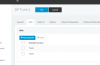
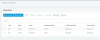
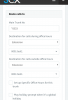
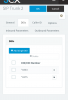
Tnx for reply.. i tried what you told. but the problem is each DID numbers have different Authentication based on Number. so if i setup sip trunk using *8333 DIDs user/pass ,then add *8375 and *8333 both in DID tab, and configure two inbound rules individually [ *8375 route extn 0001 & *8333 route extn 0002]. Only *8333 DID number working becoz of Authentication. though sip IP is same for both DID no.
 

Attachments

  • DIDs.png
    DIDs.png
    7.8 KB · Views: 16
  • inbound.png
    inbound.png
    13.3 KB · Views: 14
  • siptrunk.png
    siptrunk.png
    25 KB · Views: 13
What is the "route calls to" set to for the trunks?
You technically do not need inbound rules if there is only 1 number attached to the trunk.
 
Just to confirm your sip setup , as you probably do not have DID numbers

what is your sip provider.

Do you have one main sip number, and associated with it are ddi numbers - this has one sip account.

Do you have three separate sip accounts, and each one has a totally different number
 
What is the "route calls to" set to for the trunks?
You technically do not need inbound rules if there is only 1 number attached to the trunk.
At first i setup two sip trunk for two DID number which routed two different extensions, But but all call from different two Number hit one extension. After getting advise from @
Saqqara
setup single sip trunk but that doesn't work for authentication purpose which already describe with image.
 
Just to confirm your sip setup , as you probably do not have DID numbers

what is your sip provider.

Do you have one main sip number, and associated with it are ddi numbers - this has one sip account.

Do you have three separate sip accounts, and each one has a totally different number
My sip provider give me Single IP with multiple DID numbers with their access. for example
DID: *8333
IP: x.x.x.11
user: *8333
pass: ****

DID: *8375
IP: x.x.x.11
user: *8375
pass: ****

like that.
 
Do not mess with the DID Rules - if it's only one number for extension... not technically a DID - just a trunk with a number and a route.

Looks like maybe Routing is not working as intended. So , now to the Log files to see what it is processing and why.
 
Do not mess with the DID Rules - if it's only one number for extension... not technically a DID - just a trunk with a number and a route.

Looks like maybe Routing is not working as intended. So , now to the Log files to see what it is processing and why.
check the attachd file. currently I configure like this with extra two inbound rules (before I cofig two different sip trunks). what I want specific DID number call specific Extension. I want when I call *8333 it hit extn: 0001 and when I call *8375 it hit exten:0002 like that. how can I do that?
 

Attachments

  • IMG_20190926_021340.png
    IMG_20190926_021340.png
    84 KB · Views: 12
  • IMG_20190926_021323.png
    IMG_20190926_021323.png
    64.3 KB · Views: 12
Get rid of the DID's in the Trunk. You only want the "Route Calls To".

It is also possible, there are issues if not using an approved provider. Are you?
I've seen issues where different numbers do not get read properly and the wrong trunk "answers" the call.
 
Get rid of the DID's in the Trunk. You only want the "Route Calls To".

It is also possible, there are issues if not using an approved provider. Are you?
I've seen issues where different numbers do not get read properly and the wrong trunk "answers" the call.
sorry sir I don't get your point? "Get rid of the DID's in the Trunk!" without putting DID number in trunk how call come? could u pls explain? yes not approved provider.. so without authorized provider 3cx routine nit working?!
 
Try one trunk at a time.
Does each one work separately as intended?
If so - then it could be the issue I mentioned...
 
These are separate SIP trunks, and not ddi numbers associated with a main number,

You need to remove the DDI setup

As above create one of the trunks , see if it registers and allows you to dial in.
 
Status
Not open for further replies.

Latest Posts

Forum statistics

Threads
111,933
Messages
589,817
Members
164,810
Latest member
astrobalaji