DID uses SIP Trunk Routes not Inbound Rules

Status
Not open for further replies.

aaronl

Platinum Partner
Advanced Certified
Joined
May 20, 2021
Messages
22
Reaction score
4
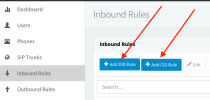
I have a situation where I am setting up multiple DIDs all coming into 3CX though 1x SIP Trunk. I have setup the SIP Trunk with the main trunk number being Number A and setup an inbound rule for Number B as per below. But when I call Number B the call is going to Queue 1 rather then going through to Queue 2. How can I ensure that the Inbound Rules are going to be used when I have multiple DIDs all passing through 1 SIP Trunk?

SIP TRUNK
Main Trunk Number: Number A
During office hours - Queue 1
After office hours - Extension voicemail 100

INBOUND RULES
DID: Number B
During office hours - Queue 2
After office hours - Extension voicemail 101

Please Note: adding multiple SIP Trunks is not an option in this case.
 

Attachments

  • Screenshot 2021-07-09 at 1.57.40 PM.png
    Screenshot 2021-07-09 at 1.57.40 PM.png
    25.9 KB · Views: 8
Hi Naveen,

Thanks for the suggestions. I created a DID rule as I needed any call to that DID to route a specific way. Creating a CID rule won't work as I will be adding multiple DIDs into 3CX and will need to be able to call the Sales DID and speak to the sales team or call the support DID and speak to the support team.

I tried all the different inbound parameter with the same result. Is there a specific setting you would recommend changing it to?
 
Hi!

You didn't answer the most important question" Are you using a 3CX Support Provider?
The main reason we ask is because if you are, odds are we can be much more precise in the advice we give you.

Now if not, you need to understand how 3CX routes incoming calls. All this is explained here, and specifically in section Inbound Calls.
The short version of how to determine what value you need to use for the "CalledNum" in the Inbound Parameters:
  1. Start a packet capture on your 3CX
  2. Call Number B, wait until it goes to Queue 1, then hang up
  3. Stop capture and open with Wireshark
  4. Find the INVITE message for this call and try to find in which SIP field Number B is shown and make note of the exact number format that is used.
  5. Adjust the value of "CalledNum" to match the field in which you saw Number B in step #4.
  6. Go to the "DIDs" tab and make sure the DID you have entered is in exactly the same format as you saw it in step #4 in the SIP Field (e.g. because "+44123456798" is different than "44123456798").

If you still can't figure it out, then I think your best bet, as Naveen insinuated, would be to use one of our Supported Providers.
 
Hi!

You didn't answer the most important question" Are you using a 3CX Support Provider?
The main reason we ask is because if you are, odds are we can be much more precise in the advice we give you.

Now if not, you need to understand how 3CX routes incoming calls. All this is explained here, and specifically in section Inbound Calls.
The short version of how to determine what value you need to use for the "CalledNum" in the Inbound Parameters:
  1. Start a packet capture on your 3CX
  2. Call Number B, wait until it goes to Queue 1, then hang up
  3. Stop capture and open with Wireshark
  4. Find the INVITE message for this call and try to find in which SIP field Number B is shown and make note of the exact number format that is used.
  5. Adjust the value of "CalledNum" to match the field in which you saw Number B in step #4.
  6. Go to the "DIDs" tab and make sure the DID you have entered is in exactly the same format as you saw it in step #4 in the SIP Field (e.g. because "+44123456798" is different than "44123456798").

If you still can't figure it out, then I think your best bet, as Naveen insinuated, would be to use one of our Supported Providers.
Hi NickD,

Thanks for that information. I was able to see that the DID was coming in as 61712345678, and I had it in the inbound rule as 0712345678. I made the change on the inbound rule and it's working perfectly now.

Just for my knowledge, is there a way within 3CX that it would strip the first two digits and replace them with a 0?

Also no, it is not a Supported SIP Trunk provider.
 
If you are talking about changing the format of the Caller ID of incoming calls, then yes, you can do this with the Caller ID Reformatting.
 
If you are talking about changing the format of the Caller ID of incoming calls, then yes, you can do this with the Caller ID Reformatting.
Hi NickD,

No not the Caller ID, I would like to reformat the DID. As I mentioned the SIP Trunk provider is sending through the DID in the format of 61712345678. Is there a way that 3CX can reformat the DID so that it will replace the first two digits (61) and replace it with a 0 so that when the calls hits the Trunk of Inbound Rule it will see the DID as 0712345678.

So similar to the Caller ID Reformatting your send through but for the DID?
 
Unfortunately not, the number format you enter the DIDs in must match the number format which your provider uses in the SIP messages.

But why would you need to change that? The users won't see the Dialed Number (DID), they only see the Caller ID.
What you could do is give a name to your Inbound Rules, so on incoming calls, when it rings the users, they would see the Inbound Rule name on their display.
 
  • Like
Reactions: leejor
No problem at all. Thanks for all the help NickD and Naveen.
But why would you need to change that?
It was mainly for my own information about what 3CX can do. Also just in case myself or someone puts in 100's of DIDs in the "wrong" format it, would just be easier to make one change rather then change all the DIDs.
 
If, as a matter of course, the wildcard (*) were employed, right from the start, of any new DID rule creation, then any prefix changes, to the format of the DID number, that the provider implemented at a later date, would not affect call routing, (or require editing the rules).
 
  • Like
Reactions: NickD_3CX
Status
Not open for further replies.

Forum statistics

Threads
112,326
Messages
591,900
Members
165,479
Latest member
Senergia