Digital Ocean Migration timeline help

Status
Not open for further replies.

phonesconnect

SMB User
Joined
Sep 29, 2022
Messages
15
Reaction score
5
Hello all. I got the email to migrate systems to Digital Ocean and it just says it will happen outside of working hours. Is there a way to force start the migration or find out when it happens? I have some offices that work 24 hours a day and cant be down. It is difficult not knowing what times the migrations will happen since IP addresses have to be updated once the change is made. All instances are current version hosted by 3CX
 
Last edited:
As a follow up...has anyone completed the migration for a small instance, less than 8 users? How long was your downtime and were you able to tell what time it would be migrated to updated IP's etc.... thanks.
 
Hi,

If your backup is not big (<1GB), it could take up to 20 minutes for the migration to complete once started. (it may take more or less)

Now we can't know for certain the exact time that it will start as it depends on the timezone of the region the instance is hosted in, how many instances are in the migration queue etc.

What's certain is that the migration will take place outside office hours, meaning between 01:00 and 06:00. It typically starts between 01:00 and 02:00, however this is not guaranteed.

I hope this helps!
 
Hi,

If your backup is not big (<1GB), it could take up to 20 minutes for the migration to complete once started. (it may take more or less)

Now we can't know for certain the exact time that it will start as it depends on the timezone of the region the instance is hosted in, how many instances are in the migration queue etc.

What's certain is that the migration will take place outside office hours, meaning between 01:00 and 06:00. It typically starts between 01:00 and 02:00, however this is not guaranteed.

I hope this helps!
Thank you for the reply. However, yesterday morning I scheduled two instances for Migration and both still say pending migration and they did not migrate last night or this morning. It is very frustrating that 3CX would have this process where you cannot start the migration and there is now no way to tell when it will happen and my IP's will change.
 
We have identified and fixed a minor issue in the migration notification mechanism which would not to trigger under certain circumstances. Your instance will be migrated during the next maintenance window. Sorry for any inconvenience may caused!
 
@phonesconnect I see your server has been successfully migrated and it took about 5 minutes.. :)
 
  • Like
Reactions: NatalyS_3CX
@phonesconnect I see your server has been successfully migrated and it took about 5 minutes.. :)
Thank you. For anyone else reading this, I also got an email from 3CX indicating the public IP had changed after the migration. Seems to be a quick and easy process.
 
Thanks for confirming and providing feedback. It is indeed, especially for smaller installations.
 
I didn't find where I can start the process for migration
I am in the portal partner but I can not find where is it
 
Go to your portal and click on my systems and show show a list of systems and type look for hosted it will say running and under that it will show migrate to digital ocean3cx.png
 
Go to your portal and click on my systems and show show a list of systems and type look for hosted it will say running and under that it will show migrate to digital oceanView attachment 38168
Thanks you!!
I dont have any one marked to Migrate...
 
So, let me ask one last question about process

0 check:
a. if I need migrate
b. size of the backup

1. I click on Migrate to Digital Ocean,
2. wait
3. automation complete the process
++ Happy ending | Full telephony works

what I need to reconfigure??
 
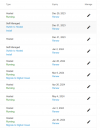
I trying to Migrate but stay in "pending migration" 3 hours and nothing changes
1702005816198.png
 
  • Like
Reactions: Charles_3CX
Status
Not open for further replies.

Forum statistics

Threads
111,974
Messages
590,081
Members
164,899
Latest member
mazet