- Joined
- Apr 3, 2025
- Messages
- 9
- Reaction score
- 0
Hi, I am not 100% clear from your screenshot precisely where you are in the web admin UI. But. I get the feeling maybe you are putting cart before the horse? ie,
- first go into "call handling" and build a new digital reception / IVR - this will be setup as per your desired config, add a voice recording greet message, add some call flow logic such as "press 1 > routes to ext 100, press 2 routes to ext 200" etc.
- then you will have a new "EXT Virtual#" associated with this IVR/digital reception
- then finally you may configure inbound call routing, for example DID# 123-456-7890 > will dump into Virtual_EXT 8001 which is your digital reception/IVR that you prepped first (?)
more or less I believe the hints here > https://www.3cx.com/docs/manual/ivr/ are good in terms of how to get it working
Unless I am misunderstanding how you are approacing this (?)
Tim
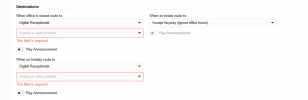
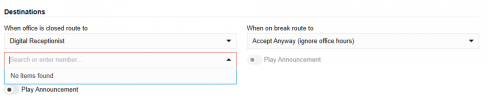
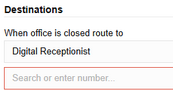
Hi Sir,You're choosing to send the call to a different DR here so you need to specify its extension number, e.g. 84.
View attachment 47347
Or you can choose to send the call to a ring group, extension, queue, voicemail, etc.
ok i think i got it,You're choosing to send the call to a different DR here so you need to specify its extension number, e.g. 84.
View attachment 47347
Or you can choose to send the call to a ring group, extension, queue, voicemail, etc.
Allright thxIn the trunk you can send the call to a default route. If you set that to DR 83 then all calls will go to the DR.
You could, for instance, set the default route to send the call to a Ring Group with just your extension in it. Then in that ring group, set "When office is closed route to" and "Destination if no answer" to DR 83. Or whatever is appropriate.
Founded in 2005, when VoIP was an emerging technology, 3CX has gone on to establish itself as a global leader in business communications.