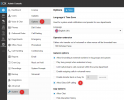
Thanks, yep, I saw this manual and we've already checked everything. The behavior doesn't change if we use the FQDN.
Maybe pbx logs will help?
#tail -f /var/lib/3cxpbx/Data/Logs/3CXMediaServer.2024-04-08.135026.log
#Date: 2024/04/10
14:17:32.526|7fedf1ffb6c0| Info|MSEndPoint.cpp(918): 1:
[email protected]:5482: SDP address is forced for the EXTERNAL connection -[IP]
14:17:32.526|7fedf1ffb6c0|Trace|MSEndPoint.cpp(951): 6:
[email protected]:5482: a try(1) to open sockets on External(9012,9013)
14:17:32.527|7fedf1ffb6c0|Trace|MSEndPoint.cpp(971): 3:
[email protected]:5482: RTP bind address [IP]:9012
14:17:32.527|7fedf1ffb6c0|Trace|MSEndPoint.cpp(980): 3:
[email protected]:5482: RTCP bind address [IP]:9013
14:17:32.527|7fedf1ffb6c0|Trace|MediaServer.cpp(242): 7:/Sources/Projects/Common/VoIPFileEngine/IMMFileStreamReader.cpp(144) /var/lib/3cxpbx/Instance1/Data/Ivr/Prompts/onhold.wav taken from the cache
14:17:32.527|7fedfdffb6c0|Trace|RTPReceiver.cpp(161): 5:RTPReceiver[0]:RTP receiver is added for
[email protected]:5482(C:7.1) on socket (28)
14:17:32.527|7fedfdffb6c0|Trace|RTPReceiver.cpp(161): 5:RTPReceiver[0]:RTCP receiver is added for
[email protected]:5482(C:7.1) on socket (29)
14:17:32.528|7fedf1ffb6c0|Trace|MediaServer.cpp(1026): 3:EndPoint created: (destination=78.94.76.109)
EndPoint: ID=
[email protected]:5482(EXTERNAL)
LOGID=C:7.1 Status: MSEP_EXTERNAL FORCE_MEDIA_PROXY
RTP:[IP]:9012
RTCP:[IP]:9013
STUN RTP:<none>
STUN RTCP:<none>
Coder:
NOT SET
101:telephony-event/8000
102:telephony-event/48000
Party ptime:20
Party RTP:<none>
Party RTCP:<none>
Decoders:
<empty>
14:17:32.528|7fedf1ffb6c0|Trace|MediaServer.cpp(1544): 4:EP
[email protected]:5482 joined to call
[email protected]:5482
14:17:32.528|7fedf1ffb6c0|Trace|MediaServer.cpp(1553): 4:starting send on new call
[email protected]:5482
14:17:32.528|7fedf1ffb6c0|Trace|MediaServer.cpp(1116): 3:Set Party EP:C:7.1 SDP:v=0
o=- 3921740252 3921740252 IN IP4 78.94.76.109
s=pjmedia
b=AS:117
t=0 0
a=X-nat:0
m=audio 4000 RTP/AVP 96 9 8 0 101 102
c=IN IP4 78.94.76.109
b=TIAS:96000
a=rtcp:4001 IN IP4 78.94.76.109
a=sendrecv
a=rtpmap:96 opus/48000/2
a=fmtp:96 useinbandfec=1
a=rtpmap:9 G722/8000
a=rtpmap:8 PCMA/8000
a=rtpmap:0 PCMU/8000
a=rtpmap:101 telephone-event/48000
a=fmtp:101 0-16
a=rtpmap:102 telephone-event/8000
a=fmtp:102 0-16
a=ssrc:953281730 cname:5789527a7885f47b
14:17:32.529|7fedf1ffb6c0|Trace|MSEndPoint.cpp(5101): 3:New
[email protected]:5482 SILENCE
14:17:32.529|7fedf1ffb6c0|Trace|MSEndPoint.cpp(2609): 10

artyAddrRTP_ is set to [router]:4000
14:17:32.529|7fedf1ffb6c0|Trace|MSEndPoint.cpp(2622): 10
artyAddrRTCP_ is set to [router]:4001
14:17:32.529|7fedf1ffb6c0| Info|MSEndPoint.cpp(2670): 11:[MS211000] C:7.1: [router]:4000 offers telephone-event/8000 and telephone-event/48000. In-Band DTMF tone detection is turned off for this call segment.
Distribution of telephone-events will be performed according to the base clock of the current audio decoder/endcoder
14:17:32.532|7fedf1ffb6c0| Info|MSEndPoint.cpp(3039): 10:[MS210000] C:7.1:Offer received. RTP connection: 78.94.76.109:4000(4001)
14:17:32.549|7fedfffff6c0|Trace|MSEndPoint.h(531): 5:C:7.1: set encoder to 96 opus/48000/16000
14:17:48.186|7fedf1ffb6c0|Trace|MSEndPoint.h(1042): 4:RACETRACKER: EP:
[email protected]:5482(0x7fedd8000c40) added for C:
[email protected]:5482RemovedFromCalls(1) RemovedEP(1)
14:17:48.187|7fedf1ffb6c0|Trace|MediaServer.cpp(1591): 4:EndPoint
[email protected]:5482 removed from call
[email protected]:5482
14:17:48.187|7fedf37fe6c0| Warn|RTPReceiver.cpp(453): 5:MediaProxy:VRTP receiver for
[email protected]:5482(C:7.1) has no assigned socket
14:17:48.187|7fedf37fe6c0| Warn|RTPReceiver.cpp(453): 5:MediaProxy:VRTCP receiver for
[email protected]:5482(C:7.1) has no assigned socket
14:17:48.187|7fedf37fe6c0| Warn|RTPReceiver.cpp(453): 5:MediaProxy:T38 receiver for
[email protected]:5482(C:7.1) has no assigned socket
14:17:48.187|7fedf37fe6c0| Warn|RTPReceiver.cpp(453): 5:MediaProxy:T38_ receiver for
[email protected]:5482(C:7.1) has no assigned socket
14:17:48.187|7fedf1ffb6c0|Trace|MediaServer.cpp(1320): 9:references to EndPoint
[email protected]:5482 were removed
14:17:48.190|7fedfffff6c0|Trace|MSEndPoint.h(949): 4:RACETRACKER: EP:0x7fedd8000c40 references were removed for call C:
[email protected]:5482
14:17:48.190|7fedfffff6c0|Trace|MSEndPoint.h(960): 4:RACETRACKER: references to C:
[email protected]:5482 were removed. RemovedFromCalls(0) RemovedEP(0)
14:17:48.192|7fedf1ffb6c0|Trace|MediaServer.cpp(1725): 4:references to call
[email protected]:5482 were removed
14:17:48.249|7fedfdffb6c0|Trace|RTPReceiver.cpp(165): 5:RTPReceiver[0]:RTP receiver was removed for
[email protected]:5482(C:7.1) on socket (28)
14:17:48.250|7fedfdffb6c0|Trace|RTPReceiver.cpp(165): 5:RTPReceiver[0]:RTCP receiver was removed for
[email protected]:5482(C:7.1) on socket (29)
14:17:48.250|7fedfdffb6c0|Trace|MSEndPoint.cpp(1066): 0:EndPoint
[email protected]:5482 destroyed: freed pair 9012, 9013 in External
14:17:48.250|7fedfdffb6c0|Trace|MSEndPoint.cpp(1067): 0:EndPoint
[email protected]:5482 destroyed statistics:
Begin send:0
LastSent:0
TotalSent:0
MaxSendInterval:0
MinSendInterval:0
AvgSendInterval:0
SendDeviation:0
MaxBurst:0
AvgBurst:0
NumBurst:0
Last recv:0
TotalRecv:0
MaxRecvInterval:0
MinRecvInterval:0
AvgRecvInterval:0
ReceiveDeviation:0
14:17:53.199|7fedfffff6c0|Trace|MSCallConf.cpp(168): 0:Call:
[email protected]:5482 destroyed