Direct SIP support for a Yealink W70B

Status
Not open for further replies.

aurora3

Bronze Partner
Advanced Certified
Joined
Aug 17, 2012
Messages
23
Reaction score
5
Hi,

I'm looking to set up a Yealink W70B base station and two W59R DECT handsets, to connect to an existing hosted 3CX PBX.
We'd normally install an SBC on a remote site, but as this site only requires one W70B base station, can this be configured to use Direct SIP (STUN - remote)?

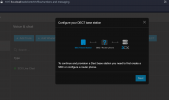
I can see from the interface that STUN is mentioned, please see the attached image, but does anyone have any experience of setting this device up in this manner?
Are there any potential calling issues?

Appreciate any feedback.

Kind regards

Dave C
 

Attachments

  • W70B.png
    W70B.png
    30.2 KB · Views: 57
Hi Dave,

With STUN it will always be a surprise if you don't have issues rather than the other way around.

Potential STUN issues:
  1. ISP blocking SIP
  2. Modem / Firewall running SIP-ALG which breaks SIP
  3. Audio crosstalk
  4. One way audio
  5. No audio
  6. Registration Failures
  7. Device working seemingly OK for a while and one day it suddenly fails with no apparent explanation
STUN needs additional concessions like

- opening ports at the remote firewall for the W70 SIP and RTP ports
- disabling SIP ALG
- setting up a static IP to maintain said forwards
- and even when all is said and done you could still face random issues that come and go which you will need to troubleshoot each time

The vast number of combination of brands / models / equipment that can sit between your PBX and the W70 makes this an unpredictable territory so you could end up anywhere between a very reliable connection or complete failure.

The TL;DR is that if you want minimal maintenance and high reliability use an SBC.
Otherwise go with STUN, and on the first sign of trouble be prepared to deploy your SBC.
 
  • Like
Reactions: accentlogic
Many thanks for getting back to me on this.
I think we'll give it a go and see how we get on, with the fallback that we install an SBC if there are any issues.

The problem with SBCs at present is the availability of Raspberry Pi devices to use.

Dave C
 
Sure thing. Oh by the way if you have machine on those premises that can run VMs, you could potentially deploy our light-weight Debian ISO and have your SBC that way.

Equally, if you already have a Windows Server that runs 24/7 anyway, you can install the 3CX SBC application there.

Pi devices have unfortunately become scarce due to high demand and what appears to be the after-effects of the global chip shortage (although I don't know where that stands now). Other small x86 single board computers can take its place, or alternatively you can use some select deskphones that will provide an on-board SBC in the near future. Stay tuned for update 6.
 
Many thanks for getting back to me on this.
I think we'll give it a go and see how we get on, with the fallback that we install an SBC if there are any issues.

The problem with SBCs at present is the availability of Raspberry Pi devices to use.

Dave C
How did this end up working?
 
I'm also interested to know your results. I've been trying to get this working this morning and keep getting authentication failures. I've double checked the config from 3CX, the extension authentication details, and the config on the phone. Everything looks correct, but authentication still fails. Not sure what's going on.
 
I have several sites like this, due to the shortage of PIs we have been using the new routerphone option. We have configured several T57w as router phones to be the SBC at smaller sites. You can autoprovision the w70 in stun, then modify the registration.

Remove the auto provision url so settings are not changed, enable outbound proxy, enter IP of routerphone in proxy 1, disable NAT for each account.

This could be cost effective for the lower router phone option phones, as well as having an additional phone.

Update 7 is supposed to support DECT autoprovision
 
Hello, I am super new to this. as in, I just bought the W70b and a hand set to go with it and am trying this for the first time. I thought this would be a straight forward set up. But it turns out, it only takes about 20 minutes for a YouTuber to anything! I've been trying to figure this stuff out for the better part of 10 hours. Any suggestions for a newcomer?

THanks, Jr
 

Attachments

  • image_2024-03-22_231343630.png
    image_2024-03-22_231343630.png
    101.5 KB · Views: 22
Status
Not open for further replies.

Members Online Now

Forum statistics

Threads
111,832
Messages
589,282
Members
164,662
Latest member
DejanMDS