- Joined
- Aug 24, 2017
- Messages
- 30
- Reaction score
- 2
Hi,
I want to disable IPv6 on Debian 9:
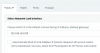
And after reboot:
When I now disable IPv6 on the OS and reboot the Management Console does not come up:
The reason is nginx:
Jun 04 14:36:49 3CX nginx[1509]: nginx: [emerg] socket() [::]:5001 failed (97: Address family not supported by protocol)
Jun 04 14:40:48 3CX nginx[1688]: nginx: [emerg] socket() [::]:5000 failed (97: Address family not supported by protocol)
as /var/lib/3cxpbx/Bin/nginx/conf/nginx.conf still contains:
Commenting those lines solves the issue:
I want to disable IPv6 on Debian 9:
Code:
helmut@3CX:~$ netstat -an | grep LISTEN | grep -E ':50..'
tcp        0      0 0.0.0.0:5060            0.0.0.0:*               LISTEN
tcp        0      0 0.0.0.0:5000            0.0.0.0:*               LISTEN
tcp        0      0 0.0.0.0:5001            0.0.0.0:*               LISTEN
tcp6       0      0 :::5090                 :::*                    LISTEN
tcp6       0      0 :::5060                 :::*                    LISTEN
tcp6       0      0 :::5000                 :::*                    LISTEN
tcp6       0      0 :::5001                 :::*                    LISTEN
And after reboot:
Code:
helmut@3CX:~$ netstat -an | grep LISTEN | grep -E ':50..'
tcp        0      0 0.0.0.0:5060            0.0.0.0:*               LISTEN
tcp        0      0 0.0.0.0:5000            0.0.0.0:*               LISTEN
tcp        0      0 0.0.0.0:5001            0.0.0.0:*               LISTEN
tcp6       0      0 :::5090                 :::*                    LISTEN
tcp6       0      0 :::5000                 :::*                    LISTEN
tcp6       0      0 :::5001                 :::*                    LISTEN
helmut@3CX:~$
When I now disable IPv6 on the OS and reboot the Management Console does not come up:
Code:
helmut@3CX:~$ netstat -an | grep LISTEN | grep -E ':50..'
tcp        0      0 0.0.0.0:5090            0.0.0.0:*               LISTEN
tcp        0      0 0.0.0.0:5060            0.0.0.0:*               LISTEN
helmut@3CX:~$
The reason is nginx:
Jun 04 14:36:49 3CX nginx[1509]: nginx: [emerg] socket() [::]:5001 failed (97: Address family not supported by protocol)
Jun 04 14:40:48 3CX nginx[1688]: nginx: [emerg] socket() [::]:5000 failed (97: Address family not supported by protocol)
as /var/lib/3cxpbx/Bin/nginx/conf/nginx.conf still contains:
Code:
listen [::]:5001 ssl http2;
listen [::]:5000;
Commenting those lines solves the issue:
Code:
helmut@3CX:~$ sudo /etc/init.d/nginx start
Starting nginx (via systemctl): nginx.service.
helmut@3CX:~$ sudo /etc/init.d/nginx status
_ nginx.service - A high performance web server and a reverse proxy server
   Loaded: loaded (/lib/systemd/system/nginx.service; enabled; vendor preset: enabled)
   Active: active (running) since Thu 2020-06-04 14:42:28 CEST; 36s ago
     Docs: man:nginx(8)
[...]