Solved "Do not disturb" not working.

Status
Not open for further replies.

atlantisegidek

Forum User
Joined
Jan 6, 2020
Messages
56
Reaction score
3
My English is weak, sorry about that. I hope I can explain.

I have Yealink T19P E2.
I'm in the "Calls Queues". I'm getting "Don't Disturb" the phone. But my phone is ringing.
So I get to "Don't Dıstrurb" but my phone rings.

Thank you.
 
If you want a quick solution (and I hope I have understood your requirement) why cant your users simply log out of the queue they are in, this way they wont receive any calls regardless.
https://www.3cx.com/docs/pbx-queue-status/
 
  • Like
Reactions: atlantisegidek
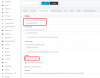
Move to the extension you want to check, pick "Forwarding Rules" then pick "Do not disturb (DND)" and check if "Log out from queues" is ON.

14226
 
Hi @atlantisegidek

Make sure to reset the phone and reprovision it automatically via 3CX to ensure that it follows our provisioning.

If you are using modified templates this feature may not behave as you expect it.
 
  • Like
Reactions: atlantisegidek
Status
Not open for further replies.

Forum statistics

Threads
111,935
Messages
589,823
Members
164,818
Latest member
Guriqbal Singh