- Joined
- Apr 16, 2015
- Messages
- 17
- Reaction score
- 0
Hi Guys,
We have a small office of 10 people that all come and go at various times of the day. Its more of a drop in office rather than a fixed be here between the hours of "" type of thing. As such you never know who if anyone will be here. The only fixed staff member is a receptionist between 8:30am-2:30pm.
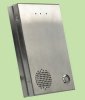
We receive a lot of deliveries throughout the day from various courier companies, due to the nature of the transient staff and because of the physical location of the door it is locked 24/7 via a swipe reader. The receptionist can see who is at the entry via a cctv monitor (as there is no line of site) and has a button to push to unlock the door. We currently just have an off the shelf doorbell which isnt working very well.. Long story short i have purchased a SIP Intercom, just a generic Chinese brand off eBay. (See pictured)
The intercom has the ability to pretty much just dial a number when the call button is pushed. Now for the tricky part, what i would like it to do when the call button is pushed is do a ring hunt. To start at the receptionist, if no answer then ring all across all 10 lines, or even better dial a que that way agent presence is taken into account. Not so important but if possible the ability that if no one is there, it could divert to a voicemail i was thinking Que timeout would achieve this.
What i cant seem to figure out though is how to effectively dial into a que from an internal line? The intercom has an extension number of 500 and our internal lines range from 201-211. If i make a que and set it all up and try it i just get a "not found" message. I get the same message if i pick up a desk phone and try and dial one of our existing que numbers. Eg 801.
Is there a simple solution here or am i stuck just dialling a single extension number?
Im running 3CX V12.5 SP2.
Ps: Sorry for the long story, i just thought it would help "picture" the situation
We have a small office of 10 people that all come and go at various times of the day. Its more of a drop in office rather than a fixed be here between the hours of "" type of thing. As such you never know who if anyone will be here. The only fixed staff member is a receptionist between 8:30am-2:30pm.
We receive a lot of deliveries throughout the day from various courier companies, due to the nature of the transient staff and because of the physical location of the door it is locked 24/7 via a swipe reader. The receptionist can see who is at the entry via a cctv monitor (as there is no line of site) and has a button to push to unlock the door. We currently just have an off the shelf doorbell which isnt working very well.. Long story short i have purchased a SIP Intercom, just a generic Chinese brand off eBay. (See pictured)
The intercom has the ability to pretty much just dial a number when the call button is pushed. Now for the tricky part, what i would like it to do when the call button is pushed is do a ring hunt. To start at the receptionist, if no answer then ring all across all 10 lines, or even better dial a que that way agent presence is taken into account. Not so important but if possible the ability that if no one is there, it could divert to a voicemail i was thinking Que timeout would achieve this.
What i cant seem to figure out though is how to effectively dial into a que from an internal line? The intercom has an extension number of 500 and our internal lines range from 201-211. If i make a que and set it all up and try it i just get a "not found" message. I get the same message if i pick up a desk phone and try and dial one of our existing que numbers. Eg 801.
Is there a simple solution here or am i stuck just dialling a single extension number?
Im running 3CX V12.5 SP2.
Ps: Sorry for the long story, i just thought it would help "picture" the situation