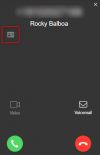
Hi, i do not see the contact card.
Log is below:
Test CRM integration
Please enter a phone number to search in CRM
+316xxxxxxxx
Search result
CRM log
Started scenario with empty id
Started Auth
Request text:
https://login.microsoftonline.com/DELETED/oauth2/token
Request form value refresh_token set to REQUEST-TOKEN-REMOVED
Request form value grant_type set to refresh_token
Request form value client_id set to cda921dd-2428-4881-9c17-b2b442928961
Request form value resource set to
https://ACCOUNTNAME.crm4.dynamics.com
Response text: {"token_type":"Bearer","scope":"user_impersonation","expires_in":"3599","ext_expires_in":"3599","expires_on":"1633078836","not_before":"1633074936","resource":"
https://ACCOUNTNAME.crm4.dynamics.com","access_token":"ACCESS-TOKEN-REMOVED"}
Response finished
Variable AccessToken set to
VARIABLE-TOKEN-REMOVED
Variable RefreshToken set to
REFRESHTOKEN-REMOVED
Variable ExpiresIn set to 3599
Finished Auth
Request text:
https://ACCOUNTNAME.crm4.dynamics.c...s1&$filter=contains(telephone1,'31640xxxxxx') or contains(telephone2,'31640xxxxxx') or contains(telephone3,'31640xxxxxx') or contains(fax,'31640xxxxxx') or contains(address2_telephone1,'31640xxxxxx') or contains(address2_telephone2,'31640xxxxxx') or contains(address2_telephone3,'31640xxxxxx') or contains(address2_fax,'31640xxxxxx') or contains(pager,'31640xxxxxx')
Response text: {"@odata.context":"
https://ACCOUNTNAME.crm4.dynamics.c..._telephone3,address2_fax,pager,emailaddress1)","value":[]}
Response finished
Finished scenario with empty id
Started scenario with empty id
Request text:
https://ACCOUNTNAME.crm4.dynamics.c...filter=contains(assistantphone,'31640xxxxxx') or contains(managerphone,'31640xxxxxx') or contains(mobilephone,'31640xxxxxx') or contains(business2,'31640xxxxxx') or contains(home2,'31640xxxxxx') or contains(address1_telephone1,'31640xxxxxx') or contains(address1_telephone2,'31640xxxxxx') or contains(address1_telephone3,'31640xxxxxx') or contains(address1_fax,'31640xxxxxx')
Response text: {"@odata.context":"
https://ACCOUNTNAME.crm4.dynamics.c...dress1_telephone3,address1_fax,emailaddress1)","value":[{"@odata.etag":"W/\"69524618\"","firstname":"firstname","lastname":"ACCOUNTNAME","_parentcustomerid_value":"4100f09f-3dde-e611-80f9-5065f38b03b1","assistantphone":null,"managerphone":null,"mobilephone":"+31640xxxxxx","business2":null,"home2":null,"address1_telephone1":null,"address1_telephone2":null,"address1_telephone3":null,"address1_fax":null,"emailaddress1":"
[email protected]","contactid":"f7eea459-44de-e611-80f9-5065f38b03b1"}]}
Response finished
Variable ContactId set to f7eea459-44de-e611-80f9-5065f38b03b1
Variable AccountId set to 4100f09f-3dde-e611-80f9-5065f38b03b1
Variable FirstName set to firstname
Variable LastName set to ACCOUNTNAME
Variable Email set to
[email protected]
Variable PhoneBusiness set to
Variable PhoneBusiness2 set to
Variable PhoneOther set to
Variable PhoneMobile set to +31640xxxxxx
Variable PhoneHome set to
Variable PhoneMobile2 set to
Variable PhoneHome2 set to
Variable FaxBusiness set to
Variable FaxHome set to
Started GetAccountName
Request text:
https://ACCOUNTNAME.crm4.dynamics.com/api/data/v8.2/accounts?$select=name&$filter=accountid eq '4100f09f-3dde-e611-80f9-5065f38b03b1'
Response text: {"@odata.context":"
https://ACCOUNTNAME.crm4.dynamics.com/api/data/v8.2/$metadata#accounts(name)","value":[{"@odata.etag":"W/\"69524592\"","name":"ACCOUNTNAME","accountid":"4100f09f-3dde-e611-80f9-5065f38b03b1"}]}
Response finished
Variable AccountName set to ACCOUNTNAME
Finished GetAccountName
Finished scenario with empty id
Started scenario with empty id
Response finished
Finished scenario with empty id
Started scenario with empty id
Response finished
Finished scenario with empty id
Started scenario with empty id
Response finished
Finished scenario with empty id
Result obtained
3cx official logo
Support
Updates
A
Dashboard
Users
Phones
SIP Trunks
Inbound Rules
Outbound Rules
Messaging
Digital Receptionists
Ring Groups
Call Queues
Backup and Restore
Reporting
Security
Advanced
Call Flow Apps
Contacts
Fax
Fax Server
FXS/DECT
Hotdesking
Settings
Portal
CRM Integration
Server Side
Client Side (Legacy)
Available CRM Integrations (Up To Date)
CRM Provider Configuration
Select a CRM Solution
Microsoft Dynamics 365
Follow this guide to configure your CRM and fill in the fields below. After click the TEST button to ensure correct configuration.
Query CRM
Always
General Configuration
Application ID:
APP-ID-REMOVED
Tenant:
TENANT-ID-REMOVED
Domain:
https://ACCOUNTNAME.crm4.dynamics.com
Contact Lookup Order:
Contacts/Leads/Accounts
Refresh Token:
TOKENHERE
Enable Call Journaling
Extension Field ID:
ACCOUNTNAME_extension
Call Subject:
VOIP PhoneSystem Call
Answered Inbound Call:
[DateTime]: Answered incoming call from [Number] [Name] to [Agent] ([Duration])
Missed Call:
[DateTime]: Missed call from [Number] [Name] to [Agent]
Answered Outbound Call:
[DateTime]: Answered outgoing call from [Agent] to [Number] [Name] ([Duration])
Unanswered Outbound Call:
[DateTime]: Unanswered outgoing call from [Agent] to [Number] [[Name]]
Enable Chat Journaling
Extension Field ID:
extension
Chat Subject:
3CX PhoneSystem Chat Session
Enable Contact Creation
Create Contacts on Call Direction:
Inbound
Create Lead or Contact:
Contact
New Contact First Name:
New
New Contact Last Name:
3CX Contact [Number]
New Lead Subject:
New Lead From 3CX Call