Easy way to remove custom backgrounds from all phones

Status
Not open for further replies.

sbrammer

Forum User
Joined
May 18, 2017
Messages
51
Reaction score
10
A year or so ago, i placed a custom Thanksgiving and Christmas background on all the phones indiviaully. Now i would like to mass remove them because every time the system does an update, it changes the screensaver to that. At first it was funny, but not so much.

What i could do is to log into the phone interface of each phone (about a few hundred), and remove said backgrounds. I was wondering if there is an easier way to remove them from all the phones?
 
Factory reset each phone and then it should pull its config file from the server...
 
I believe it's more of removing the screensaver background? When the screensaver kicks in after an update, it changes the screensaver type back to 1, and we have the template set as 0 with the clock showing.
 
I did a reset on one and that worked, but was wondering if there is another way to do it for a few hundred during a busy time of the year as we are a Higher Ed, and classes start next week.
 
Hi,

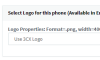
If you have the Enterprise Edition of 3CX, you can edit the extensions via their provisioning tab to return to the default logo:
1597306625283.png

Then, you can simply select the devices from the Phones section and hit the Reprovision button which should take care of the rest.

If you used some other method to add the backgrounds, you will have to reset the phones one by one and reprovision them from scratch.
 
Ok in this case, try to reprovision all phones from the Phones tab (do them one page at a time) and if the logo is not updated back to the default 3CX one you will have to reset them and reprovision them so they can forget the last logo
 
Status
Not open for further replies.

Forum statistics

Threads
111,956
Messages
589,927
Members
164,858
Latest member
MichaelRussell3