Email Test 5.7.0 Denied on v18 Update 3 (Build 461)

Status
Not open for further replies.

sauresh.mehrotra

Customer
Joined
May 19, 2022
Messages
6
Reaction score
0
Hi,

I am running an On-Prim server and getting the Email Test Failed recently.

1. Firewall Check: OK
2. NAT IP of 3cx Server: XXX.XXX.XXX.36
3. Firewall IP: XXX.XXX.XXX.10 (Sophos XG)
 
Hello @sauresh.mehrotra

That error usually indicates that the public IP of the PBX does not match the IP in the activation server which might indicate that your IP has recently changed. An IP change might also be triggered by a failover server or by another installation of the same license key.

To resolve this navigate to Settings / Network and set your public IP to "Dynamic Public IP (IP changes)". The restart all 3CX services. Give it 30 minutes and then switch back to "Static Public IP (IP Address does not change)". Restart again and check if your email is now working.
 
Hi YiannisH_3CX,

Tried it, but the SERVICES RESTART BUTTON is disabled and I can not restart the services.
 
Hello,

To enable the Restart button you need to select a service.
Just select the "3CX PhoneSystem 01 Configuration Server" so its highlighted and then click the restart button.

That should restart the rest of them
 
Done as suggested.

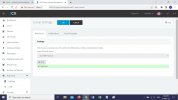
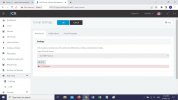
Worked for the 1st time, PF the Screenshot But failed again after some time.
 

Attachments

  • 3CX Mail Sent.jpg
    3CX Mail Sent.jpg
    205 KB · Views: 7
  • 3CX Mail Denied.jpg
    3CX Mail Denied.jpg
    204 KB · Views: 7
Do you have another installation using the same license key somewhere else? Or do you have 2 internet providers for load balancing on your firewall?
 
Do you have another installation using the same license key somewhere else? NO
Do you have 2 internet providers for load balancing on your firewall? YES
 
Do you have 2 internet providers for load balancing on your firewall? YES
Then your IP is probably bouncing between the 2 public IPs and that is what is causing the issue.
You should keep your IP in Dynamic mode in 3CX so that it can update the DNS each time this happens but please note that if this happens frequently you will face the same issue as the DNS might not be able to catch up.

Ideally 3CX should only be using one public IP address until there is a failure but this is something you need to figure out on the network level.
 
  • Like
Reactions: JohnS_3CX
3CX Server IP is static NATed behind our Firewall
nslookup always resolves to the same IP

Then how is it possible to that it bounces between 2 IPs

xxx.xxx.237.10 is the WAN IP of our Firewall (Sophos XG 210)
xxx.xxx.236.36 is NAT IP of our 3CX Server
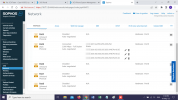
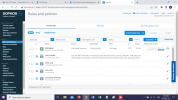
PF the Pics of the Firewall Config:

WAN Network Interface:
Rules:

Note: Earlier the same config was working and was able to send emails.
 

Attachments

  • image (1).png
    image (1).png
    278.4 KB · Views: 3
  • image (2).png
    image (2).png
    293.7 KB · Views: 3
On a remote machine, does your 3cx fqdn match the ip address xxx.xxx.236.36 - run nslookup or ping command
 
Earlier it used to do, but I think some thing has changed.

It is not doing now and nslookup is resolving to the Firewall IP.

You can check the fqdn: jaipuria.3cx.asia
 
Ok, just to clarify how this works.

The 3CX email service checks that the public IP the request comes from matches the public IP associated with what is in the activation server to avoid fraudulent requests.
You are seeing the error because those 2 values do not match when trying to send an email.

NAT rules will not stop your firewall from sending traffic from the PBX from another IP Address if the firewall is load balancing between the 2 IPs.

Nslookup will show the IP address your 3CX FQDN is resolving. If you had the PBX set to static IP mode so far then the DNS would never be updated thus always showing the same IP address, that is why I said to leave it permanently in Dynamic mode.

You can check the fqdn: jaipuria.3cx.asia
I had our team check this and it does show activation requests from both IPs so you need to solve this.
 
Status
Not open for further replies.

Forum statistics

Threads
111,974
Messages
590,083
Members
164,900
Latest member
Silent_Guru