- Joined
- Oct 19, 2015
- Messages
- 3
- Reaction score
- 1
Hello,
I think here is something wrong with the FQDN. What do you think might be the cause?
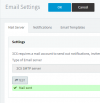
problem: 3cx-Email test say
5.7.0 Denied
since new primary WAN /new static IP
no other problems observed so far
Watchguard is manageing the two WAN LINES, but only XXX.XXX.XXX.165 should be the primary one.
details
a)
static IP was changed in 3cx-webadmin + reboot
a)
if I ping (from home)
contoso.my3cx.de
this IP
XXX.XXX.XXX.194 (thats now secondary WAN, but will retire)
replies.
b)
in putty:
echo $(wget -qO - https://api.ipify.org)
it shows
XXX.XXX.XXX.165 (thats new primary wan)
c) licence say:
Unable to reach 3CX License Activation Server. Confirm that your Primary DNS Server is able to resolve activation.3cx.com
e)
in putty
systemd-resolve --status
DNS is the local Domaincontroller on premises
f)
XXX.XXX.XXX.165 was listed in 2003 at sorbs/spamhaus, but should be clean now afaik.
g)
switch to dynamic, reboot, wait 3 hours, switch back to static ip was done -no effect.
h)
firewall-test= green
i)
Port 2528 outbound is open
• 3CX Version, e.g. Standard Annual 16.0.8.9
• Debian 9
• On-premises
• IP Phone YEALINK
• Provisioning Method: Local / VPN / STUN / SBC ? > Local
• Trunk Provider or VoIP Gateway Make/Model, e.g. >QSC-PLUSNET
• Has the Firewall Checker passed: YES / NO ? >YES
• Are custom Phone Templates being used: YES / NO ? >NO
I think here is something wrong with the FQDN. What do you think might be the cause?
problem: 3cx-Email test say
5.7.0 Denied
since new primary WAN /new static IP
no other problems observed so far
Watchguard is manageing the two WAN LINES, but only XXX.XXX.XXX.165 should be the primary one.
details
a)
static IP was changed in 3cx-webadmin + reboot
a)
if I ping (from home)
contoso.my3cx.de
this IP
XXX.XXX.XXX.194 (thats now secondary WAN, but will retire)
replies.
b)
in putty:
echo $(wget -qO - https://api.ipify.org)
it shows
XXX.XXX.XXX.165 (thats new primary wan)
c) licence say:
Unable to reach 3CX License Activation Server. Confirm that your Primary DNS Server is able to resolve activation.3cx.com
e)
in putty
systemd-resolve --status
DNS is the local Domaincontroller on premises
f)
XXX.XXX.XXX.165 was listed in 2003 at sorbs/spamhaus, but should be clean now afaik.
g)
switch to dynamic, reboot, wait 3 hours, switch back to static ip was done -no effect.
h)
firewall-test= green
i)
Port 2528 outbound is open
• 3CX Version, e.g. Standard Annual 16.0.8.9
• Debian 9
• On-premises
• IP Phone YEALINK
• Provisioning Method: Local / VPN / STUN / SBC ? > Local
• Trunk Provider or VoIP Gateway Make/Model, e.g. >QSC-PLUSNET
• Has the Firewall Checker passed: YES / NO ? >YES
• Are custom Phone Templates being used: YES / NO ? >NO