Emergency message recording and turning it off.

advantec

Bronze Partner
Joined
Sep 8, 2016
Messages
15
Reaction score
0
I have a CFD that will dial an IVR that has my emergency message recording that will play as a page all but it loops forever and can only be turned off by hanging up the phone. This is fine for phones but I also have some paging speakers that do not have that ability and I would need to log into the admin panel and cancel the call.

I saw some information about making a CFD that called a CFD prompt playback that would play the message and then another CFD that would change that prompt playback to false to turn it off. But I am lost on creating those CFD and the getgetglobal property setup etc. I have only used the Call Flow Designer to make simple Call Flows and creating this initially is a bit higher level.

Any help would be appreciated, it doesnt have to work like the above this was just an example I saw on the forums.
 
Also is there a limitation on the number of phones in the paging group and should I try to make this a multicast page instead?
 
Set the IVR to hang-up after 1sec in the options tab. The timeout starts after audio as played.
 
This will not work as I want it to repeat the prompt for a period of time.

It will be used for a Fire alarm message or lockdown message or tornado message.
 
Any help would be appreciated, it doesnt have to work like the above this was just an example I saw on the forums.
So, what is the actual question?
Is it perhaps a question of how to ensure that calls from specific extensions or devices are played only once or for a maximum duration?

Yes, a CFD application can identify the caller and determine whether the call is being sent into an infinite loop within the IVR or alternatively configure the CFD application to play that specific IVR message only until a certain time limit has been reached or exceeded.
 
To be able to turn it on and off from a phone call, you need 2 separate CFD apps.
1) The first app will receive the phone call to activate or deactivate the alarm. You can use a 3CX global parameter to enable or disable this. So, the CFD App can check this parameter, if it's enabled, it can offer you to disable it, and if it's disabled it can offer you to enable it. Or do it automatically, without any menu for this. When the app needs to enable the alarm, it will toggle the parameter and then make a call between the second CFD app and the PA extension. To disable, just toggle the parameter.

2) The second CFD app will receive the call from the PA extension. It just needs to loop while the parameter is enabled, and play the prompt once inside the loop. This way it will keep playing while the alarm is on, and automatically drop the call when you set it off.
 
  • Like
Reactions: Evolute IT
You may want to take a look at our 3CX Emergency Notifier. It does exactly what you describe. Press a BLF on your phone, and it can send audio over your paging system, as well as select phones. You can use multi-cast ring groups too. Want to turn off the repeating alarm, click the same BLF. It's a toggle!

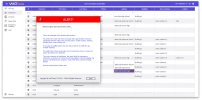
1790198801935.pngYou can have as many "panic buttons" as you can have extension numbers (now a consideration in 3CX V20). Want to have different emergency numbers for internal vs external emergencies? We can do that too (examples: active shooter would be an external notification emergency vs unruly student might be an internal emergency). Need to support hotdesking phones? Check! Need to support staff who travel to different locations automatically? Check! Want to have notifications by phone, email, SMS, and desktop client? Check! How about granular notifications where one shared phone system will only send notifications to the emergency responders for that location? Check! I can go on, and on, about the new features of our tool. There is a lot more to talk about.

Can you build your own solution? You absolutely can with enough time, and a ton of effort... or you might consider looking at a commercial add-on specifically developed for 3CX that is in use around the world. If you would like to schedule a one-on-one web demo with me: https://booking.voiptools.com
 

Forum statistics

Threads
112,106
Messages
590,814
Members
165,101
Latest member
bohdan.kashyntsev@ptcomm.