Enable Multiple Incoming Calls

Status
Not open for further replies.

omzit

Free User
Joined
Jun 22, 2020
Messages
8
Reaction score
1
Hi there,

I am posting the same question that was asked in the thread below, but for Yealink handsets.
https://www.3cx.com/community/threads/need-new-calls-to-ring-while-phone-in-use.60303/

This is the use case:
  • There are 2 receptionists
  • While either/both are on a current call, they need to be able to see the new incoming call and answer it
How does one go about enabling the BLF on a handset to show another incoming call? Based on the thread linked above, I'm assuming it involves editing the template.. however the thread not having any replies in a long time seems like the side-effects were never fixed?

Appreciate any input regarding this.

Thanks in advance
 
You just need:

1. Forwarding Rules -> Accept Multiple Calls must be enabled.

2. Add line keys to the phone via the BLF options of the user.
 
You just need:

1. Forwarding Rules -> Accept Multiple Calls must be enabled.

2. Add line keys to the phone via the BLF options of the user.

I have done this already. What I'm looking for is whether the reported "side effects" of enabling the blinking lights were ever resolved.
 
I have done this already. What I'm looking for is whether the reported "side effects" of enabling the blinking lights were ever resolved.
Not really. I have 3 line keys and can switch between them without issues. I don't really know why you would expect "side effects" from a BLF key.
 
Not really. I have 3 line keys and can switch between them without issues. I don't really know why you would expect "side effects" from a BLF key.

I was just citing what was said on the other thread as below:

Use of that option (ALLOWUSEBUSYOPTFORGROUP) is not recommended as it can cause ...
Calls getting 'stuck'
People leaving VMails and the vmail files being blank'
Same as the above for recordings
Issue with attended transfers.
Calls unexpectedly dropping when being transferred.

I have since made this change and will be testing it out soon.

settings > parameters > ALLOWUSEBUSYOPTFORGROUP = 1
 
I was just citing what was said on the other thread as below:


I have since made this change and will be testing it out soon.

settings > parameters > ALLOWUSEBUSYOPTFORGROUP = 1 settings
Why did you change this? Is it because you are using ring groups? You don't need this for multiple calls, only if you have groups or queues, and it WILL cause issues in this case.
 
  • Like
Reactions: omzit
Be aware that ALLOWUSEBUSYOPTFORGROUP is an experimental setting and is not intended for production use. You should not do this.
 
Not really. I have 3 line keys and can switch between them without issues. I don't really know why you would expect "side effects" from a BLF key.

Have you got the 3 line keys on the soft phone or the physical handset? We need the latter to be working.
 
Have you got the 3 line keys on the soft phone or the physical handset? We need the latter to be working.
Physical handset. The softphone doesn't use line keys for call management.
 
Physical handset. The softphone doesn't use line keys for call management.

Really? I would love to know how this was setup and on which phones, configurations, etc..
 
Really? I would love to know how this was setup and on which phones, configurations, etc..
I have a GRP2616 but this worked on T46S, Fanvil X7, Snom D785, pretty much any phone that supports more than 1 call.

You just need "Accept multiple calls" enabled in the forwarding rules and put line keys in the BLF tab. On Grandstream, the first 2 BLF are hard-coded line keys in the template, then you can add more if you want.
 
I have a GRP2616 but this worked on T46S, Fanvil X7, Snom D785, pretty much any phone that supports more than 1 call.

You just need "Accept multiple calls" enabled in the forwarding rules and put line keys in the BLF tab. On Grandstream, the first 2 BLF are hard-coded line keys in the template, then you can add more if you want.

I see.. that makes sense I guess.

Which fields would we change to hard code so that it says Line 1 and Line 2 with their respective numbers?

I found this for example:

{IF ua=SIP-T29G,SIP-T46G,SIP-T46S,SIP-T54S,SIP-T54W,SIP-T46U}
#Configure Line Key1
{IF blf1}
linekey.1.line = %%Line%%
linekey.1.value = %%type%%
linekey.1.pickup_value = %%PickupValue%%
linekey.1.type = %%DKtype%%
linekey.1.label = %%label%%
linekey.1.extension = %%PickupValue%%
{ELSE}
linekey.1.type = 0
{ENDIF}
 
Last edited:
I see.. that makes sense I guess.

Which fields would we change to hard code so that it says Line 1 and Line 2 with their respective numbers?

I found this for example:

{IF ua=SIP-T29G,SIP-T46G,SIP-T46S,SIP-T54S,SIP-T54W,SIP-T46U}
#Configure Line Key1
{IF blf1}
linekey.1.line = %%Line%%
linekey.1.value = %%type%%
linekey.1.pickup_value = %%PickupValue%%
linekey.1.type = %%DKtype%%
linekey.1.label = %%label%%
linekey.1.extension = %%PickupValue%%
{ELSE}
linekey.1.type = 0
{ENDIF}
No need to hard-code. Just put 2 line keys in BLF tab.

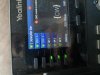
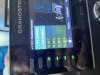
They will appear like this:
19D91F39-2D1A-404D-ABD3-2D2571C6A622.jpegE769BF9D-5502-4D9A-9809-A81D80E49F5C.jpeg
 
Status
Not open for further replies.

Latest Posts

Forum statistics

Threads
111,953
Messages
589,915
Members
164,851
Latest member
DrunkeMeister