Error CM505002 unable to make external calls from desk phones

Status
Not open for further replies.

Joe Schmitz

Free User
Joined
Feb 8, 2017
Messages
30
Reaction score
1
3CX version: v12.0


Error: [CM505002]: Gateway:[ProvidenceVoipGateway] Device info: Device Not Identified: User Agent not matched; Capabilities:[reinvite, replaces, able-no-sdp, recvonly] UserAgent: [Grandstream GXW4108 (HW 2.0, Ch:11) 1.3.4.13] PBX contact: [sip:[email protected]:5060]


VOIP Gateway device: GXW4108


Main issue: After Verizon had come to our office to upgrade our lines from copper to fiber optic, we've been unable to dial any outside lines. As far as I understand, the Verizon techs only had touched the lines from the Verizon cable modem to the outside. Nothing from the cable modem to our network equipment was touched in anyway.


At first we couldn't dial any 7 or 10 digit numbers at all. We were getting temporary unavailable error message. 3 digit dialing worked ffine extension to extenstion. I checked the webpage of the 3cx server and found all 7 gateway trunks in the Ports/Trucks status page were red. I had my onsite person check and he found a loose DC power cable. After he plugged it back in, shortly thereafter, they call showed up green. Now were getting either "call cannot be completed as dialed” or busy signal. My onsite person stated when he tried to dial his cell number he got the Rhode Island traffic information line.


I've rebooted the 3cx phone server and had my onsite person reboot the GWX device. Still we're unsuccessful in getting any 7 or 10 digit calls to work. I can still connect to the Grandstream device, the phone server, and the desk phone fine. I'm concerned there's maybe a phone cable misplaced.


I can post the verbose logs if anyone would like to look at them.
 
Hi Joe Schmitz,

Sounds to me like a provider issue, especially since it was working before they came to your site.

Does the GXW4108 have a real-time debug call logging mode like the Patton does. If this were a Patton I would run this to see whether the gateway is receiving the call and what it is getting back from the provider when it tries to pass it through.

If you can, move yourself to SIP trunks i'd say :)
 
What happens if you plug an analogue phone directly into one of the lines going to the Gateway? Can you dial out? How many digits are required? Do the outbound rules need to be updated? Could it be that the voltage, coming from the new equipment, is lower than it was previously, causing the gateway to think the lines are in use? 24VDC as opposed to 48VDC.

From the sounds of it, they replaced copper with a (multiple) ATA box of some sort.

They may be able to move you over to their VoIP service allowing you to eliminate the gateway and their box.
 
Last edited:
  • Like
Reactions: eddv123
Do you have static IP address?
 
What happens if you plug an analogue phone directly into one of the lines going to the Gateway? Can you dial out? How many digits are required? Do the outbound rules need to be updated? Could it be that the voltage, coming from the new equipment, is lower than it was previously, causing the gateway to think the lines are in use? 24VDC as opposed to 48VDC.

From the sounds of it, they replaced copper with a (multiple) ATA box of some sort.

They may be able to move you over to their VoIP service allowing you to eliminate the gateway and their box.

We can't find a regular analog phone unfortunately. We can't dial outside from the office, but I can dial the 10 digit office line from my cell and get someone to pick up. I'm reviewing the outbound rules too.
 
You provider may have "revised" the number format that is now required since moving you off copper. They should have told you this. You were (probably) previously on a local class 5 switch, and now have service off a VoIP switch, with different dialplans. If you were able to dial local (same areacode) numbers with 7 digits, this may have changed to now require the areacode on all calls(10 digits), or even a "1" prefix on all calls local, and toll.
 
Last edited:
Update:

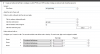
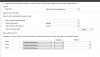
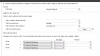
I had Verizon out there and there's some good news. Yes they were able to verify analog dialing works when connecting a phone to the port. The issue now lies with the outbound rules. I've attached two of the outbound rules for 10 digit dialing. I haven't configured outbound rules for this system before, inheriting this from the previous technician I replaced.

I'm on Verizon's site and they explain, basically, I can dial 7, 10, or 11 to reach local numbers, and have to dial the 11 digit number to reach a long distance number. I've attached screenshots of outbound rules I believe are relevant.


My question is what should I change? Is there something simple I'm missing?
I have two sites open from 3cx that has information on this:
https://www.3cx.com/blog/voip-howto/outbound-rules-a-complete-example/
https://www.3cx.com/3cxacademy/videos/advanced/configuring-outbound-routing/


Thank you everyone for the help.
 

Attachments

  • 10 digit dialing.PNG
    10 digit dialing.PNG
    18.5 KB · Views: 5
  • ProvidenceVoipGateway.PNG
    ProvidenceVoipGateway.PNG
    18.7 KB · Views: 5
  • Generic outbound.PNG
    Generic outbound.PNG
    18.6 KB · Views: 5
Last edited:
It loks like there has been an attempt to make some catch-all rules, but, parts have been duplicated in other rules. Rules are read from top to bottom with the first match being followed. I would create some specific rules. 11 digits long, beginning with 1, stripping, nor pre pending digits...that covers national numbers. 7 digits long, striping nor pretending digits, covers local numbers, placement may make a difference depending on other entries. 10 digits long, (how many local area codes are there?) starting with 1st digit of local area code(s), stripping nor pre pending any digits.

Then you have international numbers, which can vary in length, so use the prefix to select the rule, not the number of digits...011, send the number as is,

You then have to consider any "special" numbers,,,311,411, etc. You can create a rule for each specifically, to stop people from using things such as directory assistance, if you are charged per use. (There are actually free DR services, services if you do a search)

I'm not certain why one of the current rules has an 8 digit length in there, are 8 digit numbers something you can dial in your area?

Don't forget, top to bottom.... no point creating a rule that sits lower in the list that has duplicate criteria when another rule above it will be used.

Try out the rules as you create them. Use ther Activity log to see what is dialled, and what is sent out.

All of this assumes that there is no internal dialplan in the gateway, and that you don't use an access digit (9?) when calling out.
 
Last edited:
  • Like
Reactions: Joe Schmitz
Thank you Leejor for the helpful information. I'll go through the rules and the tutorial videos to make sure I have a thorough understanding. I was like a deer in headlights on Friday but today I think I have a better idea of what's going on.
 
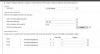
After pouring over the outbound rules I think I have an understanding of how it works. I've setup a dialing rule for 10 and 11 digit numbers without stirping or prepending numbers and placed it as the first rule. When I had my user dial his cell number, a 513 area code number, with 10 and 11 digit numbers. With manual appending a one he gets a rapid busy signal. With just the 10 digit number he gets "call cannot be completed as dialed." When I had him dial another 513 area code number, he gets the errors in reverse, with a 1 he gets "Can't be completed as dialed" with out a 1 he gets rapid busy signal.

I've uploaded the rule for 10 and 11 digit dialing. Any thoughts? I have admin access to the GWX4108. Maybe there's something there I need to tweak that I'm missing.

Thank you all.

Joe
 

Attachments

  • 10 and 11.PNG
    10 and 11.PNG
    25.8 KB · Views: 6
So...you have confirmed what digits they want (what works), with an analogue set?
If so, place a call that fails, then check the 3CX Activity Log. that will show what digits were actually sent to the gateway. Do the digits sent match, what works when calling out directly on a set plugged into the ATA box that they provided?

In the example you provided...since that is a 10 digit rule, i would remove the "11" , in the digit length. have the rule only for 10 digit numbers. Have a second rule, numbers beginning with "1", and 11 digits long, to deal with national calls.
 
Verizon technician had stated it was. One thing I forgot to mention is I'm in Ohio and the office is in Rhode Island, so I'm going off of second hand information. The rules for local calls according to Verizon in Providence is 7, 10, and 11 work. For long distance only 11 is allowed.

I've setup 3 new rules. First one is 7 digits, no stripping, then prepending 1401. For 10 digit numbers, calls starting with 401, no, stripping, then prepending only 1. For 11 digit numbers, starting with 1, no stripping nor prepending. 7 digit rule is first, 10 digit is second on the list, and 11 is third. I had my person at the office try 7 10 and 11 and all three of them just came up rapid busy, but no error like "Invalid number". Like a genius I am I rebooted the services and lost the call log. I'll have my cohort in Rhode Island try 7 10 and 11 digit dialing when they become available and I'll grab the logs.
 
The logs will show if the rules are working the way you expect them to. If you see the correct digits being sent to the gateway, then the GW should pass those onto the PSTN trunks. They were working previously, correct?

I had my person at the office try 7 10 and 11 and all three of them just came up rapid busy, but no error like "Invalid number".

The logs will also give you an idea if the fast busy is coming from the set, the PBX, or the provider. It may be a set, internal dialplan, issue.
 
Here's what I'm getting for 11 digit number dialing. From what I can see, the number matches a rule, the number gets past to the sip, but is running into this error:
[CM505002]: Gateway:[ProvidenceVoipGateway] Device info: Device Not Identified: User Agent not matched; Capabilities:[reinvite, replaces, able-no-sdp, recvonly] UserAgent: [Grandstream GXW4108 (HW 2.0, Ch:11) 1.3.4.13] PBX contact: [sip:[email protected]:5060]

This is where I'm thinking it is failing at. Below is the log of the call. If you want I can attach the verbose log. I have access to the Grandstream device now, which I didn't before. There's settings in there that I know weren't changed before the lines were upgraded. Nothing was changed on the phone server, and the dialing rules according to Verizon's website appear to be basic. The break down has to be between the 3cx system and the Grandstream communicating. If the 11 digit number passes the rule, and then gets sent to the Grandsteam (15135551212 for example), then that matches the long distance rule according to Verizon documentation.


19-Dec-2017 16:00:37.325 [CM506001]: STUN request to resolve SIP external IP:port mapping is sent to STUN server 151.80.125.93:3478 over Transport 10.0.6.10:5060
19-Dec-2017 16:00:10.422 Leg L:7.2[Line:10003>>1513XXXXXXX] is terminated: Cause: BYE from PBX
19-Dec-2017 16:00:10.422 [CM503008]: Call(C:7): Call is terminated
19-Dec-2017 16:00:10.420 Leg L:7.1[Extn:400] is terminated: Cause: BYE from 10.0.6.112:5060
19-Dec-2017 16:00:07.394 [CM503007]: Call(C:7): Line:10003>>1513XXXXXXX has joined, contact <sip:[email protected]:5066>
19-Dec-2017 16:00:07.392 [CM503007]: Call(C:7): Extn:400 has joined, contact <sip:[email protected]:5060>
19-Dec-2017 16:00:07.390 L:7.2[Line:10003>>1513XXXXXXX] has joined to L:7.1[Extn:400]
19-Dec-2017 16:00:06.331 [CM505002]: Gateway:[ProvidenceVoipGateway] Device info: Device Not Identified: User Agent not matched; Capabilities:[reinvite, replaces, able-no-sdp, recvonly] UserAgent: [Grandstream GXW4108 (HW 2.0, Ch:11) 1.3.4.13] PBX contact: [sip:[email protected]:5060]
19-Dec-2017 16:00:03.175 [CM503025]: Call(C:7): Calling T:Line:10003>>1513XXXXXXX@[Dev:sip:[email protected]:5066;transport=udp;user=phone,Dev:sip:[email protected]:5060;transport=udp;user=phone,Dev:sip:[email protected]:5062;transport=udp;user=phone,Dev:sip:[email protected]:5064;transport=udp;user=phone] for L:7.1[Extn:400]
19-Dec-2017 16:00:03.127 [CM503027]: Call(C:7): From: Extn:400 ("Patrick OBannon" <sip:[email protected]:5060>) to T:Line:10003>>1513XXXXXXX@[Dev:sip:[email protected]:5066;transport=udp;user=phone,Dev:sip:[email protected]:5060;transport=udp;user=phone,Dev:sip:[email protected]:5062;transport=udp;user=phone,Dev:sip:[email protected]:5064;transport=udp;user=phone]
19-Dec-2017 16:00:03.127 [CM503004]: Call(C:7): Route 3: from L:7.1[Extn:400] to T:Line:10003>>1513XXXXXXX@[Dev:sip:[email protected]:5066;transport=udp;user=phone,Dev:sip:[email protected]:5060;transport=udp;user=phone,Dev:sip:[email protected]:5062;transport=udp;user=phone,Dev:sip:[email protected]:5064;transport=udp;user=phone]
19-Dec-2017 16:00:03.127 Line limit check: Current # of calls for line Lc:10002(@ProvidenceVoipGateway[<sip:[email protected]:5064>]) is 0; limit is 1
19-Dec-2017 16:00:03.127 Line limit check: Current # of calls for line Lc:10006(@ProvidenceVoipGateway[<sip:[email protected]:5072>]) is 0; limit is 1
19-Dec-2017 16:00:03.127 Line limit check: Current # of calls for line Lc:10001(@ProvidenceVoipGateway[<sip:[email protected]:5062>]) is 0; limit is 1
19-Dec-2017 16:00:03.127 Line limit check: Current # of calls for line Lc:10000(@ProvidenceVoipGateway[<sip:[email protected]:5060>]) is 0; limit is 1
19-Dec-2017 16:00:03.127 Line limit check: Current # of calls for line Lc:10007(@ProvidenceVoipGateway[<sip:[email protected]:5074>]) is 0; limit is 1
19-Dec-2017 16:00:03.127 Line limit check: Current # of calls for line Lc:10005(@ProvidenceVoipGateway[<sip:[email protected]:5070>]) is 0; limit is 1
19-Dec-2017 16:00:03.127 Line limit check: Current # of calls for line Lc:10004(@ProvidenceVoipGateway[<sip:[email protected]:5068>]) is 0; limit is 1
19-Dec-2017 16:00:03.127 Line limit check: Current # of calls for line Lc:10003(@ProvidenceVoipGateway[<sip:[email protected]:5066>]) is 0; limit is 1
19-Dec-2017 16:00:03.127 [CM503027]: Call(C:7): From: Extn:400 ("Patrick OBannon" <sip:[email protected]:5060>) to T:Line:10003>>1513XXXXXXX@[Dev:sip:[email protected]:5066;transport=udp;user=phone,Dev:sip:[email protected]:5060;transport=udp;user=phone,Dev:sip:[email protected]:5062;transport=udp;user=phone,Dev:sip:[email protected]:5064;transport=udp;user=phone]
19-Dec-2017 16:00:03.127 [CM503004]: Call(C:7): Route 2: from L:7.1[Extn:400] to T:Line:10003>>1513XXXXXXX@[Dev:sip:[email protected]:5066;transport=udp;user=phone,Dev:sip:[email protected]:5060;transport=udp;user=phone,Dev:sip:[email protected]:5062;transport=udp;user=phone,Dev:sip:[email protected]:5064;transport=udp;user=phone]
19-Dec-2017 16:00:03.127 Line limit check: Current # of calls for line Lc:10002(@ProvidenceVoipGateway[<sip:[email protected]:5064>]) is 0; limit is 1
19-Dec-2017 16:00:03.127 Line limit check: Current # of calls for line Lc:10006(@ProvidenceVoipGateway[<sip:[email protected]:5072>]) is 0; limit is 1
19-Dec-2017 16:00:03.127 Line limit check: Current # of calls for line Lc:10001(@ProvidenceVoipGateway[<sip:[email protected]:5062>]) is 0; limit is 1
19-Dec-2017 16:00:03.127 Line limit check: Current # of calls for line Lc:10000(@ProvidenceVoipGateway[<sip:[email protected]:5060>]) is 0; limit is 1
19-Dec-2017 16:00:03.127 Line limit check: Current # of calls for line Lc:10007(@ProvidenceVoipGateway[<sip:[email protected]:5074>]) is 0; limit is 1
19-Dec-2017 16:00:03.127 Line limit check: Current # of calls for line Lc:10005(@ProvidenceVoipGateway[<sip:[email protected]:5070>]) is 0; limit is 1
19-Dec-2017 16:00:03.127 Line limit check: Current # of calls for line Lc:10004(@ProvidenceVoipGateway[<sip:[email protected]:5068>]) is 0; limit is 1
19-Dec-2017 16:00:03.127 Line limit check: Current # of calls for line Lc:10003(@ProvidenceVoipGateway[<sip:[email protected]:5066>]) is 0; limit is 1
19-Dec-2017 16:00:03.127 [CM503027]: Call(C:7): From: Extn:400 ("Patrick OBannon" <sip:[email protected]:5060>) to T:Line:10003>>1513XXXXXXX@[Dev:sip:[email protected]:5066;transport=udp;user=phone,Dev:sip:[email protected]:5060;transport=udp;user=phone,Dev:sip:[email protected]:5062;transport=udp;user=phone,Dev:sip:[email protected]:5064;transport=udp;user=phone]
19-Dec-2017 16:00:03.127 [CM503004]: Call(C:7): Route 1: from L:7.1[Extn:400] to T:Line:10003>>1513XXXXXXX@[Dev:sip:[email protected]:5066;transport=udp;user=phone,Dev:sip:[email protected]:5060;transport=udp;user=phone,Dev:sip:[email protected]:5062;transport=udp;user=phone,Dev:sip:[email protected]:5064;transport=udp;user=phone]
19-Dec-2017 16:00:03.127 Line limit check: Current # of calls for line Lc:10002(@ProvidenceVoipGateway[<sip:[email protected]:5064>]) is 0; limit is 1
19-Dec-2017 16:00:03.127 Line limit check: Current # of calls for line Lc:10006(@ProvidenceVoipGateway[<sip:[email protected]:5072>]) is 0; limit is 1
19-Dec-2017 16:00:03.127 Line limit check: Current # of calls for line Lc:10001(@ProvidenceVoipGateway[<sip:[email protected]:5062>]) is 0; limit is 1
19-Dec-2017 16:00:03.127 Line limit check: Current # of calls for line Lc:10000(@ProvidenceVoipGateway[<sip:[email protected]:5060>]) is 0; limit is 1
19-Dec-2017 16:00:03.127 Line limit check: Current # of calls for line Lc:10007(@ProvidenceVoipGateway[<sip:[email protected]:5074>]) is 0; limit is 1
19-Dec-2017 16:00:03.127 Line limit check: Current # of calls for line Lc:10005(@ProvidenceVoipGateway[<sip:[email protected]:5070>]) is 0; limit is 1
19-Dec-2017 16:00:03.127 Line limit check: Current # of calls for line Lc:10004(@ProvidenceVoipGateway[<sip:[email protected]:5068>]) is 0; limit is 1
19-Dec-2017 16:00:03.127 Line limit check: Current # of calls for line Lc:10003(@ProvidenceVoipGateway[<sip:[email protected]:5066>]) is 0; limit is 1
19-Dec-2017 16:00:03.126 Call(C:7): Call from Extn:400 to 1513XXXXXXX matches outbound rule '11 digit number'
19-Dec-2017 16:00:03.125 [CM503001]: Call(C:7): Incoming call from Extn:400 to <sip:[email protected]:5060>
1
 
Last edited:
It looks as if the call is being passed to the gateway, so your outbound rule looks to be OK. Does the log (end result) look the same for 7 and 10 digit calls? I assume that no changes have been made to the gateway (internal dialplan) since the change away from copper, so whatever digits worked previously should continue to work, as long as the PSTN lines are seen to be the same.

Did you ever measure the voltage, of the new phone lines going into the gateway to see if the continue to be about 48 volts (and not 24)?
 
Cause: BYE from 10.0.6.112:5060

Who has this IP? The gateway appears to be 10.0.6.21, and the PBX appears to be 10.0.6.10

Is that the originating set?
 
You're correct there's no changes done to the gateway. In fact I just found the admin password after the lines were upgraded, so settings to the gateway and phone server would have to be ruled out.

10.0.6.10 is the PBX
10.0.6.21 is the Grandstream gateway
10.0.6.112 is cisco phone placing the call.

When I had the Verizon tech out there I don't know if he checked the voltage.
 
Last edited:
If all else remains the same, and the correct digits are being sent to the gateway, then the only other explanation, is a condition (on the lines) to the gateway from the new ATA. It may be that the gateway will not attempt an outgoing call as the line voltage is low enough to make the lines appear to be engaged. Many gateway will produce an error message, that is seen in the 3CX log, when this happens, but, I'm not familiar with the Grandsteam gateway, so i don't know if it does this.
 
I think I'm starting to get what is going on. This is a snippet of the call from an extension to an outside number:
20-Dec-2017 09:53:05.509 [CM503004]: Call(C:4): Route 1: from L:4.1[Extn:406] to T:Line:10003>>1717XXXXXXX@[Dev:sip:[email protected]:5066;transport=udp;user=phone,Dev:sip:[email protected]:5062;transport=udp;user=phone,Dev:sip:[email protected]:5064;transport=udp;user=phone]

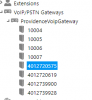
The outbound rule matches, so it tries to send it through the gateway providencevoipgateway on lines 10001 to 10003. Is there be anything I should be looking for with the way the Virtual Extension Numbers are programmed with the gateway?
 

Attachments

  • Capture.PNG
    Capture.PNG
    6.3 KB · Views: 8
Status
Not open for further replies.

Latest Posts

Forum statistics

Threads
112,089
Messages
590,698
Members
165,056
Latest member
PANAMERICANAGLOBAL