Error CRM new Version 3cx

Status
Not open for further replies.

thiago.lemos@nassautecnol

Silver Partner
Advanced Certified
Joined
Aug 26, 2020
Messages
76
Reaction score
13
After updating the CRM is no longer searching for contact and exploding on the screen with data. both SALESFORCE and BITRIX24.
 
Hello @thiago.lemos@nassautecnol,

Can you please provide more details? Can you check if you see any error when you go to the 3CX Console > Settings > CRM > Test button, and execute a test lookup?
 
In the error test it is ok, the problem is in the POPUP of the Webclient that is not working correctly, before 3CX created the new lead and this new LEAD appeared on the screen for us to adjust with the correct data, now it does not but this one movement.
 
he lost the POPUP setting
 
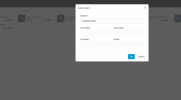
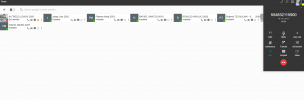
In 3CX v18 Update 8 contacts are not created automatically anymore. Now when the contact can't be matched, the Web Client will show an "Add contact" link, which you can use to create the contact in your CRM, by filling the details. This way you will not have contacts with a default name, as now you can specify the contact name when you create it.
 
  • Like
Reactions: Evolute IT
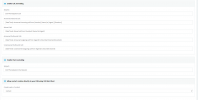
we are using to create a lead, how is it using work mode?, Another question is which field we use here in the webclient configuration
 

Attachments

  • salesforce_.png
    salesforce_.png
    30.1 KB · Views: 12
we are using to create a lead, how is it using work mode?, Another question is which field we use here in the webclient configuration
From the 3CX Console > Settings > CRM, you can configure if you want to create a Contact or Lead, when you trigger this functionality from the Web Client.

Another question is which field we use here in the webclient configuration
Your configuration is correct to get the popup for matched contacts when you receive an inbound call. After creating the contact, it will not be automatically popped, you will need to click the "CRM" link to launch it in a new browser tab.
 
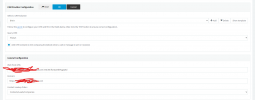
Already using Bitrix24, the options changed a little, but we also have to choose and I tried them all and we still can't get the POPUP, about doing the manual registration it only appears to register in the 3CX itself and not in the CRM as an attached image.
 

Attachments

  • 2_bitrix24.png
    2_bitrix24.png
    21.8 KB · Views: 8
  • 1_bitrix24.png
    1_bitrix24.png
    52.3 KB · Views: 8
  • Bitrix24_.png
    Bitrix24_.png
    29 KB · Views: 8
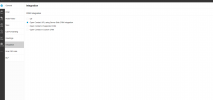
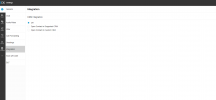
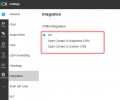
What edition of 3CX are you using? You don't have the server side option here:1693232933909.png


Can you show the configuration you have in the 3CX Console > Settings > CRM? Please gray out any sensitive details.
 
Ok I'm sending it right now. Settings using BITRIX24. The bitrix24 is on our NFR system.

About SALESFORCE, which is on a PRO Version client, I will test it later because it is from a client of ours and I don't have access at the moment.
 

Attachments

  • bitix24_2.png
    bitix24_2.png
    40.3 KB · Views: 6
  • bitix24_1.png
    bitix24_1.png
    46.6 KB · Views: 6
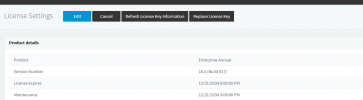
follows version of 3cx that bitrix24 is installed
 

Attachments

  • version_bitrix24.png
    version_bitrix24.png
    17.2 KB · Views: 4
Do you think I should open a ticket about the 2 cases or do we continue the issue here.
 
What's weird is that you don't have the option "Open contact URL using server side CRM integration" in the Web Client.... If you have the Enterprise edition, that option should be there. This is only hidden for standard licenses... Can you login to the Web Client from an incognito window and check if you still don't see this option under Settings > Integration?
 
This license that is connected to BITRIX24 is our NFR that we use internally in our company, is that why? I tested it in EDGE and in privacy mode and it didn't show up.

I'm going to open a ticket for the SALESFORCE case, because it's a client and I need support for the resolution, about our case here at BITRIX24 I'll continue here on the FORUM with you.
 
This license that is connected to BITRIX24 is our NFR that we use internally in our company, is that why? I tested it in EDGE and in privacy mode and it didn't show up.
The NFR license should have this feature enabled. I think it's better to have a closer look at this, so I would recommend that you open a support ticket for this as well.
 
I'm opening a new ticket.
Just to inform the question with SALESFORCE everything working 100% we just had to understand how to create the Lead in this new way.
I appreciate the support
 
  • Like
Reactions: edossantos
Status
Not open for further replies.