- Joined
- Apr 22, 2020
- Messages
- 4
- Reaction score
- 0
Hi,
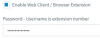
I'm very new to the 3CX. I have a user that does basic admin changes to the system and his forgotten his 3CX management console password.
His ext is 216,
I login using WebAdmin which has full access rights, what is the best way to reset his password? sorry I'm still learning my way around the system.
Thanks Rich
I'm very new to the 3CX. I have a user that does basic admin changes to the system and his forgotten his 3CX management console password.
His ext is 216,
I login using WebAdmin which has full access rights, what is the best way to reset his password? sorry I'm still learning my way around the system.
Thanks Rich