Facebook Messenger User Name and Profile not Displaying

Sidey

Premier Customer
Joined
Jan 24, 2023
Messages
12
Reaction score
1
Hello,

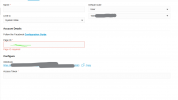
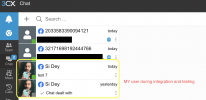
I recently completed the Facebook Messenger integration, but the username and profile picture are no longer appearing. During the initial setup and testing, everything worked correctly — I could see my Facebook username and profile photo when sending messages. What could be causing this issue now?

Additionally, could someone share a proper step-by-step guide on configuring Facebook Chat for a specific department? The goal is for all users within that department to receive incoming messages. At the moment, only I (as the system administrator) am receiving the messages in 3CX, even though other users exist in the assigned department.
1764134870887.png

1764134725107.png
 
Last edited by a moderator:

Hello,

Facebook IDs instead of name/photo: This would indicate that your Messenger integration is not yet verified by Facebook. You should be able to check this on their pages. Before verification you can still receive messages, but you cannot see the sender details. Your own account appears correctly since it is the account doing the integration and so no special rights are needed.

Messaging to Department: Where messages end up when the destination is set to be a department depends on the settings in "Call Handling" under the DepartmentName(Live Chat - Text - Calls Menu).
The easiest way to ensure messages go to all intended users is to create a queue or ring group and assign that as the destination of the Messenger integration.
 
  • Like
Reactions: Evolute IT
Hello,

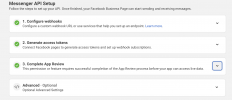
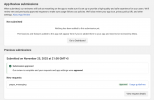
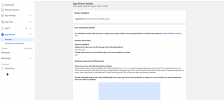
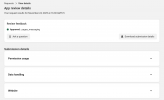
App has been approved by Facebook. Please refer to below images..

1764149117646.png

1764149226916.png
 
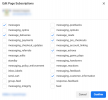
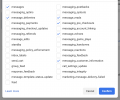
Can you verify if permissions were requested per the guide:

1764149542951.png

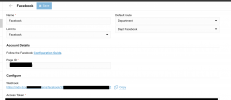
Also try adding an extra digit to the Page ID in the Facbook config on the PBX, save, click out of config, go back in, remove the digit and save again - in case your connection is somehow stack in the pre-approved state.
1764149785549.png
 
  • Like
Reactions: Evolute IT
1764155266255.png

I have tried reregistering by updating the page id as you suggested.. still no improvements
 
On the 3CX side we are showing whatever facebook provides, so any change to get things to show properly would be from there. Did you try from multiple senders and all come in that way?

I was given the below image from the team, as to what you should be seeing in App Review on facebook:

1764158561122.png
 
1764161042117.png
this is what I see
 
1764161915518.png

i have requested for this, I believe this is the issue here.. once approved hopefully it will be okay.
 
  • Like
Reactions: KyriacosS_3CX
Yes, if this was not there, it would cause the issue you are seeing.
 
  • Like
Reactions: Sidey

Forum statistics

Threads
111,954
Messages
589,919
Members
164,851
Latest member
DrunkeMeister