Failed Cisco SPA 112 with 3CX

Status
Not open for further replies.

Richard_Keith

Free User
Joined
Apr 12, 2019
Messages
4
Reaction score
0
Hi,

I'm sure there have been many threads on this point but I really need help on it. I'm not able to register a Cisco SPA112 with our 3CX 15.5 system. Here are the following details I have entered into the SPA config console:

Line 1

General

  • Line Enable - Yes
Proxy and Registration
  • Proxy - xxx.xxx.xxx.xx
Subscriber Information
  • Display Name - 4xx
  • User ID - 4xx
  • Use Auth ID - Yes
  • Password - ######
  • Auth ID - ######

Do I require to input more details somewhere within the extension or within the SPA? If someone could help on this that will much be appreciated.

Richard
 
Thanks for replying. I have just looked at your thread on the issues you were having.
Within the SPA, Just now I tried to update the settings by using the new alphanumeric and placed the AuthID from the ext. in the Auth ID box in the SPA also using the same value to the User ID but I still get a Registration Failed.

Any more ideas?
 
did you input userid as extension number ? this can't be same value as AuthID

3CX and phones are local same LAN?

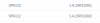
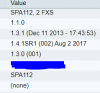
Check if you have same FW on SPA, have this one

10246
 
Last edited:
Oh okay, I have now changed the User ID value to the ext. number.
3CX and the phone are not on the same local LAN - I have unchecked the box within the ext. to disallow use of extension outside the LAN.
I still have the Registration State = Failed.

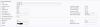
Do I need to add an FXS device within 3CX? From your snip image, it looks like the device is added there.

10247
 
this works on mine
10248

I just created 2 extensions and manually registred, but for me they are on same LAN so i'm not sure SPA is able to work remotely or with VPN only
 
Last edited:
What does the 3CX Activity Log look like when the ATA attempts to register? Is there one? Since the ATA is not local, have you enabled STUN?
 
I don't have any entry in the Activity Log for the ATA. Regarding the STUN, I currently haven't added a phone so the current setting is '3CX Client' as I couldn't find SPA 112 from the list??
 
If there is no log showing a registration attempt, then the ATA is not able to reach 3CX. This could be the result of something (firewall?) blocking the attempt, or the ATA not registering to the correct IP (FQDN), or port.

Once you are able to see a registration attempt, then, depending on the log, you may have to enable STUN on the 112. If you see a local IP (of the ATA), in the registration and not the public IP of the remote router, then STUN will be needed.

I'm not aware that that SPS112 is yet "officially" supported, that being the case, I would not expect it to be available in any 3CX "list" for selection. You create the extension number, then use the credentials from that to manually provision the ATA.
 
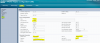
This is how I registered a SPA122 to 3CX (no local and no VPN)
10295
 
Status
Not open for further replies.

Latest Posts

Forum statistics

Threads
111,920
Messages
589,744
Members
164,794
Latest member
avmullins