Failed Registration -Linksys SPA3102 -as a PSTN Gateway

Status
Not open for further replies.

noddy184

Joined
Aug 16, 2012
Messages
22
Reaction score
2
Hey Guys

RE SPA3102 - Failed Registration / Will not Register with PBX

I have purchased a new SPA3102 to use as a PSTN Gateway (I want callers to be able to ring my PSTN phone number and the SPA3102 answer the call and put it into the PBX). Did a reset to factory , then configured it exactly as this guide has said to:
http ://www.3cx.com/voip-gateways/linksys-3102/ - NO LONGER AVAILABLE

Anticipating a faulty unit or overlooked setting, i got a second SPA3102 and performed the same config, which results in the same problem. Maybe it's my 3CX config?

IP of 3CX = 192.168.2.2
IP of SPA3102 = 192.168.1.6

One query - my PBX is on port SIP 5062 but the setup on the SPA3102 is for SIP 5062 - is it meant to be the same port?
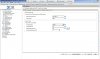
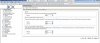
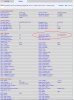
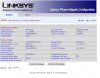
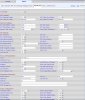
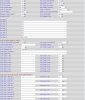
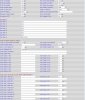
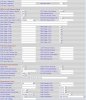
Have attached screenshots but can provide others if needed.
Could I have some suggestions as to what i have done wrong?
 

Attachments

  • 3cx edit gateway - general tab.jpg
    3cx edit gateway - general tab.jpg
    103.8 KB · Views: 2,095
  • 3cx Network Settings.jpg
    3cx Network Settings.jpg
    109.2 KB · Views: 2,088
  • SPA 3102 voice- info screen.jpg
    SPA 3102 voice- info screen.jpg
    140.2 KB · Views: 2,094
  • spa3102 Main Status Screen.jpg
    spa3102 Main Status Screen.jpg
    74.9 KB · Views: 2,091
  • spa3102 Pstn Screen 1 of 3.jpg
    spa3102 Pstn Screen 1 of 3.jpg
    129.6 KB · Views: 2,096
  • spa3102 Pstn Screen 2 of 3.jpg
    spa3102 Pstn Screen 2 of 3.jpg
    132.3 KB · Views: 2,094
  • spa3102 Pstn Screen 2 of 3.jpg
    spa3102 Pstn Screen 2 of 3.jpg
    132.3 KB · Views: 2,091
  • spa3102 Pstn Screen 3 of 3.jpg
    spa3102 Pstn Screen 3 of 3.jpg
    145.6 KB · Views: 2,093
Hi,

see this article, maybe will help
http: //www.3cx.com/voip-gateways/linksys-3102/ - NO LONGER AVAILABLE
 
hi mixig

already followed the guide closely, still errors hence posting.
 
Hi again,

in your post you said that ip of 3cx is 192.168.2.2 and in linksys you put 192.168.1.2??
 
correction.. sorry to clarify the IP is 192.168.1.2 for the PBX
 
Does the 3CX server log (event or activity) show any communications attempt at a registration? You might also check for black listing as I guess it possible that when initially setting-up possibly the credentials were not fully established and the registrations failed x # of times and the SPA IP was subsequently blacklisted.
 
A few things that need to be changed...

PSTN ring thru line 1, set to NO

Change PSTN CID for VoIP CID to YES

Dial Plan 8 should be (S0<:10002>)

Register Expires can be set to 1800 (360 is a bit too short)

You'll probably want to set PSTN Answer Delay to 3 or 4, 16 seconds is too long to wait for the call to be passed to 3CX.

Use a more secure password.

In the Info tab, you have Line 1 status circled, it's the PSTN Status you are currently working on.

Are you using the correct Ethernet port on the 3102? It should be the blue one (Internet) as it appears the you still have the router function enabled in the 3102.

Don't let the port numbers confuse you. By default, 3CX will listen on port 5060, that is the default port that the 3102 will send to. You have set the PSTN portion of the 3102 to listen on port 5062 and put that same port number in the trunk settings in 3CX.
 
Ok guys I have figured out the problem, I had incorrect authentication in the PSTN gateway settings , - so I deleted the gateway and readded it, all working. The log reveals all! Thanks for the tip.

My next problem is that the SPA3102 is not putting the inbound calls from the PSTN through to the 3CX PBX properly.

When I ring the PSTN number, the SPA3102 answers the call after 3 secs (as it's meant to) but then you get a (internal) dial tone. (the same noise as if you'd picked up a handset connected to the PBX and it waits for you to dial your number). After a few seconds it times out.

I rang the PSTN number again, waited for the dialtone, and this time I key'd in an extension number (once I heard the 3cx dial tone). It than transfers the call to the ring group I assigned in 3CX and the call connects successfully.

How can I get it (PSTN) to just connect staight to the ring group without the inbound caller having to do anything or push any numbers on his phone?
Thanks
 
Sorry, I think I missed something too. Did you change the PSTN caller default DP to "8" to make use of the "forward" rule (S0:<10002>) in there.

You may also want to consider upgrading the firmware. Latest is 5.2.13

Download...

http://www.cisco.com/cisco/software/release.html?mdfid=282414112&softwareid=282463187&release=5.2.13&relind=AVAILABLE&rellifecycle=&reltype=latest

Instructions...

http://www.cisco.com/en/US/products/ps10024/products_qanda_item09186a0080a35f1e.shtml?referring_site=smartnavRD

All settings remain intact after an upgrade.
 
Leejor, you're the man, it's all working now, just had to change the PSTN caller default dp to 8. i tried to upgrade the firmware but it error'd out, will try that another time.

However PSTN inbound calls now work, goes straight into the PBX.

Thanks for your help... legendary. :D
 
Status
Not open for further replies.

Latest Posts

Members Online Now

Forum statistics

Threads
111,844
Messages
589,330
Members
164,680
Latest member
JV J