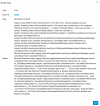
Failed to send APNS PUSH to device iPhone, PUSH sender ID: 50020

mpsrnetwork

Customer
Joined
Dec 16, 2023
Messages
9
Reaction score
0
Please assist
 

Attachments

  • Screenshot 2025-08-04 at 3.02.19 PM.png
    Screenshot 2025-08-04 at 3.02.19 PM.png
    191 KB · Views: 13
yes i have already done, it was working fine till last Saturday and its been having issues like this since this morning
 
Can you check the time on your server? If the machine has drifted a bit too far, that could be the cause.
 
i checked its correct as well but still same issue
 
Is the system configured with a failover? Are services on the spare instance off fully, if this is the case?
 
no its not setup with failover
 
Can you try a trace/telnet to some of apple's PUSH servers, so we can see if there is a networking issue somewhere:

https://support.apple.com/en-us/102266

We are not seeing this in other systems, and that points to a fairly local network related matter.

Does it work OK for Android?
 
no it does not work on android either
 
I have exactly the same problem. Androids are receiving push messages normally, but iOS devices aren't. The 3CX Firewall test passes 100%. Can you help us?
 
Does the app on iOS have all the permissions it requires, to listen for PUSH?
 
Hi,

I am having the same issue. Nothing was changed on the server. The date/time on the server is correct. It seems to have broken after update to v20 U7. Server has been restarted and the server is on v20 U7 Build 1060.

Error info:

Failed to send APNS PUSH to device iPhone 11 (Ext.8985). Internal exception occured: System.Threading.Tasks.TaskCanceledException: The request was canceled due to the configured HttpClient.Timeout of 100 seconds elapsing.

Could it be linked to this discussion?:


Any ideas on what can be done to resolve?

Thanks.

PS. I've raised a ticket with our support partner. I'll advise here what they find.
 
Last edited:
Hi,

Is this about iOS PUSH or SMTP for emails? Perhaps opening a new clean thread will avoid confusion.
 
Hi,

Is this about iOS PUSH or SMTP for emails? Perhaps opening a new clean thread will avoid confusion.
Thanks. Agreed. I have removed the SMTP element to reduce confusion. I suspect they are both linked but appreciate this post if about the push notifications only.
 
Okay so on further investigation it appears IPv6 is the issue. Email SMTP and APNS now work if the following command is run on the 3CX server(s):

sysctl -w net.ipv6.conf.ens18.disable_ipv6=1

This will not persist after a restart. To make persist after a restart do the following:

sudo echo "net.ipv6.conf.ens18.disable_ipv6=1" >> /etc/sysctl.d/90-ipv6disable.conf

I hope this helps !

PS. The IPv6 issue would also cause update checks to take ages and timeout (another symptom).
 
Last edited:

Forum statistics

Threads
111,954
Messages
589,921
Members
164,851
Latest member
DrunkeMeister