Fanvil i16VS & 3CX

mososki

Silver Partner
Advanced Certified
Joined
Oct 15, 2024
Messages
19
Reaction score
4
We have a v20 3CX and can get SIP call from video doorphone to register and ring in OK; how do we view the video on the 3CX web app or installed application? I see documentation that both interfaces are capable of viewing the video. When we get called from the doorphone the only device that shows video is the mobile app on the smartphone. Desktop app and web app don't offer the video, but sometimes it briefly flashes when the call connects but then goes away.

The device works, we can install the VLC player and stream the video -- but this is full time.

We want our client to get the video when the call comes in. How do we do this?

(new 3CX dealer here).
 
Hello,

Perhaps if you advice on how 3CX is set-up (on-prem, 3CX Hosted etc), the community might be able to offer some better insight. Also some info on how the door phone is setup, codecs, templates etc. So it's easier to zero in.
 
  • Like
Reactions: mososki
Hi,

The Fanvil i16SV, when provisioned as per our guide, will call whatever destination you set as speed dial one when pressing the button.

The call will offer video by default. So when answering on webclient, a pop-up will appear asking you if you want to enable video.

Do you see the pop-up?
 
Hello,

Perhaps if you advice on how 3CX is set-up (on-prem, 3CX Hosted etc), the community might be able to offer some better insight. Also some info on how the door phone is setup, codecs, templates etc. So it's easier to zero in.
Good point...first time poster, appreciate the advice. 3CX premise on Windows machine; doorphone is configured with 3CX template and SIP comes online OK. We currently have button pointed to ring group. It rings the phones but does not offer video.
 
Good point...first time poster, appreciate the advice. 3CX premise on Windows machine; doorphone is configured with 3CX template and SIP comes online OK. We currently have button pointed to ring group. It rings the phones but does not offer video.

Ring group or queue? check to be sure.
 
Hi,

The Fanvil i16SV, when provisioned as per our guide, will call whatever destination you set as speed dial one when pressing the button.

The call will offer video by default. So when answering on webclient, a pop-up will appear asking you if you want to enable video.

Ring group or queue? check to be sure.
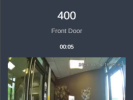
We have tried with destination as a ring group and also just a single staton. On the receiving end, we have answered the call on 3CX softphone - no video appears and no option to select video; also answered on web client and have same results. It does show video when answered on the mobile app.
 
Hi,

The softphone does not yet have video support. The webclient and mobile clients do.

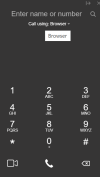
Just make sure your webclient is set to browser mode before your door phone calls it:
1781095975653.png
 
We also just tried pointing to queue; same result, no video, no option to select video
 
>> It does show video when answered on the mobile app.
This is a good sign that the door phone works as intended.

Avoid queues, video is not possible there. You need ring group or direct call.

The next step is to receive video on the webclient now that you know the mobile app works:
  1. Ensure that the device has the correct firmware: https://www.3cx.com/docs/phone-firmwares/
  2. If you made any changes on it manually, you can factory reset and re-provision it to make sure you have the defaults as intended.
  3. Set the speed dial to call a webclient user directly (the device will likely restart to apply the change).
  4. Ensure the webclient is set to "Browser" and can make / receive calls, perhaps even make a video call to another webclient to be sure. You might need to grant rights in the browser.
  5. If the webclient is also now ok, then ring it from the device and once answered you will see a pop-up offering video.
  6. Once you accept the offer it will start showing video in the dialer window of your webclient within a couple of seconds.
Hope this helps sort it out!
 
>> It does show video when answered on the mobile app.
This is a good sign that the door phone works as intended.

Avoid queues, video is not possible there. You need ring group or direct call.

The next step is to receive video on the webclient now that you know the mobile app works:
  1. Ensure that the device has the correct firmware: https://www.3cx.com/docs/phone-firmwares/
  2. If you made any changes on it manually, you can factory reset and re-provision it to make sure you have the defaults as intended.
  3. Set the speed dial to call a webclient user directly (the device will likely restart to apply the change).
  4. Ensure the webclient is set to "Browser" and can make / receive calls, perhaps even make a video call to another webclient to be sure. You might need to grant rights in the browser.
  5. If the webclient is also now ok, then ring it from the device and once answered you will see a pop-up offering video.
  6. Once you accept the offer it will start showing video in the dialer window of your webclient within a couple of seconds.
Hope this helps sort it out!
 

Attachments

  • 3CX offers video but does not display.png
    3CX offers video but does not display.png
    663.8 KB · Views: 6
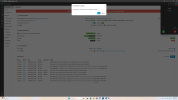
Incoming doorphone call to web app displays incoming call; when I answer, it pops up the screen shown above, do you want video? I say yes, get connected to caller, but audio only, no video appears. The button on unit is set to speed dial to x100
 
What browser you using?

Im using Edge

1781104080950.png
 
What is your exact firmware version?
at latest 3CX supported version: 2.12.48.25; was going to ask the other dealer if he would share his device config file so I could have AI do and stare and compare to see if anything is different.
 
Any browser restrictions or addons?
No, I've checked those and even disabled all the add-ons. Would you be willing to send over the configuration file from the working device? I would like to have AI do a "stare and compare" to see if there are different settings.
 
What is your exact firmware version?
Any further ideas on what we can try to get this working? Are there any log files that would tell us the issue?
 
Any further ideas on what we can try to get this working? Are there any log files that would tell us the issue?

Hi,

Since I can confirm that this model works with the webclient on a local PBX, I assume it should normally work for you too. I tried both Chrome and Edge with success. A couple of suggestions:


1. Today a new firmware was released, your PBX will probably download it shortly. This is the version I have tested with, on V20 Update 9 here (2.12.52.23). Ensure the webclient is set to "Browser" and can make / receive calls normally before you test.

2. In the past we have seen issues where some LANs have restrictions or MTU and ICMP limitations that can "break" the video traffic. Even if it reaches the destination, it cannot be decoded by the browser. The doorphone and the PBX also have packet capture features you can use to troubleshoot by yourself. This is something you have to research and investigate but we cannot assist you with troubleshooting your own LAN.
 
Video failed to work at client site with web or applications; have replaced some V64 sets with V65 sets. Doorphone calls to V65 sets automatically display video upon answer. Our client is happy with this solution.
 

Members Online Now

Forum statistics

Threads
111,831
Messages
589,277
Members
164,660
Latest member
RJenkinsROCK