Solved Fanvil I30

Status
Not open for further replies.

NicoBringas

New User
Joined
Sep 21, 2021
Messages
5
Reaction score
0
I own an i30 fanvil. at the time of configuring it via web it was erroneously assigned the IP 192.168.100.255 after that there is no way to be able to enter the web configuration again, there is any solution to be able to change that IP, or enter the web or do a factory reset manually?
 
Easiest way would be to temporarily give your computer a static IP on the same subnet and then login to i30 and correct the typo.
 
  • Like
Reactions: JohnS_3CX
  • Like
Reactions: JohnS_3CX
@NicoBringas the above is very good advice that should have you fully covered. Also note, to double-check what IP the device currently has, you can simply hold down the # button for 3 seconds and it will speak out the IP address.
 
La forma más fácil sería darle temporalmente a su computadora una IP estática en la misma subred y luego iniciar sesión en i30 y corregir el error tipográfico.
intente darle una ip estática, la misma puerta de enlace que la computadora. Conecté todo a un switch, también lo conecté directamente a la PC con un cable de Red recto y cruzado y todavía no me deja entrar a la web
 
[USER = 131658] @NicoBringas [/ USER] el anterior es un muy buen consejo que debería tenerlo completamente cubierto. También tenga en cuenta que para verificar qué IP tiene actualmente el dispositivo, simplemente puede mantener presionado el botón # durante 3 segundos y dirá la dirección IP.
El dispositivo tiene la IP 192.168.100.255 y la puerta de enlace 192.168.100.1
 
Hi Nico,

Please try this method :

  1. Power Off the device.
  2. While holding down the “#” key, power on the device.
  3. Continue to hold the“#” key until the two bottom LEDs and Ringer LED stay on.
  4. Release the “#” key.
  5. Type the following keys in the following order: “*”, “#”, “1”, “6”, “8”.
  6. Wait 10-15 seconds.
  7. Power Off the device.
  8. Power On the device and it will be reset to its Factory Default settings.
I have tried this now on my i30 and I can confirm that it was reset successfully.
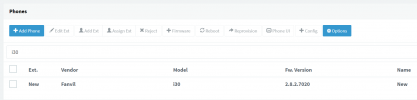
1632312344348.png

If yours did not reset, please read the instructions carefully and try again.
 
I was able to reset to factory defaults as follows. Thank you very much in advance for everyone's help and taking your time

Step1. Connect the device and PC to same switch, add IP address 192.168.10.2 on the PC.

Step2. Press *and #button simultaneously for 5 seconds while power on the device, device will go to post mode.

Step3. Press WIN and R on PC and input cmd to open CMD window, input telnet 192.168.10.1 to go to operation page, input 3 to remove the configurations, input 4 to exist mode and reboot the device.
 
Glad to hear you got it to reset successfully, thanks for sharing your solution.
 
Status
Not open for further replies.

Members Online Now

Forum statistics

Threads
111,834
Messages
589,287
Members
164,664
Latest member
dominik.pepel