- Joined
- Jun 4, 2025
- Messages
- 5
- Reaction score
- 0
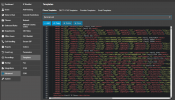
I found that when assigning BLF buttons for Fanvil V62W and V62Pro, BLF keys 6 and 7 and not showing up where they are suppose to be. Instead, position 6 and 7 show up as 8 and 9. So I checked the template and found this:
I created a custom template and added V62 to each of these "Fkey" under "ua". I then reprovisioned the phone with the custom template and the BLF keys show up correctly on position 6 and 7. Can we have fix to this on the default template?<ID>Fkey6</ID>
{IF ua=X7,X7-V2,X7C,X7C-V2,X210,X210-V2,X210i-V2,V64,V65}
{IF blf6}
<Type>%%Type%%</Type>
<Value>%%Value%%</Value>
<Title>%%label%%</Title>
{ELSE}
<Type>0</Type>
<Value></Value>
<Title></Title>
{ENDIF}
{ENDIF}
</Sidekey_Config1_Entry>
<Sidekey_Config1_Entry>
<ID>Fkey7</ID>
{IF ua=X7,X7-V2,X7C,X7C-V2,X210,X210-V2,X210i-V2,V64,V65}