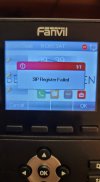
Fanvil X3U SIP Register Failed

Status
Not open for further replies.

TLCtech

Customer
Joined
Oct 12, 2020
Messages
263
Reaction score
29
Yesterday I set up our first Fanvil up on our SBC. I updated the firmware, installed a new background, made calls. No problem.

Today, since that machine is going to be the SBC, I hard wired it, where as it was wireless before. Suddenly, the hard phone dosent work. I cant find any way to change the settings on the SBC, so I uninstalled and reinstalled the SBC. Still, SIP Register Failed. I was able to re-register the phone manually but it doesnt appear like it did out of the box. Ive tried rebooting the phone, and Ive tried to factory reset it via this link, but nothing happens. At all.

It does seem to download something from somewhere, but it never fixes the issue.

And suddenly I cant log into the phone via the ip address either. The default admin for username and password dont work. Im not sure if thats because of 3cx or what. So Im not sure exactly what to do.

Any help is appreciated.
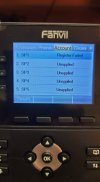
 

Attachments

  • 267626901_441984587536621_7538729642064472374_n.jpg
    267626901_441984587536621_7538729642064472374_n.jpg
    62.6 KB · Views: 4
  • 267510357_439241151075757_2022204246104680990_n.jpg
    267510357_439241151075757_2022204246104680990_n.jpg
    64 KB · Views: 4
  • 267875770_2466144890188451_744483048656463820_n.jpg
    267875770_2466144890188451_744483048656463820_n.jpg
    67.7 KB · Views: 4
Update, I found the factory reset option in the manual, but it asks for a password I never set. It says it should be 123 but that doesnt work. Note, I brought this brand new.
 
Hi,

Regarding the SBC: Wireless is never a good option, not even for testing. The reason it fails is because you provisioned the phone with the old SBC IP that is no longer in use if i had to guess. When you switched to wired (different interface, different MAC) your SBC probably received a new IP address (that would be the expected result).

You can quickly understand what the problem is: the 3CX provisioning keeps telling the phone to use the old IP but there is no longer an SBC there. The solution is to change the IP in the extension Provisioning tab and then reboot the phone so it will update itself to use the new SBC IP. Or, you change the IP of the SBC back to what it was, then reboot it so you don't have to edit the phones (it was meant to be static in the first place). When your SBC IP changes, 3CX does not update the IP in the phones for you, this is something you have to do manually.


Regarding Reset: Factory reset of Fanvils can be done either by holding down the OK button until the reset prompt appears, or using POST mode as per the guide here

If for whatever reason yours asks for a password when using one of the above stated methods, then you should talk with whoever provided you with the devices. 3CX does not provision a password that would prevent the above methods from working!
 
Last edited:
Post method doesn't work for this. That's what I linked in the op. The manual I found didn't mention the OK button. Told me to go into system and put in 123 as the password. Never worked. I'm worried I'll have to return it.

I'll try the OK button method next time
 
By the way not sure if you were aware, but you can also log in to the web UI of the phone and reset the device from there.

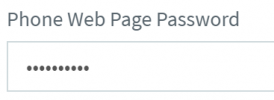
The password for the web UI can be found under your extension with this name:
1640073587771.png

If the phone is registered, you can also go to the Phones page, and click the eye icon next to the phone.
 
Thanks so much. The OK button worked and re-registering the phone, I see the way to access the id and password.WHEW!
 
Status
Not open for further replies.

Members Online Now

Forum statistics

Threads
111,835
Messages
589,288
Members
164,665
Latest member
dominik.pepel