Fanvil x4u ONE way audio-sitting behind D-link DWR 921 router.

Status
Not open for further replies.

Nii

Customer
Joined
May 4, 2022
Messages
28
Reaction score
3
Hello ,I have a Fanvil x4u sitting begind D-link DWR 921 router. Provisiong and calls goin well but audio is one way on my side, cant hear other side.
But the user on the oother side can hear me clearly. I have read most of the fixes , but still cant seem to work, so i dont know if its pertaing to the particular royter
 
Hi,

You appear to be using a 4G/LTE router. If you are using a cellular connection there will be no fixes that solve your problem, unless you install an SBC.

The SBC must be installed behind the same router as your phone, and you then need to reset your phone and provision it in SBC mode.

1. How to install an SBC: https://www.3cx.com/docs/3cx-tunnel-session-border-controller/

2. To provision your phone in SBC mode: follow the guide for your specific model https://www.3cx.com/sip-phones/
 
Hello, the connection on the router is not celluar but pure LAN connection.
But the LAN connection, works as such, Direct connection from switch to fanvil phone 3xsg then from phone to the 4g router which then distrubuits WiFi access that the fanvil x4u is connected to.

I can go ahead and try the SBC method, but i wanted to let you know this before going ahead, incase there might be another way out.
 
Is the internet being provided via 4G connection?

or do you connect the D-Link to a an ISP modem?
 
The connection is Via an ISP
 
You appear to be behind two levels of NAT, possibly three depending on the internet provider.

I think your best bet it to use an SBC in this case.
 
alright, i will give it a try then update you.
 
  • Like
Reactions: JohnS_3CX
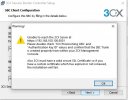
Currently the installation of SBC not working.
Attached file
 

Attachments

  • WhatsApp Image 2022-05-09 at 5.21.12 PM.jpeg
    WhatsApp Image 2022-05-09 at 5.21.12 PM.jpeg
    47.9 KB · Views: 5
Where is your PBX installed (local / cloud?)

And where are the phones located?
 
PBX is installed localy.
The phones are located in the office.

The new phone will be placed in a new office (Annex office). in the same premise
 
If they are all in the same premise then the SBC is not needed.

Make sure that the PBX and the phones are all on the same subnet and you should not have any problems.

Is the one way audio problem only when making external calls via your trunk?

Or does it also happen internally when one extension calls then other?
 
Not sure why you are trying to install an SBC server.

Is the Annex office on the same network as the 3CX server - can you access the 3cx server internally on the annex office.
 
Yes , its the SBC server setup.
The Annex office is on the same network as the 3CX server and i am able to access the 3cx server internally on the annex office, via the IP of the server but not the Url (Company.3cx.coza:5001)
 
If they are all in the same premise then the SBC is not needed.

Make sure that the PBX and the phones are all on the same subnet and you should not have any problems.

Is the one way audio problem only when making external calls via your trunk?

Or does it also happen internally when one extension calls then other?
it happend on both instance.
 
You do not need an SBC server

You configure the phones as local lan within the 3cx Management
 
The proceed i took , was the normal one.
Just provision the phone and assign an extension, but the current issue is the one way audio.

So i dont know if the LAN configauration for the phones will help
 
If you run the echo test *777 can you hear yourself.

If one audio affecting internal calls (between handsets) or external calls
 
If you run the echo test *777 can you hear yourself.

If one audio affecting internal calls (between handsets) or external calls
One way audio affecting both internal calls and external calls
 
Status
Not open for further replies.

Members Online Now

No members online now.

Forum statistics

Threads
111,835
Messages
589,289
Members
164,665
Latest member
dominik.pepel