Fanvil X7A not in management console?

Status
Not open for further replies.

teagle

Customer
Intermediate Cert.
Joined
Jul 16, 2021
Messages
30
Reaction score
3
I have a X7A phone that whatever I do, refuses to appear in the 3CX management console to allow me to provision it. I have it set to DHCP and running software version 2.2.0.166 ( the same as another one we have working here ) It finds an IP address with no issues, and we can ping it across the network, but it still doesn't show up. If I connect a different unprovisioned phone ( X4 ) to the same network port, that appears in the management console literally instantly ready to be provisioned. So that eliminates the network wall port. We can connect to the phone via a web browser, and update firmware so no issue with communication to the phone.. Any thoughts???
Thanks in advance..
 
Hey JohnS - Thanks for your reply.. Yep.. Factory reset numerous times through the browser and via the phone, but no change - Have upgraded to the newest firmware and downgraded again with no change, with factory reset before each installation. Factory reset the phone and then manually provisioned, but still no change..
 
If you manually provision it, will it actually pick the provisioning though?

ie. do you see the account appearing on screen, can you make calls, etc
 
Hey JohnS - No.. doesn't appear at all - All our other phones have been working and provisioning perfectly.. Just this one - Acquires an IP address via DHCP without an issue - Can ping it or reach it via the IP in a web browser, but just doesn't appear in the console.. Have compared the settings with our other X7A and they are the same. When I go to 'Line' tab when connected to the phone via a web browser, it does say 'Line Status' is Inactive? I'm guessing that's because it hasn't been picked up and that info self populates once provisioned?
 
Tells us some more info about your deployment please:

  • PBX Version?
  • Are you using custom templates?
  • Where is the phone (same lan as PBX or over SBC, STUN, VPN etc)?
  • Is there DHCP Option 66 on your network?
  • Any VLANs in use?
  • Is the phone brand new or was it on some other system before you got it?
 
Hey JohnS - In response to your message:

Pro 16.0.8.9
No Custom templates
Same Lan as PBX
Yes, there is that option
No
Brand New

And just to add that we have another X7A on the network running same software etc with no issues, as well as 50 other phones of X3 and X4's..
 
Ok, since you have option 66, I would recommend to disable that option entirely and then try again to reset the Fanvil. Let's test to see if the X7A was receiving something it didn't like and was causing it to fail.

The rest of the phones will not be affected during this test because they are already provisioned and working.
 
Hey JohnS - Just before I do that, I thought I would un-provision the other X7 we have and see if that pops up.. Low and behold, it doesn't?? Very strange! Certainly seems that there is an issue between the phones and the console.. Is that Option 66 you talk about in the 3CX settings or in the phone Gui?
 
Hi,

Earlier when I asked "is there DHCP Option 66 on your network", you said "yes there is" so I assumed you were aware what that was.

No it is not in the phone or in 3CX, this is a setting that runs on your DHCP server on your local network.
Some people use it to auto-configure their phones, but sometimes it can cause problems if misconfigured.
If you don't know about it then ask your network admin or ignore that for now.

So going back to the X7A, if it does not appear in the "Phones" page after you reset it then this probably means either of two things:

1. The phone has a problem and it is not sending a multicast PnP message at startup

or

2. Multicast is not working on your system/network. The problem could be on the network switches or on the PBX so we have a nice guide that can help you troubleshoot this. I would start looking at this first:
https://www.3cx.com/docs/plug-and-play-ip-phone/
 
Ah.. sorry.. I saw the option in the phone gui when I accessed it via a web page..

I will look into the MultiCast issue - But just to check with you.. The phone is running 2.2.0.166 - I upgraded the firmware on one of the X7's to the latest on the Fanvil website ( version 2.6.0.350 ) but it didn't seem to make much difference. However, If I go to the 3CX site for phone software, it is only offering 2.2.0.166. Is this the only compatible firmware available? Am I best to use this version compared to the most up to date?
Thank you for your help so far.. :)
 
No problem! Yes, you should stay on the version 3CX supports - not the latest on Fanvil's website because that version has not been tested for compatibility with our system and may introduce other issues beyond the one we are troubleshooting.

By the way, I don't think this is a problem with the phone at all. I have set one up in our test environment (which has the right conditions) and the phone will behave correctly.

I suspect the issue to be with multicast not working on your side for some reason so we should troubleshoot that first.
 
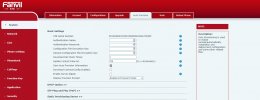
Hey JohnS - I've found the issue! I manually re-provisioned the phone by following the instructions in the link and I paid a bit more attention to it.. The phone gui of the X7 is a little different than the image in the instructions, but I noticed that the box was ticked on ' Save Auto Provision Information'.
That box was a little further up in the phone gui and unticked.. Thought it might be an idea to tick the box and both phones then provisioned without any problem?!!
So, thank you for all your help.. seems your first answer was the right answer!! :cool:
 

Attachments

  • Phones.jpg
    Phones.jpg
    138.3 KB · Views: 10
Glad to hear! The "Save Auto Provision Information" should not really be necessary because I was able to do my X7A without it, maybe you missed one of the steps in an earlier attempt.

When you get a chance, I still think it is worth troubleshooting the PnP messages though, so that you don't have to manually provision your phones in the future.
 
Hmm.. seems strange.. I may take a chance and just try un-provisioning one of the x3's and 4' we have on site as there may be a bigger issue here as I was surprised to find that the other X7 failed provisioning too until it was manually entered.. And that one had been previously provisioned without any fault.
Thanks again..
 
We've had cases before where someone upgraded their firewall firmware, or added something on their 3CX system (software/antivirus/extra LAN card) that led to multicast PnP not working in the end even though it worked fine at first.

Rather than unprovisioning good phones, follow the guide I shared and let us know what you find.
 
Will do John.. I'll let you know what I find - We will be moving our server onto a more stable machine in the very near future, so I don't want to be in a situation where phones suddenly don't work!! Maybe I can check the settings when we change and see what they are set to..
 
  • Like
Reactions: JohnS_3CX
Status
Not open for further replies.

Members Online Now

Forum statistics

Threads
111,834
Messages
589,287
Members
164,664
Latest member
dominik.pepel