Fax Server Setup

Status
Not open for further replies.

ITguy2021

Free User
Joined
Oct 8, 2021
Messages
24
Reaction score
2
I want to setup a fax server to forward incoming faxes to an email address as a .pdf file. This looks like it is relatively easy to setup, and doing a quick google search, the instructions which were taken straight from the 3CX website seem pretty easy and straightforward as well..

To configure fax reception:

  1. In the 3CX Management Console, go to “Settings” > “FAX Server.”
  2. Enter an email address to forward the faxes received on this number.
  3. Select the fax extension that should receive incoming faxes. You can use the default built-in ‘888’ extension.
  4. Assign one or more available DIDs to the fax server.
  5. Click “OK” to save. Your fax server is now configured!​
HOWEVER.. When I go to try and actually do this, I cannot..

The "Fax Server Extension" dropdown menu under the Fax Server menu, is locked on 8888 and I cannot change it to a fax extension that I have setup.. And, even if I could, under the DID section, no DID's show up and I cannot add them.. I have a specific number I am trying to do this with, and if I click on "Add a DID" there is nothing there and I cannot for the life of me figure out how to add them?

What am I doing wrong here?
 
I want to setup a fax server to forward incoming faxes to an email address. This looks like it is relatively easy to setup, and doing a quick google search, the instructions seem pretty easy and straightforward as well..

To configure fax reception:

  1. In the 3CX Management Console, go to “Settings” > “FAX Server.”
  2. Enter an email address to forward the faxes received on this number.
  3. Select the fax extension that should receive incoming faxes. You can use the default built-in ‘888’ extension.
  4. Assign one or more available DIDs to the fax server.
  5. Click “OK” to save. Your fax server is now configured!​
HOWEVER.. When I go to try and actually do this, I cannot..

The "Fax Server Extension" dropdown menu under the Fax Server menu, is locked on 8888 and I cannot change it to a fax extension that I have setup.. And, even if I could, under the DID section, no DID's show up and I cannot add them.. I have a specific number I am trying to do this with, and if I click on "Add a DID" there is nothing there and I cannot for the life of me figure out how to add them?

What am I doing wrong here?
Hmm, sounds odd.

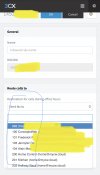
The FAX server is one thing. The ext doesn't matter. When you route a DID to the fax server, you can set it for either the main email or for each independent users.

4E7BEA67-7A3F-462A-8889-7EFA4D007E61.jpeg
 
The FAX Extensions, in the other menu, are for use with fax machines on analog FXS.
 
So, all that I need to do is chnage the inbound rules to "Send Fax to" 8888 for my DID and that's it?
 
Okay, so I changed my inbound rule for my DID to send fax to extension 8888 and changed the caller id on the outbound rule to my DID... My DID now shows up under the DID Section of the fax server menu. Still not working though. Tested sending a fax with the full number (area code and 7 digit number) and the extension both. I can see the events in my call log. The email is just never being received. Checked our spam filter too, and they aren't getting caught there. What am I missing?
 
Okay, so I changed my inbound rule for my DID to send fax to extension 8888
To first check if calls to the DID are being matched correctly I'd recommend changing the DID Inbound rule routing from the FAX server to a normal extension, does calling that DID from an external number get you connected to the newly set extension?

changed the caller id on the outbound rule to my DID.
This I'm not sure I understand why you configured. Is there a specific reason?

The email is just never being received.
I'd also make sure the email address can receive emails from the 3CX PBX. Maybe set the same email address as an extension's email and then send a welcome email for that extension. Do you get that welcome email?

EDIT:

Once you're done with the above please also try the following:

1. Set the DID to route back to the FAX server as it were before.
2. Attempt to send a FAX again.
3. When it ends, wait 2-3 minutes and confirm you received nothing.
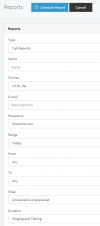
4. Then, run a Call Report with the default settings:
1645527478349.png
5. Search for that FAX call, can you find it? If yes, please provide a screenshot of that line but obfuscate any sensitive information such as telephone numbers.
 
Last edited:
To first check if calls to the DID are being matched correctly I'd recommend changing the DID Inbound rule routing from the FAX server to a normal extension, does calling that DID from an external number get you connected to the newly set extension?
I will give this a shot.
This I'm not sure I understand why you configured. Is there a specific reason?
Because we have been under the impression that we always need to create both outbound and inbound rules for any extension, faxing or otherwise. Is this not necessary?
I'd also make sure the email address can receive emails from the 3CX PBX. Maybe set the same email address as an extension's email and then send a welcome email for that extension. Do you get that welcome email?
This part I did test.. I changed the email address to a different one and sent a welcome message and was able to receive it.

I will follow the rest of your instructions for now and report back! Thanks!
 
  • Like
Reactions: ChrisC_3CX
Because we have been under the impression that we always need to create both outbound and inbound rules for any extension, faxing or otherwise. Is this not necessary?
No, unless you need an Outbound Rule specific for each extension. This is not necessary since Outbound Rules can be used by any extension depending on how you set them up.


Let us know how it goes!
 
Still not working.. Did all of what you suggested, and the sender is hanging up before the fax/email is able to be sent.

Tried the following..

1. Go on Dashboard->Settings->Parameter->FAX_PCMU_T38_FALLBACK_TIMEOUT
2. Change Value from 10 to 20
3. Restart 3cx IVR Service.
4. Try again.

Still does not work. The call is being answered, but is being terminated before it finishes from what I can tell.
 
Still not working.. Did all of what you suggested, and the sender is hanging up before the fax/email is able to be sent.

Tried the following..

1. Go on Dashboard->Settings->Parameter->FAX_PCMU_T38_FALLBACK_TIMEOUT
2. Change Value from 10 to 20
3. Restart 3cx IVR Service.
4. Try again.

Still does not work. The call is being answered, but is being terminated before it finishes from what I can tell.
What provider do you use? Have you tried enabling the T38 to G711 fallback? If the provider doesn't support T38 you'll need it.
 
What provider do you use? Have you tried enabling the T38 to G711 fallback? If the provider doesn't support T38 you'll need it.
Our provider is a small local fiber provider by the name of Salsgiver.. Pretty sure I narrowed down the problem though. The email address is able to receive faxes when they are sent to us from an outside source (off of our network). The issue was with testing internally from one fax machine to another on the same network. It would seem that the HT801 Grandstream ATA's are causing the faxes to fail somehow.. Some setting on these ATA's is creating the problem beause this is the point of failure. These ATA's work fine with outbound/inbound physical paper faxes, but something about the configuration and using the fax server email feature is causing that to fail.
 
Our provider is a small local fiber provider by the name of Salsgiver.. Pretty sure I narrowed down the problem though. The email address is able to receive faxes when they are sent to us from an outside source (off of our network). The issue was with testing internally from one fax machine to another on the same network. It would seem that the HT801 Grandstream ATA's are causing the faxes to fail somehow.. Some setting on these ATA's is creating the problem beause this is the point of failure. These ATA's work fine with outbound/inbound physical paper faxes, but something about the configuration and using the fax server email feature is causing that to fail.
When you are sending Faxes internally, were you sending it to 888 which is the default Fax Extension, the External DID that you have forwarded into your System (so fax was going out, then back into the system), or to another 88x number which was another Physical Fax machine that was connected to another HT801 device?
 
When you are sending Faxes internally, were you sending it to 888 which is the default Fax Extension, the External DID that you have forwarded into your System (so fax was going out, then back into the system), or to another 88x number which was another Physical Fax machine that was connected to another HT801 device?
I've tried both. Our fax server extension is actually 8888 (maybe because all of our extensions are 4 digits?) and I've tried the full DID number associated with this extension. Both fail internally.
 
Regardless of whether Incoming FAXs work, have you got "Enable G.711 to T.38 Fallback [BETA]" enabled under "Advanced >> Fax Server"? Do you still get the same if you disable or enable it?

Also, is the HT801 local to the PBX or remote connected via the 3CX SBC?
 
Regardless of whether Incoming FAXs work, have you got "Enable G.711 to T.38 Fallback [BETA]" enabled under "Advanced >> Fax Server"? Do you still get the same if you disable or enable it?

Also, is the HT801 local to the PBX or remote connected via the 3CX SBC?
Yes, it's enabled. I have the same result whether the box is ticked or not.. The timeout parameter is set to 90 seconds for this feature. We have 4 HT80's both local.
 
I'll PM you for a bit more information on this.
 
FWIW -
I've had this issue since at least v14 of 3CX. 2 Fax machines (same and multiple models) connected to ATAs (could be the same one or different) in the same 3CX setup can't fax each other. This applies to Grandstream GWX4248's even.

I asked the client at the time what was wrong with scan and email/save to shared folder and solved it that way.

I do think it is grandstream specific because I can do it with Cisco SPA112's and welltech ata 172's (used to be 3CX supported)
 
Status
Not open for further replies.

Forum statistics

Threads
111,974
Messages
590,083
Members
164,901
Latest member
Silent_Guru