


- Joined
- Aug 12, 2019
- Messages
- 9
- Reaction score
- 1
I have 3CX newly installed on a Hyper-V VM behind my SonicWall router.
I have all of the ports opened up, and I have manually tested some of these ports myself by using a port listener application and an online web tool, but they are open when I do open them.
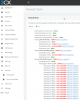
When I run the firewall checker utility part of the 3CX web application, it says if fails with all port checks. I really don't think it is accurate due to my other test.
When I do go to the server and get a whats-my-IP, I get the correct IP address, so I know the NAT settings on the firewall seems correct.
Please note the Windows Firewall is fully trunned off.
I am also getting no audio (both ways) when making or receiving calls from the outside of my network.
I am using Twilio for my SIP provider.
I have all of the ports opened up, and I have manually tested some of these ports myself by using a port listener application and an online web tool, but they are open when I do open them.
When I run the firewall checker utility part of the 3CX web application, it says if fails with all port checks. I really don't think it is accurate due to my other test.
When I do go to the server and get a whats-my-IP, I get the correct IP address, so I know the NAT settings on the firewall seems correct.
Please note the Windows Firewall is fully trunned off.
I am also getting no audio (both ways) when making or receiving calls from the outside of my network.
I am using Twilio for my SIP provider.
Last edited:


