Firewall checker random port fails

Status
Not open for further replies.

Jim Friesen

Bronze Partner
Basic Certified
Joined
Jul 24, 2017
Messages
27
Reaction score
1
Has anyone had their firewall checker fail random ports (different ports every time you run it)?
The ones that fail one time will pass on another check a day later.
Most are full cone fails but the odd one is port not found. But again, depends on the day.
We have V15.5 (hosted onsite) completely updated and are using a Watch-guard firebox updated with the latest firmware as well.
Ports are all forwarded correctly.
We have installed this combination on other deployments with no ill effects.
Any suggestions?
 
Yes we have gone thru that documentation a few times
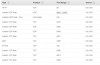
Here are 2 screenshots taken about 5 min apart
 

Attachments

  • Screenshot_2019-04-24 3CX 1.png
    Screenshot_2019-04-24 3CX 1.png
    594.3 KB · Views: 19
  • Screenshot_2019-04-24 3CX 2.png
    Screenshot_2019-04-24 3CX 2.png
    578 KB · Views: 17
Are you doing port forwarding with PAT on firewall or is it 1:1 static Nat, if you doing a port forwarding is the same IP is used for the rest of the traffic, is there any other server running behind the firewall?
 
Are you doing port forwarding with PAT on firewall or is it 1:1 static Nat, if you doing a port forwarding is the same IP is used for the rest of the traffic, is there any other server running behind the firewall?

Its a 1:1 static Nat,
No other port forwarding is done other than the phone system
And no other server is running onsite at all, just a few work stations
 
What sort of firewall do you have at the edge.

Can you please double check port range on your firewall and windows box, version 16 use additional ports I think the port range is expanded. Make sure all those port are open and also check Windows firewall, for troubleshooting purpose temporarily disable Windows firewall.

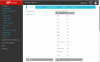
See my firewall rule attached for your reference for version 16. I got port 80 & 443 open because we are running couple of instances on 443 & 80 instead of 5001 & 5000. Also I have RDP port open you don't need that.

Rest is all for 3CX version 16. Its working. let me know how you go with it.

Some more links for you

https://www.3cx.com/docs/ports/

https://www.3cx.com/docs/manual/firewall-router-configuration/
 

Attachments

  • firewall-outbound.PNG
    firewall-outbound.PNG
    6.8 KB · Views: 10
  • firewall1.PNG
    firewall1.PNG
    19.4 KB · Views: 11
Windows firewall is off as well as windows defender is turned off as well.
No Anti-virus
The only firewall being used is the Watch-guard router
 

Attachments

  • Watch-guard Port forward.png
    Watch-guard Port forward.png
    29.1 KB · Views: 7
Can you please check what sort of NAT are you using is it full cone.

How many IP addresses you have on your WAN connection, It is not possible to get 1:1 NAT if you only have one public IP address which is you WAN interface IP. You need additional public IP map to you WAN connection to have 1:1 static NAT. You WAN interface IP is used with PAT Dynamic NAT for all traffic going to to internet.

Can you please send me you NAT table where you have 1:1 static NAT setup in your watch guard, what's under SNAT, you can hide your public IP last two or four digit for your security.

If 1:1 NAT is not an option please check port forwarding option on your watch guard. See links below:

https://www.3cx.com/blog/voip-howto/static-port-mappings/

https://www.3cx.com/community/threads/full-cone-test-failed-help.59809/

See page three on this guide for your firewall, make sure you select 1:1 NAT for both inbound and outbound traffic, and make sure you using additional public IP for your 3CX NAT not the WAN interface IP.

https://www.watchguard.com/help/configuration-examples/nat_to_email_servers_configuration_example (en-US).pdf

https://www.3cx.com/docs/watchguard-xtm-firewall/

If this is not possible then you may need to look at port forwarding options, personally never deployed a production system with 1:1 NAT don't recommend it either.

Also can you please confirm you have all traffic allowed outbound, its not restricted to certain ports. The screen shot only have inbound rules.
 
Thanks for all the suggestions everyone.
It appears the problem is with the firebox or the ISPs equipment. We are now working with Watch-guard support to find a solution.
I will update this thread when i know more.
 
Status
Not open for further replies.

Forum statistics

Threads
111,923
Messages
589,752
Members
164,796
Latest member
Dame24