Firewall Checker

Status
Not open for further replies.

SweetAction

3CX MVP
Gold Partner
Joined
Jan 19, 2018
Messages
3,462
Reaction score
2,321
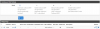
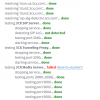
Anyone here able to run a quick firewall checker on their end? Preferably someone who has verified it in the past.

Looking for information on when it does testing ports [10600..10998] - I think the firewall checker may be broken on those ports, but need confirmation.

Thanks
 
Getting greens across the board on my instance.
 
  • Like
Reactions: SweetAction
Thanks, maybe something wrong with my side then.
 
Hi SweetAction,

What error did you get exactly?
 
Same here, everything is green ! What kind of error do you get ?
 
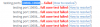
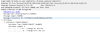
All ports pass - except all the ports in the range 10600..10998
Running pfsense
Running other 3CX install behind other pfsense firewalls without an issue. I'd expect that if I did it right once I could do it again...

Yes, I have ports forward. Static Port turned on. Can't see my error.... I guess I'll be taking packet captures unless anyone see my mistake below...

I've rebooted both pfsense and 3CX as well.

12030
12031
1202812027
 
Are there perhaps any other rules that may conflict with the above you showed?

Please also take a look at our guide here: https://www.3cx.com/docs/pfsense-firewall/ specifically the parts for port preservation (for full cone NAT)
 
I'm a pfSense doctor and can take a look sometime for you if you need help past the guide.
 
@JohnS_3CX I've reviewed the guide a few times. Not sure what I'm missing

@cparker_RCT another set of eyes are always welcome. Been working with pfSense for almost 10 years, but maybe I'm missing something. We could do a 3CX webmeeting to share screen - lets take this to PM?
 
You might consider Hybrid outbound mode instead of manual, we run all of ours this way, the same outbound rule is still needed.

Also, you might have fixed the issue, but if you ran the check once with the wrong rule set, then fixed the problem and immediately ran it again, you can get false positives due to the sessions still alive are using the old rules. To purge these stuck or non-expired state table entries, either reset the states on the firewall by going to the states table and finding the reset states button, or just reboot the firewall.

Many times one of my other techs will fat finger a port number, run the test and fail, then fix it, and it will still fail again. i recheck their work, flush the states and it passes, and they think i have done some magical fix, lol.
 
You might consider Hybrid outbound mode instead of manual, we run all of ours this way, the same outbound rule is still needed.

Also, you might have fixed the issue, but if you ran the check once with the wrong rule set, then fixed the problem and immediately ran it again, you can get false positives due to the sessions still alive are using the old rules. To purge these stuck or non-expired state table entries, either reset the states on the firewall by going to the states table and finding the reset states button, or just reboot the firewall.

Many times one of my other techs will fat finger a port number, run the test and fail, then fix it, and it will still fail again. i recheck their work, flush the states and it passes, and they think i have done some magical fix, lol.
Actually, I also normally do hybrid, but switched to manual after having this issue.
I've rebooted both 3cx and the firewall to no avail.
I even did a screenshare with @cparker_RCT (Thanks) for a second set of eyes.

I'm at a total loss here. I'll grab some captures, but I suspect one of the 2 systems are not telling the truth.
 
It did seem strange that it was the upper half of the media ports. Which yes, does usually mean the firewall/gateway is the culprit but both his and my pfSense edge devices are configured identically. My firewall checker gives me all greens.
 
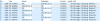
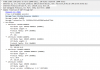
I ran the packet capture...
1209312091
12092
12095
@JohnS_3CX Any thoughts on this?
 
Hi SweetAction,

I think the issue is somewhere on the operating system level (firewall/IP table settings/antivirus or security program) because the capture looks clean with the replies coming in, yet the PBX is not able to see them. I think this is the next place you need to look.
 
It's a debian (3cx iso) install. nothing else added to this brand new VM.
What should I look for next?
 
Bumping this back up. Looking for next steps here.
 
After the above observations: Plug the PBX into an unfiltered direct internet connection and run the FW checker again. If it's your OS/install then it will become very clear. If it works however, you have to take another look at your network/firewall
 
Status
Not open for further replies.

Forum statistics

Threads
111,933
Messages
589,812
Members
164,808
Latest member
jsbjsb