Solved Firewall test failing

Status
Not open for further replies.

Alphabetic

3CX MVP
Silver Partner
Advanced Certified
Joined
Jul 1, 2016
Messages
6,571
Reaction score
2,582
Hi Guys,

I've got a system behind a Sonicwall NSA 250 M running FW 5.8.1.4-31o

Im not Sonicwall guru by any means but I'm pretty sure this is old.

3CX is working fine and has done for years. But, the firewall test never passes.

I've done some digging and I think it's because of this:

1619024938404.png

Can anyone from 3CX confirm this IP 54.194.... is what's doing the scanning?

And if this is the case, are there any Sonicwall gurus who can help me stop this Sonicwall killing it?
 
Do you not have a contract with Dell/Sonicwall for that? Those would be the guys to talk to for this. And did you look at the guide?

https://www.3cx.com/docs/sonicwall-firewall-configuration/

That IP does resolve to AWS and 3CX has stated they use AWS so that could be them, although I don't know why they'd be scanning those ports unless ports are being remapped.
 
Is there a newer firmware you can install? V6-6.5 has been out a while now.

I doubt that IP would be the issue as only one of those ports would be opened. According the the GEO IP lookup on my Sonicwall it is from Ireland. It appears to be an Amazon IP. If the rules and NAT policies are configured like the guide on 3cx shows I would try increasing the UDP time out to 300 seconds (for some reason SonicWall defaults to 30) and enable consistent NAT. Both will require a reboot to apply.

For UDP time out on SonicOS 6.5 it is under Firewall Settings>>Flood Protection>>UDP

Enabling consistent NAT is under VOIP that is also where disabling SIP transformations is.
 
just want to add that when running the 3CX Firewall checker, the communication that occurs is between the 3CX PBX and the 3CX STUN servers configured for the 3CX PBX in question under "Settings >> Network". I would suggest running dns queries for the STUN servers you have configured for your 3CX PBX and check the IPs. That said, do note that the 3CX Firewall checker only tests UDP traffic so I doubt what you see on your firewall has anything to do with the 3CX firewall test.
 
Is there a newer firmware you can install? V6-6.5 has been out a while now.

I doubt that IP would be the issue as only one of those ports would be opened. According the the GEO IP lookup on my Sonicwall it is from Ireland. It appears to be an Amazon IP. If the rules and NAT policies are configured like the guide on 3cx shows I would try increasing the UDP time out to 300 seconds (for some reason SonicWall defaults to 30) and enable consistent NAT. Both will require a reboot to apply.

For UDP time out on SonicOS 6.5 it is under Firewall Settings>>Flood Protection>>UDP

Enabling consistent NAT is under VOIP that is also where disabling SIP transformations is.
Thank you for this.

I have enabled consistent NAT under the VOIP tab and increased UDP timeout to 300 and i will reboot and re-test at the end of the day today.
 
Is there a newer firmware you can install? V6-6.5 has been out a while now.

I doubt that IP would be the issue as only one of those ports would be opened. According the the GEO IP lookup on my Sonicwall it is from Ireland. It appears to be an Amazon IP. If the rules and NAT policies are configured like the guide on 3cx shows I would try increasing the UDP time out to 300 seconds (for some reason SonicWall defaults to 30) and enable consistent NAT. Both will require a reboot to apply.

For UDP time out on SonicOS 6.5 it is under Firewall Settings>>Flood Protection>>UDP

Enabling consistent NAT is under VOIP that is also where disabling SIP transformations is.
Thanks for your suggestion but still no dice.

i've reached out to a Sonicwall forum too.
 
Can anyone from 3CX confirm this IP 54.194.... is what's doing the scanning?
Hi @kieferschild

I just checked with our IT Department and the IP 54.194.217.74 does not seem to be one we are using for some service.
 
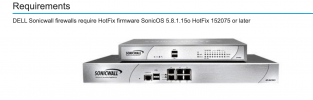
I just realized you mentioned it is running 5.8.1.4 and the article says a hotfix was needed.

I would see if you can get your hands on the latest firmware.

Screen Shot 2021-04-22 at 8.43.55 AM.png
 
I just realized you mentioned it is running 5.8.1.4 and the article says a hotfix was needed.

I would see if you can get your hands on the latest firmware.

View attachment 21728
Aye yeah i've come to the same conclusion after reading elsewhere.

I believe i'm missing the box in the advanced tab of NAT policies which turns off port remapping.

So, this can be closed off now.

thanks again.
 
Status
Not open for further replies.

Forum statistics

Threads
111,974
Messages
590,081
Members
164,899
Latest member
mazet