Firewall Test Fails - unmatched mapping (4029) (On 5060)

Status
Not open for further replies.

kustek

Bronze Partner
Intermediate Cert.
Joined
Feb 3, 2011
Messages
4
Reaction score
0
Struggling with a Version 15 system, just deployed 3 weeks ago. Has intermittent issue with failing inbound calls. When in bound calls are failing then the firewall test also fails and we get a " unmatched mapping (4029)" failure message on port 5060.

We have even completely replaced the firewall and now removed it altogether and still have this issue. If we un-install version 15 and then re-install and restore from backup then it will work for about 2-3 days and then fail again.

Anyone seen this??
 
Hi there,
In case of mapping errors, please review your firewall/router configuration to ensure that the NAT is correctly setup for one-to-one NAT / full cone NAT. For more information on this matter please see link: http://www.3cx.com/blog/docs/firewall-voip-rules-check/
 
I'm curious what you would see when inbound calls would fail, we experience a very intermittent problem where inbound calls will ring on 3cx, but not connect, and the caller does not hear the ringing. Multiple instances of the call are created, and kind of start/stop, and you can never pick up the call. Issue resolves itself after 10-20 minutes. I was assuming it was our firewall, but I have to catch it the act for the firewall support to help out, which is difficult.
 
I had some issues with this as well, we just went with recommended model and setup instructions on 3CX website for Draytek Vigor 2800 series firewalls/routers and all firewall tests run perfect now.
 
We had this on our Sonicwalls. The latest Firmware upgrade on the firewall fixed it.

Not sure what your setup is, but look for 'Source Port Remap' or a similar option in your NAT/Port Forward rules and disable it.
 
Thanks for the clue.

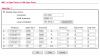
It is the port range to expand to cover port 9000 to 9255:

3cxports-png.4984


/gustav
 

Attachments

  • 3cxports.PNG
    3cxports.PNG
    21.1 KB · Views: 961
Last edited by a moderator:
open 9000 - 9500 UDP
 
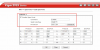
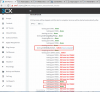
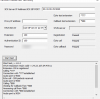
HI, I opened all the port listed for Draytek 2925, but I am still getting firewall checker failing on 3cx Media Server.

Any ideas why and how to fix it.
 

Attachments

  • 2016-12-07_Draytek-open-ports.png
    2016-12-07_Draytek-open-ports.png
    119.6 KB · Views: 49
  • 2016-12-07_Firewall_checker.png
    2016-12-07_Firewall_checker.png
    250.5 KB · Views: 44
  • 2016-12-07_RemoteFWTest.png
    2016-12-07_RemoteFWTest.png
    23 KB · Views: 40
Make sure NAT is set to 1 to 1, so that ports are not remapped. Sometimes you have a SIP helper, or SIP ALG function built into the firewall that tries to help when it sees SIP traffic. Make sure to turn those features off if they are included in your firewall.
 
I guess you may not have many options from the screenshots of that firewall. In a situation like that I would probably just setup 3CX outside of the frewall, or DMZ it so that you don't have to fight with the firewall settings. Close ports on the 3CX box itself that aren't needed.
 
Hi ,

in first instance, you would check the network configuration of the Operating System: How many NICs and IPs do you have?. If you have more than 1 NIC and / or IP, you should check that the Routing configuration is correct in you Operating System.

In second instance, you would check that there is not any kind of antivirus (with integrated firewall features) is causing the conflict.

And finally, check you Router / Firewall (Full Cone NAT, disable SIP ALG, etc.)

In any case, a SIP trace taken from the machine with 3CX may be helpful to determine where can be the issue.

Best Regards.
 
Having the same issue as Damirmih... Very frustrated that this still happens with ALL firewalls turned off completely. Does anyone have a fix for this??? Starting to consider switching to a different PBX at this point, this is ridiculous.
 
Still unresolved... I have ALL UTM/Router firewall ports COMPLETELY OPEN and every time we reboot the server, the firewall fails and sip services fail to start until we login and start them manually. Very disappointed with 3CX for the lack of support and care/respect for their users. Will be looking online for an older version of Elastix, which actually worked (what a concept) soon if 3CX does not contact me personally with any useful help. This bug is ridiculous, why hasn't it been fixed yet? 3CX, you have people here looking into paying for your product. Don't turn them away!
 
Status
Not open for further replies.