force out of service

Status
Not open for further replies.

goinghosted79

Silver Partner
Basic Certified
Joined
May 3, 2022
Messages
81
Reaction score
7
we have business hours set up but when the customer needs to force the system to forward calls to answering service outside those set hours how do i set that up. i have a code set for set 3cx in / out of the office but when i dial that code it just says 3cx is now using default office hours; i need it to go outside the default hours and send the call to the answering service. default hours sends calls to a ring group
 
lets say your code is *64

*641 forces in office hours
*62 forces out of office hours
*64 returns the system to the automated scheduled setup
 
Slight corrections on SweetActions reply, although for the most part, they are correct.

Using the dial code *64

*641 forces the system to use office hours routing
*642 forces the system to use out-of-office hours routing
*640 or *64 returns the system to the default office hours
 
You caught my typo!

Thanks!
 
  • Like
Reactions: Charles_3CX
oh perfect, thank you both for your time.
 
  • Like
Reactions: Charles_3CX
@Charles_3CX - I have an office doing exactly this, however I have recently discovered that the office hours for groups are getting wiped out. It appears that forcing In/Out of hours does something that wipes out the group hours config.

We have an office that has the following oddity we would love to automate:

If office is open THIS Friday, it is closed the Saturday following, but will then be CLOSED the next Friday but then OPEN the following Saturday...

Thanks so much or any help you could offer.
 
We have not been able to replicate the issue are you saying that when you enable the office hours via the dial code the group's office hours routing disappear?

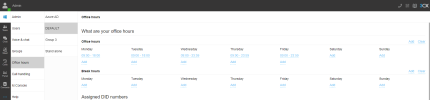
For example, the settings from this section from an admins' webclient?

1682021612600.png
 
If office is open THIS Friday, it is closed the Saturday following, but will then be CLOSED the next Friday but then OPEN the following Saturday...
If opening and closing are always changing it seems to me you have only CFD way to automate this for a future known period.
Otherwise you need to play each time with forced dial code
 
We have not been able to replicate the issue are you saying that when you enable the office hours via the dial code the group's office hours routing disappear?

For example, the settings from this section from an admins' webclient?

View attachment 35206
Yes, sorry, didn't get notified of your reply. That's what we believe is happening. When there are office hours specified for the groups, occasionally we have been seeing them all wiped out. (Now the only people with access to the admin console are our techs) the end users do change modes via the dial codes.
 
Status
Not open for further replies.

Forum statistics

Threads
111,974
Messages
590,081
Members
164,899
Latest member
mazet