- Joined
- Nov 10, 2021
- Messages
- 18
- Reaction score
- 2
I've had an SSL certificate fail to renew due to network conditions - my upstream IPv6 routes were incorrectly configured and so the renewal timed out.
I've now resolved this problem, but the certificate failed to renew the following morning. Yesterday I logged into the server and found IPv6 connectivity wasn't working beyond the local network, but it started working after a reboot. This morning the renewal still failed, so I'm trying to determine if there's a transient network issue.
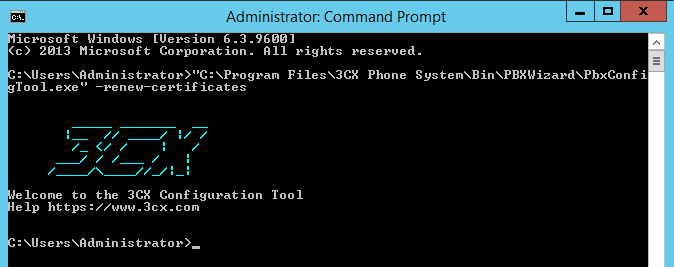
Is it possible to manually trigger a renewal so I don't have to wait until tomorrow to see if it's worked?
I've now resolved this problem, but the certificate failed to renew the following morning. Yesterday I logged into the server and found IPv6 connectivity wasn't working beyond the local network, but it started working after a reboot. This morning the renewal still failed, so I'm trying to determine if there's a transient network issue.
Is it possible to manually trigger a renewal so I don't have to wait until tomorrow to see if it's worked?