- Joined
- Oct 6, 2014
- Messages
- 191
- Reaction score
- 6
Hi,
I experience the following bug:
A calls B. B initiates an attended forward to C (A is put on hold), but C doesn't pick up and B presses "forward" anyway.
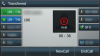
Than a call on hold will be shown on Bs phone. Pressing "Resume" doesn't resume the call. Pressing "Conference" results in an "Transfer failed" error. The call on hold can't be ended pressing "end call". So all the time A is listening to hold music and there is no way to change this for B. As soon as Cs phone stops ringing, As call (listening to waiting music) will be terminated, too.
The behaviour I expect after pressing "forward" being in attended transfer mode, is that A and C are connected and A can hear the phone ringing. And I expect "resume" to be working or the phone or not to show the call on hold at all (as it has already be forwarded).
I made two Videos for this behaviour:
https://www.youtube.com/watch?v=z-azJvOCON8
https://youtu.be/yhn3KXQpkIM including conference button test
I am running the phone on Firmware 28.73.0.48, 3cx V12
What are you experiencing? Anyway I can change this via the transfer-settings fine tuning?
Anybody can confirm this bug wiht V14?
I think the easiest way to solve this, is to disable the "transfer button" during the period, where C hasn't picked the call up yet via custom Softkey Layout XML Templates. I guess it is "Transfer Connecting" in the webinterface.
best regards Frank
I experience the following bug:
A calls B. B initiates an attended forward to C (A is put on hold), but C doesn't pick up and B presses "forward" anyway.
Than a call on hold will be shown on Bs phone. Pressing "Resume" doesn't resume the call. Pressing "Conference" results in an "Transfer failed" error. The call on hold can't be ended pressing "end call". So all the time A is listening to hold music and there is no way to change this for B. As soon as Cs phone stops ringing, As call (listening to waiting music) will be terminated, too.
The behaviour I expect after pressing "forward" being in attended transfer mode, is that A and C are connected and A can hear the phone ringing. And I expect "resume" to be working or the phone or not to show the call on hold at all (as it has already be forwarded).
I made two Videos for this behaviour:
https://www.youtube.com/watch?v=z-azJvOCON8
https://youtu.be/yhn3KXQpkIM including conference button test
I am running the phone on Firmware 28.73.0.48, 3cx V12
What are you experiencing? Anyway I can change this via the transfer-settings fine tuning?
Anybody can confirm this bug wiht V14?
I think the easiest way to solve this, is to disable the "transfer button" during the period, where C hasn't picked the call up yet via custom Softkey Layout XML Templates. I guess it is "Transfer Connecting" in the webinterface.
best regards Frank