Forwarding Rules - External number AND mobile

Status
Not open for further replies.

hwcltjn

Free User
Basic Certified
Joined
Aug 16, 2017
Messages
26
Reaction score
2
Apologies if this has been asked before - forum search didn't turn anything up.

I'm trying to design a specific call flow for incoming calls to a user and cannot seem to crack it.

1 - Ring IP phone and iOS apps simultaneously.
2 - If no answer, call mobile number - cannot use "Ring my mobile simultaneously" as this does not announce the call and the mobile network's voicemail answers the call.
3 - If there is still no answer forward call to another external number (answering service).

Would using a ring group be the best way to achieve the above? Problem with this is that I'd like the IP phone to continue ringing...

Is it possible to re-direct a ring group to an external number without creating a "dummy" extension for it?

It is it possible for a ring group to "cascade" calls?
So for example, ring 1, then 1 and 2, then 1, 2 and 3 all at the same time?

Thanks!
 
1 - Ring IP phone and iOS apps simultaneously. (assign the same extension number to both)
2 - If no answer, call mobile number - cannot use "Ring my mobile simultaneously" as this does not announce the call and the mobile network's voicemail answers the call. (If mobile's VM answers the call if you use "Ring my mobile at the same time", then any call sent to the mobile risks being answered in the same manner)
3 - If there is still no answer forward call to another external number (answering service).(this can be done after a specified time, mobiles VM answer time would have to be set to a greater time than this)

Would using a ring group be the best way to achieve the above? Problem with this is that I'd like the IP phone to continue ringing... (continue ringing after...what?)

Is it possible to re-direct a ring group to an external number without creating a "dummy" extension for it? (there are a number of destinations to send an unanswered RG call, you may need to create a dummy extension and use forwarding to send to an outside number)

It is it possible for a ring group to "cascade" calls?
So for example, ring 1, then 1 and 2, then 1, 2 and 3 all at the same time? (Yes, you can create multiple ring groups that contain extensions that "overlap")
 
@leejor thanks for answering my post.

I feel like I could have explained what I was after a little better...

1 - Ring IP phone and iOS apps simultaneously. (assign the same extension number to both)

Done - so when a call comes in the iOS app and the IP phone are both currently ringing at the same time which is great.

2 - If no answer, call mobile number - cannot use "Ring my mobile simultaneously" as this does not announce the call and the mobile network's voicemail answers the call. (If mobile's VM answers the call if you use "Ring my mobile at the same time", then any call sent to the mobile risks being answered in the same manner)

True - but when forwarding the call and enabling "Announce Caller (Rebound)" mobile's VM does not pick up. I should have made that clear in my first post.

Would using a ring group be the best way to achieve the above? Problem with this is that I'd like the IP phone to continue ringing... (continue ringing after...what?)

I just want the IP phone to keep ringing until the iOS app, mobile, or answering service pick up.

It is it possible for a ring group to "cascade" calls?
So for example, ring 1, then 1 and 2, then 1, 2 and 3 all at the same time? (Yes, you can create multiple ring groups that contain extensions that "overlap")

I thought so - although not ideal in the long run if multiple ring groups need to be configured for essentially one forwarding rule.

In the meantime, I've been experimenting with ring groups and have the following questions:

1 - How do I call an external number from a ring group?

2 - Don't an extension's forwarding rules work when receiving a call from a ring group?
I created a test extension with a timeout of 1 second and told it to forward calls to my mobile after the timeout - this did not happen.
 
1 - How do I call an external number from a ring group?( Do you mean call an external number as as if it were a member, or as a final destination when not answered?)

2 - Don't an extension's forwarding rules work when receiving a call from a ring group?
I created a test extension with a timeout of 1 second and told it to forward calls to my mobile after the timeout - this did not happen. ( in most cases an extensions call forward options will be ignored during a ring group call because the extension "does not own it". There was a post, about the way around this, recently...i just have to find it)
 
1 - How do I call an external number from a ring group?( Do you mean call an external number as as if it were a member, or as a final destination when not answered?)

Call an external number as if it were a member

2 - Don't an extension's forwarding rules work when receiving a call from a ring group?
I created a test extension with a timeout of 1 second and told it to forward calls to my mobile after the timeout - this did not happen. ( in most cases an extensions call forward options will be ignored during a ring group call because the extension "does not own it". There was a post, about the way around this, recently...i just have to find it)

I see...
It would be great if you could!
I didn't find anything - it basically makes the ring group redundant if the incoming call does not forward according to the extension's rules...
 
It had something to do with the availability status of the extension that was part of the ring group and forwarded to an outside number. Something that I was previously unaware of. I'll try to find it.
 
Hello @hwcltjn,

2 - Don't an extension's forwarding rules work when receiving a call from a ring group?
I created a test extension with a timeout of 1 second and told it to forward calls to my mobile after the timeout - this did not happen.

Please do note that an extension's rules do not apply when the extension is an agent of a ring group or a queue. If this was happening, then queues and ring groups wouldn't be working because the call would never reach the second or third agent.

If you want to forward a call to your mobile using a ring group, then configure your ring group so when the timeout expires, the phone will be forwarded to Destination if no answer>>Forward to Outside Number>>(set your mobile as the outside number)

Thank you
 
Hello @hwcltjn,
Please do note that an extension's rules do not apply when the extension is an agent of a ring group or a queue. If this was happening, then queues and ring groups wouldn't be working because the call would never reach the second or third agent.

If you want to forward a call to your mobile using a ring group, then configure your ring group so when the timeout expires, the phone will be forwarded to Destination if no answer>>Forward to Outside Number>>(set your mobile as the outside number)

Thank you

@IoannisM_3CX thanks for getting back to me. I'm not exactly trying to get a ring group to call just my mobile.
I need the incoming DID to ring the user's mobile if they do not pick up their IP phone, THEN forward the call to an answering service on another external number.

I cannot use "Ring my mobile simultaneously" incase the user's mobile is off or the VM picks up.

How can this be achieved?
 
Hello @hwcltjn

When you forward a call out to an external number you risk that the users mobile is off or the VM picks up. With the rebound option the call returns but it was not answered then the call is redirected to voicemail. So although you can have your IP phone and IOS app ringing at the same time and if no answer the call will be forwarded to the mobile number you cannot have another forwarding after that.
The closest you can get to the configuration you want is to have the call ring the extension for the desired amount of time, that will ring both the IP phone and the IOS client and if no answer then forward the call to a ring group where you can have 2 dummy extensions as agents in Prioritised hunt and forward the call first to the mobile number (first dummy extension) and then to the second destination (second dummy)
 
Hi @YiannisH_3CX

When you forward a call out to an external number you risk that the users mobile is off or the VM picks up.
With the rebound option the call returns but it was not answered then the call is redirected to voicemail.

Totally get that - I take it there is no way of enabling the rebound feature for extensions that have "Ring my mobile simultaneously" enabled?

So although you can have your IP phone and IOS app ringing at the same time and if no answer the call will be forwarded to the mobile number you cannot have another forwarding after that.

Ok - that's clear.

The closest you can get to the configuration you want is to have the call ring the extension for the desired amount of time, that will ring both the IP phone and the IOS client and if no answer then forward the call to a ring group where you can have 2 dummy extensions as agents in Prioritised hunt and forward the call first to the mobile number (first dummy extension) and then to the second destination (second dummy)

Ok - but to achieve this I would have to enable "Ring my mobile simultaneously" for the first dummy extension in your example correct? Otherwise as per @IoannisM_3CX 's reply the forwarding rules will be ignored - if that's the case and at the risk of going around in circles - there is no rebound feature.

For the second dummy extension I'm assuming I'd have to do the same - otherwise the ring group will not call the external number?

We haven't been using 3CX long at all (Standard license), but designing a basic call flow that calls one internal extension then 2 external numbers really isn't asking for much - is there really no way to do this without figuring out a work around?
That little green frog has been able to do it for years...
 
Enabling the rebound option will send the call to the external destination but if the call is not answered then the call will automatically re-directed to voicemail so to achieve the functionality you want the rebound option will not work.

The way i proposed doing this although not exactly what you are after is:

Create 2 dummy extensions and set them as agents in a ring group.
Set the extensions to Away.
Navigate to extension settings / Forwarding rules and select the Away status.
Set them to forward to number and add the number you want to call to be forwarded to. For the first extension the mobile number and for the second extension the destination you want the call to ring if mobile does not answer.
Enable the option Accept calls from Ring Group. (this scenario is the only scenario the forwarding rules of the extension will be followed).
Set the Ring Group to prioritised hunt and make sure that the First dummy extension is set on top so it will ring first.

Now the call comes in and rings the extension, IP phone and IOS client ring simultaneously. Call reaches the timeout and is forwarded to the ring group. There the first Dummy extension is polled for the set amount of time. If no answer then the second extension is polled.
Of course if the VM of the mobile number answers the call then the call will not poll the second Dummy.

is there really no way to do this without figuring out a work around?
This is the only way i can think of that you can achieve the desired functionality.
 
We're making progress here @YiannisH_3CX !
I appreciate your patience on this one.

Enabling the rebound option will send the call to the external destination but if the call is not answered then the call will automatically re-directed to voicemail so to achieve the functionality you want the rebound option will not work.
Of course if the VM of the mobile number answers the call then the call will not poll the second Dummy.

What if voicemail is disabled? Where would the call rebound to?

Set the extensions to Away.
Navigate to extension settings / Forwarding rules and select the Away status[.....]
Enable the option Accept calls from Ring Group. (this scenario is the only scenario the forwarding rules of the extension will be followed).

I feel like more people should know about that!
 
Set the extensions to Away.
Navigate to extension settings / Forwarding rules and select the Away status.
Set them to forward to number and add the number you want to call to be forwarded to.

That was the information that I failed to find, from a previous post, not that long ago. Something that i had been unaware of previously.
 
Last edited:
  • Like
Reactions: hwcltjn
Enabling the rebound option will send the call to the external destination but if the call is not answered then the call will automatically re-directed to voicemail so to achieve the functionality you want the rebound option will not work.

The way i proposed doing this although not exactly what you are after is:

Create 2 dummy extensions and set them as agents in a ring group.
Set the extensions to Away.
Navigate to extension settings / Forwarding rules and select the Away status.
Set them to forward to number and add the number you want to call to be forwarded to. For the first extension the mobile number and for the second extension the destination you want the call to ring if mobile does not answer.
Enable the option Accept calls from Ring Group. (this scenario is the only scenario the forwarding rules of the extension will be followed).
Set the Ring Group to prioritised hunt and make sure that the First dummy extension is set on top so it will ring first.

Now the call comes in and rings the extension, IP phone and IOS client ring simultaneously. Call reaches the timeout and is forwarded to the ring group. There the first Dummy extension is polled for the set amount of time. If no answer then the second extension is polled.
Of course if the VM of the mobile number answers the call then the call will not poll the second Dummy.


This is the only way i can think of that you can achieve the desired functionality.
I just tried your guidance here and mine does not even attempt to ring the dummy extensions.
 
In the 3CX Activity logs, where do the calls route?
 
In the 3CX Activity logs, where do the calls route?
Below is the log from 3CX Activity log for the last call I attempted. Ext 176 is what I have set right now in case of no answer on the ring group. Only different thing I am doing is calling directly to the ring group if that makes any difference.

31-Aug-2017 12:00:28.029 Leg L:3223.2[Ivr:IVRForward] is terminated: Cause: BYE from PBX
31-Aug-2017 12:00:28.029 [CM503008]: Call(C:3223): Call is terminated
31-Aug-2017 12:00:28.029 Leg L:3223.1[Extn:168] is terminated: Cause: BYE from 10.10.0.57:58946
31-Aug-2017 12:00:20.109 [CM503007]: Call(C:3223): Ivr:IVRForward has joined, contact <sip:[email protected]:5483>
31-Aug-2017 12:00:20.108 [CM503007]: Call(C:3223): Extn:168 has joined, contact <sip:[email protected]:58946>
31-Aug-2017 12:00:20.106 L:3223.2[Ivr:IVRForward] has joined to L:3223.1[Extn:168]
31-Aug-2017 12:00:20.106 NAT/ALG check:L:3223.2[Ivr:IVRForward] RESPONSE 200 on 'INVITE' - basic check passed. No information for extended checks
31-Aug-2017 12:00:19.906 [CM503025]: Call(C:3223): Calling T:Ivr:IVRForward@[Dev:sip:[email protected]:5483;rinstance=8f6db8ed22c4f144] for L:3223.1[Extn:168]
31-Aug-2017 12:00:19.875 [CM503005]: Call(C:3223): Forwarding: T:Ivr:IVRForward@[Dev:sip:[email protected]:5483;rinstance=8f6db8ed22c4f144]
31-Aug-2017 12:00:19.875 L:3223.1[Extn:168] forwards call from Extn:176 to Ivr:IVRForward based on rule Fwd[Away/AllCalls]
31-Aug-2017 12:00:19.875 L:3223.1[Extn:168] forwards call from HuntGrp:800 to Extn:176 based on rule
31-Aug-2017 12:00:19.875 L:3223.1[Extn:168] failed to reach HuntGrp:800, reason Temporarily Unavailable
31-Aug-2017 12:00:19.875 [CM503026]: Call(C:3223): Route 2 to HuntGrp800[Ext.212Ext.212] is not active (Busy/Not registered)
31-Aug-2017 12:00:19.875 L:3223.1[Extn:168] target's endpoint Extn:212 is Not Available/Not Registered
31-Aug-2017 12:00:19.875 [CM503026]: Call(C:3223): Route 1 to HuntGrp800[Ext.211Ext.211] is not active (Busy/Not registered)
31-Aug-2017 12:00:19.874 L:3223.1[Extn:168] target's endpoint Extn:211 is Not Available/Not Registered
31-Aug-2017 12:00:19.873 [CM503001]: Call(C:3223): Incoming call from Extn:168 to <sip:[email protected]:5060>
31-Aug-2017 12:00:19.873 NAT/ALG check:L:3223.1[Extn:168] REQUEST 'INVITE' - some of SIP/SDP headers may contain inconsistent information or modified by intermediate hop
SIP contact header is not equal to the SIP packet source(IP:port):
Contact address:10.10.0.57:58946
Received from :10.10.0.57:50902
 
31-Aug-2017 12:00:19.875 [CM503026]: Call(C:3223): Route 2 to HuntGrp800[Ext.212Ext.212] is not active (Busy/Not registered)
31-Aug-2017 12:00:19.875 L:3223.1[Extn:168] target's endpoint Extn:212 is Not Available/Not Registered
31-Aug-2017 12:00:19.875 [CM503026]: Call(C:3223): Route 1 to HuntGrp800[Ext.211Ext.211] is not active (Busy/Not registered)
31-Aug-2017 12:00:19.874 L:3223.1[Extn:168] target's endpoint Extn:211 is Not Available/Not Registered

Which would seem to indicate that the "away" status forwarding, from both extensions is not being followed. I have not tested that scenario myself, so cannot personally confirm that it works. Until recently I had been under the impression that Ring Group calls could not be forwarded from a member extension.
 
@YiannisH_3CX although your advice was much appreciated, I just got around to trying out what you suggested and can confirm what @Luis Londono said and what @leejor suspected.

The dummy extensions in the ring group are not following their forwarding rules.

To negate all ambiguity here is my setup as per your last post:

3CX Debian - v15.5.5 Standard Edition

Inbound Rule/DID number routed directly to extension 1000.

Extension 1000
Status: Available.
IP Phone registered, iOS client registered. Both ring on incoming call as they should.
Forwarding rules - Internal and external pointed to ring group 8000 - timeout of 20 seconds.
Options: "Accept calls from Ring Groups" - ticked. "Accept multiple calls" - ticked.
Voicemail: Enabled.

Ring Group 8000
Ring Strategy: Prioritised Hunt.
Ring Time: 20 seconds.

Group Members:
Extension 4321
Extension 4322

On timeout: Call external number (local ISP's freephone/toll free number - just for testing obviously).

Extension 4321
Status: Away.
No phones registered.
Forwarding rules for status away: forward to external number.
Options: "Accept calls from Ring Groups" - ticked. "Accept multiple calls" - ticked.
Voicemail: Disabled.

Extension 4322
Status: Away.
No phones registered.
Forwarding rules for status away: forward to external number.
Options: "Accept calls from Ring Groups" - ticked. "Accept multiple calls" - ticked.
Voicemail: Disabled.


Expected behaviour upon dialling DID (using a telephone that is totally separate to the above).
1 - Extension 1000 rings - I do not answer.
2 - 3CX forwards to ring group 8000.
3 - External number configured in 4321 forwarding rules rings.
4 - If no answer on 4321, forward to external number on 4322's forwarding rule.

Actual behaviour:
1 - Extension 1000 rings - I do not answer.
2 - Connected to local ISP's freephone/toll free number.
 
Last edited:
Options: "Accept calls from Ring Groups" - ticked. "Accept multiple calls" - ticked.
This leads me to believe that you are not changing the options under the Away status but under the available.
2017-09-01_11h37_16.png

Please double check your settings and make sure that the forwarding rules you apply are for the Away status and Away status is selected when you highlight it under extensions and click on the status button
 
This leads me to believe that you are not changing the options under the Away status but under the available.
Please double check your settings and make sure that the forwarding rules you apply are for the Away status and Away status is selected when you highlight it under extensions and click on the status button

Checked and triple checked:
Status of extensions 4321 and 4322 is Away.
Forwarding rules forward to external number under status Away.

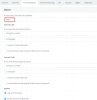
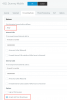
Screen Shot 2017-09-01 at 12.02.24.png Screen Shot 2017-09-01 at 12.02.50.png

I posted quite late last night and copied and pasted the line from extension 1000.
 
Status
Not open for further replies.

Members Online Now

No members online now.

Forum statistics

Threads
111,832
Messages
589,285
Members
164,662
Latest member
DejanMDS