- Joined
- Dec 21, 2022
- Messages
- 4
- Reaction score
- 1
We are a long time self-hosted "free forever" 3CX installation and have always been running in the AWS cloud.
As part of our V20 upgrade we had to upgrade from a micro to small instance to meet the minimum spec requirements.
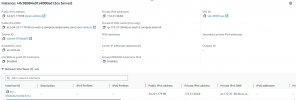
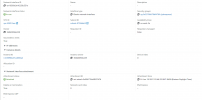
However, we lost the AWS assigned pool public IP address in the process and got assigned a new one from the AWS pool
https://tribuquent.my3cx.us is our FQDN
Pinging tribuquent.my3cx.us [52.33.84.204] with 32 bytes of data:
Ping statistics for 52.33.84.204:
Packets: Sent = 1, Received = 0, Lost = 1 (100% loss)
https://34.221.179.98/#/login
Customer service wants to send us to a support partner, which we never had from the beginning, to help with upgrade (but we already are done)
Further I doubt support partners have access to the DNS management of my3cx.us domain.
Of course now we can't login after the upgrade since our FQDN points to the wrong "A" record IP and V20 requires SSL

Has anyone experienced this and how did you get 3CX to update the "A" record on the my3cx.com domain?
As part of our V20 upgrade we had to upgrade from a micro to small instance to meet the minimum spec requirements.
However, we lost the AWS assigned pool public IP address in the process and got assigned a new one from the AWS pool
https://tribuquent.my3cx.us is our FQDN
Pinging tribuquent.my3cx.us [52.33.84.204] with 32 bytes of data:
Ping statistics for 52.33.84.204:
Packets: Sent = 1, Received = 0, Lost = 1 (100% loss)
https://34.221.179.98/#/login
Customer service wants to send us to a support partner, which we never had from the beginning, to help with upgrade (but we already are done)
Further I doubt support partners have access to the DNS management of my3cx.us domain.
Of course now we can't login after the upgrade since our FQDN points to the wrong "A" record IP and V20 requires SSL
Has anyone experienced this and how did you get 3CX to update the "A" record on the my3cx.com domain?