Freshservice integration

Status
Not open for further replies.

Noah Barbe

Free User
Joined
Feb 26, 2020
Messages
8
Reaction score
0
Hi,
I try to create my custom crm integration for Freshservice.
I followed the wizard configuration in 3CX template Generator and here is the result :

XML:
<?xml version="1.0"?>
<Crm xmlns:xsd="http://www.w3.org/2001/XMLSchema" xmlns:xsi="http://www.w3.org/2001/XMLSchema-instance" Country="CH" Name="test25" Version="1">
  <Number Prefix="Zeros" MaxLength="10" />
  <Connection MaxConcurrentRequests="2" />
  <Parameters>
    <Parameter Name="APIkey" Type="String" Parent="General Configuration" Editor="String" Title="API Key:" />
    <Parameter Name="CreateContactEnabled" Type="Boolean" Editor="String" Title="Enable Contact Creation" Default="False" />
    <Parameter Name="CreateContactFirstName" Type="String" Parent="CreateContactEnabled" Editor="String" Title="New Contact First Name:" Default="3CX Contact [Number]" />
    <Parameter Name="CreateContactLastName" Type="String" Parent="CreateContactEnabled" Editor="String" Title="New Contact Last Name:" Default="3CX Contact [Number]" />
    <Parameter Name="ReportCallEnabled" Type="Boolean" Editor="String" Title="Enable Call Journaling" Default="False" />
    <Parameter Name="Subject" Type="String" Parent="ReportCallEnabled" Editor="String" Title="Call Subject:" Default="3CX PhoneSystem Call" />
    <Parameter Name="InboundCallText" Type="String" Parent="ReportCallEnabled" Editor="String" Title="Answered Inbound Call:" Default="[DateTime]: Answered incoming call from [Number] to [Agent] ([Duration])" />
    <Parameter Name="MissedCallText" Type="String" Parent="ReportCallEnabled" Editor="String" Title="Missed Call:" Default="[DateTime]: Missed call from [Number] to [Agent]" />
    <Parameter Name="OutboundCallText" Type="String" Parent="ReportCallEnabled" Editor="String" Title="Answered Outbound Call:" Default="[DateTime]: Answered outgoing call from [Agent] to [Number] ([Duration])" />
    <Parameter Name="NotAnsweredOutboundCallText" Type="String" Parent="ReportCallEnabled" Editor="String" Title="Unanswered Outbound Call:" Default="[DateTime]: Unanswered outgoing call from [Agent] to [Number]" />
  </Parameters>
  <Authentication Type="Basic">
    <Value>[APIkey]:X</Value>
  </Authentication>
  <Scenarios>
    <Scenario Id="" Type="REST">
      <Request SkipIf="" Url="https://dlnet.freshservice.com/api/v2/requesters?work_phone_number=[Number]" MessagePasses="0" RequestEncoding="UrlEncoded" RequestType="Get" ResponseType="Json" />
      <Rules>
        <Rule Type="Number">work_phone_number</Rule>
      </Rules>
      <Variables>
        <Variable Name="Id" Path="id">
          <Filter />
        </Variable>
        <Variable Name="FirstName" Path="first_name">
          <Filter />
        </Variable>
        <Variable Name="LastName" Path="last_name">
          <Filter />
        </Variable>
        <Variable Name="DepartmentId" Path="department_ids">
          <Filter />
        </Variable>
        <Variable Name="Email" Path="primary_email">
          <Filter />
        </Variable>
        <Variable Name="PhoneBusiness" Path="work_phone_number">
          <Filter />
        </Variable>
        <Variable Name="PhoneMobile" Path="mobile_phone_number">
          <Filter />
        </Variable>
      </Variables>
      <Outputs Next="GetDepartment" AllowEmpty="false" />
    </Scenario>
    <Scenario Id="GetDepartment" Type="REST">
      <Request SkipIf="[DepartmentId]==&quot;&quot;" Url="https://dlnet.freshservice.com/api/v2/departments/[DepartmentId]" MessagePasses="0" RequestEncoding="UrlEncoded" RequestType="Get" ResponseType="Json" />
      <Rules>
        <Rule Type="Any">name</Rule>
      </Rules>
      <Variables>
        <Variable Name="DepartmentName" Path="name">
          <Filter />
        </Variable>
      </Variables>
      <Outputs AllowEmpty="true">
        <Output Type="ContactUrl" Passes="0" Value="https://dlnet.freshservice.com/api/v2/requesters/[id]" />
        <Output Type="FirstName" Passes="0" Value="[FirstName]" />
        <Output Type="DepartmentName" Passes="0" Value="[DepartmentName]" />
        <Output Type="PhoneMobile" Passes="0" Value="[PhoneMobile]" />
        <Output Type="PhoneBusiness" Passes="0" Value="[PhoneBusiness]" />
        <Output Type="Email" Passes="0" Value="[Email]" />
        <Output Type="ContactId" Passes="0" Value="[Id]" />
        <Output Type="LastName" Passes="0" Value="[LastName]" />
      </Outputs>
    </Scenario>
    <Scenario Id="ReportCall" Type="REST">
      <Request SkipIf="[ReportCallEnabled]!=True" Url="https://dlnet.freshservice.com/api/v2/tickets" MessagePasses="0" Message="" RequestContentType="" RequestEncoding="Json" RequestType="Post" ResponseType="Json">
        <PostValues Key="">
          <Value Key="duration" Passes="1" Type="String">[Duration]</Value>
          <Value Key="phone" Passes="1" Type="String">[Number]</Value>
          <Value Key="agent" Passes="1" Type="String">[Agent]</Value>
        </PostValues>
      </Request>
      <Variables />
      <Outputs Next="" AllowEmpty="false" />
    </Scenario>
    <Scenario Id="CreateContactRecord" Type="REST">
      <Request SkipIf="[CreateContactEnabled]!=True" Url="https://dlnet.freshservice.com/api/v2/requesters" MessagePasses="0" Message="" RequestContentType="" RequestEncoding="Json" RequestType="Post" ResponseType="Json">
        <PostValues Key="">
          <Value Key="first_name" Passes="2" Type="String">[CreateContactFirstName]</Value>
          <Value Key="work_phone_number" Passes="1" Type="String">[Number]</Value>
        </PostValues>
      </Request>
      <Rules>
        <Rule Type="Any">id</Rule>
      </Rules>
      <Variables>
        <Variable Name="Id" Path="id">
          <Filter />
        </Variable>
      </Variables>
      <Outputs AllowEmpty="false">
        <Output Type="ContactID" Passes="0" Value="[Id]" />
        <Output Type="FirstName" Passes="2" Value="[[CreateContactFirstName]]" />
        <Output Type="LastName" Passes="2" Value="[[CreateContactLastName]]" />
        <Output Type="PhoneBusiness" Passes="0" Value="[Number]" />
        <Output Type="ContactUrl" Passes="0" Value="https://dlnet.freshservice.com/requesters/[Id]" />
      </Outputs>
    </Scenario>
    <Scenario Id="ReportCallMissed" Type="REST">
      <Request SkipIf="[ReportCallEnabled]!=True||[CallType]!=Missed" Url="https://dlnet.freshservice.com/api/v2/tickets" MessagePasses="0" RequestContentType="application/json" RequestEncoding="Json" RequestType="Post" ResponseType="Json">
        <PostValues Key="">
          <Value Key="duration" Passes="1" Type="String">[Duration]</Value>
          <Value Key="phone" Passes="1" Type="String">[Number]</Value>
          <Value Key="agent" Passes="1" Type="String">[Agent]</Value>
        </PostValues>
      </Request>
      <Variables />
      <Outputs Next="ReportCallOutbound" AllowEmpty="true" />
    </Scenario>
    <Scenario Id="ReportCallOutbound" Type="REST">
      <Request SkipIf="[ReportCallEnabled]!=True||[CallType]!=Outbound" Url="https://dlnet.freshservice.com/api/v2/tickets" MessagePasses="0" RequestContentType="application/json" RequestEncoding="Json" RequestType="Post" ResponseType="Json">
        <PostValues Key="">
          <Value Key="duration" Passes="1" Type="String">[Duration]</Value>
          <Value Key="phone" Passes="1" Type="String">[Number]</Value>
          <Value Key="agent" Passes="1" Type="String">[Agent]</Value>
        </PostValues>
      </Request>
      <Variables />
      <Outputs Next="ReportCallNotanswered" AllowEmpty="true" />
    </Scenario>
    <Scenario Id="ReportCallNotanswered" Type="REST">
      <Request SkipIf="[ReportCallEnabled]!=True||[CallType]!=Notanswered" Url="https://dlnet.freshservice.com/api/v2/tickets" MessagePasses="0" RequestContentType="application/json" RequestEncoding="Json" RequestType="Post" ResponseType="Json">
        <PostValues Key="">
          <Value Key="duration" Passes="1" Type="String">[Duration]</Value>
          <Value Key="phone" Passes="1" Type="String">[Number]</Value>
          <Value Key="agent" Passes="1" Type="String">[Agent]</Value>
        </PostValues>
      </Request>
      <Variables />
      <Outputs AllowEmpty="false" />
    </Scenario>
    <Scenario Id="LookupFromCFD_Contacts_LookupNumber" Type="REST">
      <Request Url="https://dlnet.freshservice.com/api/v2/requesters?work_phone_number=[Number]" MessagePasses="0" RequestEncoding="UrlEncoded" RequestType="Get" ResponseType="Json" />
      <Rules>
        <Rule Type="Any">id</Rule>
      </Rules>
      <Variables />
      <Outputs AllowEmpty="true" />
    </Scenario>
    <Scenario Id="LookupFromCFD_Contacts_LookupID" Type="REST">
      <Request Url="https://dlnet.freshservice.com/api/v2/requesters/[Id]" MessagePasses="0" RequestEncoding="UrlEncoded" RequestType="Get" ResponseType="Json" />
      <Rules>
        <Rule Type="Any">id</Rule>
      </Rules>
      <Variables />
      <Outputs AllowEmpty="true" />
    </Scenario>
  </Scenarios>
</Crm>


Each time i test my configuration with the "Contact lookup" tool, 3CX doesn't recognize my variables and create a new contact in Freshservice.
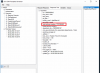
2020-02-26 10_26_44-SRV3CX - TeamViewer.png
The other problem is that 3CX does not retrieve data from Freshservice in my variables.

The goal of my project is to create a contact when it does not exist in Freshservice and to create a ticket with the customer's information when the contact exists.


Thank you for your help
 
Hello,
I think that the problem come from the "Rule Group".

I am trying to compare the configuration of Freshdesk and my configuration of Freshservice. When I change the value of the group value in FreshDesk, I have the same problem as on my configuration.
 
Yes, your rules are not properly identifying the record from the response. You should change:
XML:
<Rules>
  <Rule Type="Number">work_phone_number</Rule>
</Rules>

To:
XML:
<Rules>
  <Rule Type="Number">requesters.work_phone_number</Rule>
</Rules>
 
  • Like
Reactions: Noah Barbe
Hi,
Thank for your response
I found that yesterday and now i'm stuck on another problem :(

I want to create a contact if it doesn't exist and at the end of the call create a ticket.
Actually i can create the contact, but the ticket is not created. if i remove my CRM from 3CX and i re-upload it, the ticket can be created......

I don't understand where the problem is coming from, can you help me ?

Here is the XML file :
XML:
<?xml version="1.0"?>
<Crm xmlns:xsd="http://www.w3.org/2001/XMLSchema" xmlns:xsi="http://www.w3.org/2001/XMLSchema-instance" Country="CH" Name="test25" Version="1">
  <Number Prefix="Zeros" MaxLength="10" />
  <Connection MaxConcurrentRequests="2" />
  <Parameters>
    <Parameter Name="APIkey" Type="String" Parent="General Configuration" Editor="String" Title="API Key:" />
    <Parameter Name="ReportCallEnabled" Type="Boolean" Editor="String" Title="Enable Call Journaling" Default="False" />
    <Parameter Name="CreateContactEnabled" Type="Boolean" Editor="String" Title="Enable Contact Creation" Default="False" />
    <Parameter Name="CreateContactFirstName" Type="String" Parent="CreateContactEnabled" Editor="String" Title="New Contact First Name:" Default="3CX Contact [Number]" />
    <Parameter Name="CreateContactLastName" Type="String" Parent="CreateContactEnabled" Editor="String" Title="New Contact Last Name:" Default="3CX Contact [Number]" />
    <Parameter Name="Subject" Type="String" Parent="ReportCallEnabled" Editor="String" Title="Call Subject:" Default="3CX PhoneSystem Call" />
    <Parameter Name="InboundCallText" Type="String" Parent="ReportCallEnabled" Editor="String" Title="Answered Inbound Call:" Default="[DateTime]: Answered incoming call from [Number] [Contact::Id] to [Agent] ([Duration])" />
    <Parameter Name="MissedCallText" Type="String" Parent="ReportCallEnabled" Editor="String" Title="Missed Call:" Default="[DateTime]: Missed call from [Number] to [Agent]" />
    <Parameter Name="OutboundCallText" Type="String" Parent="ReportCallEnabled" Editor="String" Title="Answered Outbound Call:" Default="[DateTime]: Answered outgoing call from [Agent] to [Number] ([Duration])" />
    <Parameter Name="NotAnsweredOutboundCallText" Type="String" Parent="ReportCallEnabled" Editor="String" Title="Unanswered Outbound Call:" Default="[DateTime]: Unanswered outgoing call from [Agent] to [Number]" />
  </Parameters>
  <Authentication Type="Basic">
    <Value>[APIkey]:X</Value>
  </Authentication>
  <Scenarios>
    <Scenario Type="REST">
      <Request SkipIf="" Url="https://dlnet.freshservice.com/api/v2/requesters?work_phone_number=[Number]" MessagePasses="0" RequestEncoding="UrlEncoded" RequestType="Get" ResponseType="Json" />
      <Rules>
        <Rule Type="Number">requesters.work_phone_number</Rule>
      </Rules>
      <Variables>
        <Variable Name="Id" Path="requesters.id">
          <Filter />
        </Variable>
        <Variable Name="FirstName" Path="requesters.first_name">
          <Filter />
        </Variable>
        <Variable Name="LastName" Path="requesters.last_name">
          <Filter />
        </Variable>
        <Variable Name="DepartmentId" Path="requesters.department_ids">
          <Filter />
        </Variable>
        <Variable Name="Email" Path="requesters.primary_email">
          <Filter />
        </Variable>
        <Variable Name="PhoneBusiness" Path="requesters.work_phone_number">
          <Filter />
        </Variable>
        <Variable Name="PhoneMobile" Path="requesters.mobile_phone_number">
          <Filter />
        </Variable>
      </Variables>
      <Outputs Next="GetDepartment" AllowEmpty="false" />
    </Scenario>
    <Scenario Type="REST">
      <Request Url="https://dlnet.freshservice.com/api/v2/requesters?mobile_phone_number=[Number]" MessagePasses="0" RequestEncoding="UrlEncoded" RequestType="Get" ResponseType="Json" />
      <Rules>
        <Rule Type="Number">requesters.mobile_phone_number</Rule>
      </Rules>
      <Variables>
        <Variable Name="Id" Path="requesters.id">
          <Filter />
        </Variable>
        <Variable Name="FirstName" Path="requesters.first_name">
          <Filter />
        </Variable>
        <Variable Name="LastName" Path="requesters.last_name">
          <Filter />
        </Variable>
        <Variable Name="DepartmentId" Path="requesters.department_ids">
          <Filter />
        </Variable>
        <Variable Name="Email" Path="requesters.primary_email">
          <Filter />
        </Variable>
        <Variable Name="PhoneBusiness" Path="requesters.work_phone_number">
          <Filter />
        </Variable>
        <Variable Name="PhoneMobile" Path="requesters.mobile_phone_number">
          <Filter />
        </Variable>
      </Variables>
      <Outputs Next="GetDepartment" AllowEmpty="false" />
    </Scenario>
    <Scenario Id="GetDepartment" Type="REST">
      <Request SkipIf="[DepartmentId]==&quot;&quot;" Url="https://dlnet.freshservice.com/api/v2/departments/[DepartmentId]" MessagePasses="0" RequestEncoding="UrlEncoded" RequestType="Get" ResponseType="Json" />
      <Rules>
        <Rule Type="Any">department.id</Rule>
      </Rules>
      <Variables>
        <Variable Name="CompanyName" Path="department.name">
          <Filter />
        </Variable>
      </Variables>
      <Outputs AllowEmpty="true">
        <Output Type="ContactUrl" Passes="0" Value="https://dlnet.freshservice.com/api/v2/requesters/[Id]" />
        <Output Type="FirstName" Passes="0" Value="[FirstName]" />
        <Output Type="CompanyName" Passes="0" Value="[CompanyName]" />
        <Output Type="PhoneMobile" Passes="0" Value="[PhoneMobile]" />
        <Output Type="PhoneBusiness" Passes="0" Value="[PhoneBusiness]" />
        <Output Type="Email" Passes="0" Value="[Email]" />
        <Output Type="ContactId" Passes="0" Value="[Id]" />
        <Output Type="LastName" Passes="0" Value="[LastName]" />
      </Outputs>
    </Scenario>
    <Scenario Id="CreateContactRecord" Type="REST">
      <Request SkipIf="[CreateContactEnabled]!=True" Url="https://dlnet.freshservice.com/api/v2/requesters" MessagePasses="0" Message="" RequestContentType="" RequestEncoding="Json" RequestType="Post" ResponseType="Json">
        <PostValues Key="">
          <Value Key="first_name" Passes="2" Type="String">[[CreateContactFirstName]]</Value>
          <Value Key="work_phone_number" Passes="1" Type="String">[Number]</Value>
        </PostValues>
      </Request>
      <Rules>
        <Rule Type="Any">id</Rule>
      </Rules>
      <Variables>
        <Variable Name="Id" Path="id">
          <Filter />
        </Variable>
      </Variables>
      <Outputs AllowEmpty="false">
        <Output Type="ContactUrl" Passes="0" Value="https://dlnet.freshservice.com/requesters/[Id]" />
        <Output Type="ContactId" Passes="0" Value="[Id]" />
        <Output Type="FirstName" Passes="2" Value="[[CreateContactFirstName]]" />
        <Output Type="LastName" Passes="2" Value="[[CreateContactLastName]]" />
        <Output Type="PhoneBusiness" Passes="0" Value="[Number]" />
      </Outputs>
    </Scenario>
    <Scenario Id="ReportCall" Type="REST">
      <Request SkipIf="[ReportCallEnabled]!=True" Url="https://dlnet.freshservice.com/api/v2/tickets" MessagePasses="0" Message="" RequestContentType="" RequestEncoding="Json" RequestType="Post" ResponseType="Json">
        <PostValues>
          <Value Key="requester_id" Passes="0" Type="Integer">[Contact::ContactId]</Value>
          <Value Key="subject" Passes="0" Type="String">[Subject]</Value>
          <Value Key="description" If="[CallType]==Inbound" Passes="2" Type="String">[[InboundCallText]]</Value>
          <Value Key="description" If="[CallType]==Missed" Passes="2" Type="String">[[MissedCallText]]</Value>
          <Value Key="description" If="[CallType]==Outbound" Passes="2" Type="String">[[OutboundCallText]]</Value>
          <Value Key="description" If="[CallType]==Notanswered" Passes="2" Type="String">[[NotAnsweredOutboundCallText]]</Value>
          <Value Key="status" Passes="0" Type="Integer">2</Value>
          <Array Key="tags">
            <Value Passes="0" Type="String">[CallType]</Value>
            <Value Passes="0" Type="String">Call</Value>
            <Value Passes="0" Type="String">[Agent]</Value>
          </Array>
        </PostValues>
      </Request>
      <Variables />
      <Outputs AllowEmpty="false" />
    </Scenario>
  </Scenarios>
</Crm>
 
Hi, one more time.

I found some interesting things. When i went in my logs in 3CX i can found the last step from my CRM :

Code:
2020/02/27 15:37:21.601|2032|0033|Verb|Performing GET request 'https://dlnet.freshservice.com/api/v2/requesters?work_phone_number=xxxxxxxxxx'.
2020/02/27 15:37:21.703|2032|0063|Verb|The response is: '{"requesters":[]}'
2020/02/27 15:37:21.703|2032|0063|Verb|No matchings found.
2020/02/27 15:37:21.703|2032|0063|Verb|Processing scenario 'Default'.
2020/02/27 15:37:21.703|2032|0063|Verb|Creating new HttpClient for Basic authentication
2020/02/27 15:37:21.703|2032|0063|Verb|Performing GET request 'https://dlnet.freshservice.com/api/v2/requesters?mobile_phone_number=xxxxxxxxxx'.
2020/02/27 15:37:21.739|2032|0063|Verb|The response is: '{"requesters":[]}'
2020/02/27 15:37:21.739|2032|0063|Verb|No matchings found.
2020/02/27 15:37:21.739|2032|0063|Verb|Processing scenario 'CreateContactRecord'.
2020/02/27 15:37:21.739|2032|0063|Verb|Creating new HttpClient for Basic authentication
2020/02/27 15:37:21.739|2032|0063|Verb|Performing POST request to 'https://dlnet.freshservice.com/api/v2/requesters' with message '{"first_name":"3CX Contact xxxxxxxxxx","work_phone_number":"xxxxxxxxxx"}'.
2020/02/27 15:37:21.834|2032|0063|Verb|The response is: '{"requester":{"id":26000085618,"first_name":"3CX Contact xxxxxxxxxx","last_name":null,"job_title":null,"primary_email":null,"secondary_emails":[],"work_phone_number":"xxxxxxxxxx","mobile_phone_number":null,"department_ids":[],"can_see_all_tickets_from_associated_departments":false,"reporting_manager_id":null,"address":null,"time_zone":"Eastern Time (US & Canada)","time_format":"12h","language":"en","location_id":null,"background_information":null,"custom_fields":{},"active":true,"has_logged_in":false,"created_at":"2020-02-27T14:37:21Z","updated_at":"2020-02-27T14:37:21Z"}}'
2020/02/27 15:37:21.834|2032|0063|Verb|No matchings found.
2020/02/27 15:37:21.834|2032|0063|Verb|Removed from processing. Number=xxxxxxxxxx
2020/02/27 15:37:21.834|2032|0063|Info|CRM: processing of xxxxxxxxxx has been finished
2020/02/27 15:37:21.855|2032|0016|Verb|Enqueue Inserted.CONNECTION.892
2020/02/27 15:37:21.855|2032|0004|Verb|Dequeue Inserted.CONNECTION.892
2020/02/27 15:37:21.861|2032|0016|Verb|Enqueue Updated.CONNECTION.891
2020/02/27 15:37:21.861|2032|0004|Verb|Dequeue Updated.CONNECTION.891
2020/02/27 15:37:21.862|2032|0016|Verb|Enqueue Updated.CONNECTION.892
2020/02/27 15:37:21.862|2032|0004|Verb|Dequeue Updated.CONNECTION.892
2020/02/27 15:37:26.292|2032|0016|Verb|Enqueue Updated.REGISTRATION.56
2020/02/27 15:37:26.292|2032|0004|Verb|Dequeue Updated.REGISTRATION.56
....

So, i think that my scenario "ReportCall" doesn't start... I don't know how to change that
 
Again, in the CreateContactRecord scenario, the POST works, but the rules to identify the record from the response is wrong. You're using:
id

and you should probably use:
requester.id

If this scenario can't identify a record from the response, it will not return a valid record to 3CX after creation. When this happens, the Call Journaling is skipped, because there is no matched contact...
 
  • Like
Reactions: Noah Barbe
Hello, Noah,

I am also looking to integrate Freshservice and 3CX.

Have you solved your problems?

Thank you in advance.
 
I am also interested in how you have managed with this. Is there a way to only create tickets for a certain extension?
 
  • Like
Reactions: Nicolas RIBAULT
I am also interested in how you have managed with this. Is there a way to only create tickets for a certain extension?
I have no idea about that, I create a ticket at the end of each call. I know it is impossible to choose if we wante or not to create a ticket based on the number of the caller, but i don't know about extensions
 
Hello, Noah,

I am also looking to integrate Freshservice and 3CX.

Have you solved your problems?

Thank you in advance.
Hi Nicolas,
I currently managed to create CRM between 3CX and Freshservice. I only create a contact if it does not exist and I create a ticket at the end of each call. what would you like to have in your CRM ?
 
Yea I know. I was going to try to utilize the Dll's and write my own program as there are flags for when call recieved. Sadly my programming knowledge is not that high that can leverage from that.
 
  • Like
Reactions: Noah Barbe
Hi Nicolas,
I currently managed to create CRM between 3CX and Freshservice. I only create a contact if it does not exist and I create a ticket at the end of each call. what would you like to have in your CRM ?
I try to do the same but for now, the ticket is not created. I discover that it seem that FreshService need more information like priority to accept the creation of the ticket.
 
I try to do the same but for now, the ticket is not created. I discover that it seem that FreshService need more information like priority to accept the creation of the ticket.
hi, ok i see.
Can we maybe have a discussion by mail ? or somewhere else. It will be more easier to help you
 
Status
Not open for further replies.

Latest Posts

Forum statistics

Threads
112,325
Messages
591,898
Members
165,478
Latest member
postmaster@studiolegaleda