Generic SIP Trunk Setup Problem

Status
Not open for further replies.

Sunchai N.

Bronze Partner
Advanced Certified
Joined
Jul 1, 2017
Messages
10
Reaction score
0
Hello all you guy. I very interesting great feature in Mobile in 3CX Phone System after try a fews day. Planning to move from Elastix to 3CX.

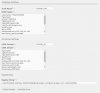
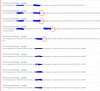
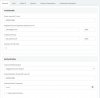
But I have problem when I setup Generic SIP Trunk from Operator in Thailand. It quite difference when setup SIP Trunk in Elastix. So, Cloud you please recommend me how to setup SIP Trunk in 3CX when compare with Elastix. I have attach picture of Elastix setup sceen compare with 3CX and Event Log from Dash board.

PS, Sometime it show %40 in Event Log. I don't know what is it?

Thank you.

Sunchai N.
 

Attachments

  • 3CX_Setup.JPG
    3CX_Setup.JPG
    56.7 KB · Views: 61
  • CAT_SIP.JPG
    CAT_SIP.JPG
    57 KB · Views: 57
  • log.JPG
    log.JPG
    123.5 KB · Views: 55
You should X out any information that you don't want others to see. Passwords?...

Does the + in front of the user name make any difference? I see that in the current set-up but not in the 3CX set-up.
What is the failure log/response that you are getting from your provider? That will give a clue as to what they don't like. Have you contacted them at all?
 
Thank you "leejor". That is not real password.
I already contact my provider. They told me that registeration text is not correct. Some time 3CX sent %40 in register string. I don't how to remove that. Is 3CX have SIP Trunk setup in command line?
 
I found this issue from SIP Log. 3CX sent local IP instead of Public IP. This server behind NAT. Could you please advise how to change it to Public IP in the red text.

Thank you.

Sunchai N.

REGISTER sip:catnextgen.com SIP/2.0..Via: SIP/2.0/UDP 192.168.255.42:5060;branch=z9hG4bK-524287-1---aa0bb37d110bfe1c;rport..Max-
Forwards: 70..Contact: <sip:[email protected]:5060;rinstance=e639ab380f8d8b90>..To: "010258063"<sip:+6610258063@catnextg
en.com>..From: "010258063"<sip:[email protected]>;tag=94d3595a..Call-ID: x9oMf2g7Vw99_CmEnI8s0A....CSeq: 2 REGISTER..Ex
pires: 600..Allow: INVITE, ACK, CANCEL, OPTIONS, BYE, REGISTER, SUBSCRIBE, NOTIFY, REFER, INFO, MESSAGE, UPDATE..Supported: repl
aces, timer..User-Agent: 3CXPhoneSystem 15.5.1694.0 (1694)..Authorization: Digest username="+6610258063",realm="catnextgen.com",
nonce="07d852b15957675f20275f7d09c00e60bf029a9084f0492b850ad0",uri="sip:catnextgen.com",response="0405e5387eb3c3737ccf71281b229c
27",cnonce="b51046713987da8b57a972cdecf047eb",nc=00000001,qop=auth,algorithm=MD5..Content-Length: 0....
 
It may be that when you first installed you put the local IP in a place that you should have put the public IP? There are some advanced settings in 3CX where this might be changable, but, in the later versions, I'm not certain that this is the best way to correct.
 
hello @Sunchai N.

Please note that it looks like you have an invalid character in the registrar of the trunk settings. If you have copied this from somewhere please delete it and type it manually to avoid any invalid characters being copied through. Also if you want to force the Public ip of the PBX in the via header then you can do so by navigating to trunk settings / options and enable the option Put public IP in via header. You will then need to input your public IP manually.
 
Status
Not open for further replies.

Latest Posts

Forum statistics

Threads
111,867
Messages
589,472
Members
164,708
Latest member
g4ns