Unsupported Grandstream ATA - External STUN?

Status
Not open for further replies.

dkornahrens

Bronze Partner
Basic Certified
Joined
Mar 30, 2021
Messages
30
Reaction score
5
Good afternoon community -- I've searched around and found some articles that assisted, but still having some issues getting an Grandstream HT814 configured for external use (off network). I am able to get it to work on network with the current on-site Session Board Controller. This instance is hosted in the cloud and does not need to be on their network.

I have been successful in using the FQDN with port number on my office network but once I bring to the site, I have some difficulties. Any ideas on what I may be doing wrong?
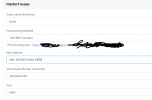
Screen Shot 2021-10-21 at 6.02.37 PM.png
 
Hello @dkornahrens

What do you mean with external use (off network)? Do you mean without needing to add a 3CX SBX? The device can be configured either as a local device in the same LAN as the PBX or via a 3CX SBC.
It will not work directly via a public IP address.
 
I mean not on the same network as an SBC. I was able to get the ATA to connect fine from my house and function directly to the IP address of the phone system (registered and calls worked). However, when moving on site, I wasn't able to connect (not sure what the difference would be)
 
I mean not on the same network as an SBC. I was able to get the ATA to connect fine from my house and function directly to the IP address of the phone system (registered and calls worked). However, when moving on site, I wasn't able to connect (not sure what the difference would be)
Many things. Network config, SIP ALG, DNS filtering, firewall, etc. Also make sure you actually set the STUN server on the device.

But as explained by Yiannis, you cannot use that device "directly to the system". A SBC or local LAN only is supported. While it may work in STUN, all bets are off.
 
  • Like
Reactions: JohnS_3CX
Thanks for the response. Set STUN server on the ATA? How does that look, just the public IP:3478?
 
Thanks for the response. Set STUN server on the ATA? How does that look, just the public IP:3478?
In 3CX: <server fqdn>:5060

Use the FQDN as much as possible. Not the IP. Makes it easier to reconfigure if needed.
 
In 3CX: <server fqdn>:5060

Use the FQDN as much as possible. Not the IP. Makes it easier to reconfigure if needed.

We do use the FQDN where applicable. You say make sure 5060 is setup in 3cx, but isn't that just the SIP port? When I look at network configuration, I see the STUN information (but we utilize static IP).
 
We do use the FQDN where applicable. You say make sure 5060 is setup in 3cx, but isn't that just the SIP port? When I look at network configuration, I see the STUN information (but we utilize static IP).
Static IP locally or externally? And in both cases, STUN is required.

Yes it uses the port 5060 for STUN as well. That's what 3CX would program via template too.
 
Status
Not open for further replies.

Latest Posts

Forum statistics

Threads
111,990
Messages
590,161
Members
164,926
Latest member
tohoken1