


- Joined
- Jan 4, 2020
- Messages
- 5
- Reaction score
- 0
Hello everyone,
Doing my first 3CX deployment and getting the phones prepped. I've got everything operational from a call standpoint, but now I'm just trying to customize the phones a bit so that they look a bit cleaner. By default when you get a phone registered to the 3CX PBX, it seems to set the top Display as "EXT | NAME". Additionally it sets each line to the same settings "EXT | NAME". It looks kind of silly to have 3 things all saying the same thing. So I wanted to simply have the Company Name Displayed on the very top and then the Line1 Display simply have the extension or some other description. So on and so forth for other lines. The very top display seems to be changed via Acount 1 General Settings on the Phone Web UI. But when you edit it, it also changes Line1 to the same thing. So again, it looks kind of silly to have the exact same info listed twice. Its a very small business, only 2 phones. So we don't even need the 2nd line.
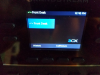
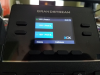
I've tried tweaking various options. The first image below is the closest I can get to what I want. Ideally I want the top display to say "Company Name" then Line 1 simply say "EXT". Even if i save the settings, after the phone reboots, it reverts to the second image.
Doing my first 3CX deployment and getting the phones prepped. I've got everything operational from a call standpoint, but now I'm just trying to customize the phones a bit so that they look a bit cleaner. By default when you get a phone registered to the 3CX PBX, it seems to set the top Display as "EXT | NAME". Additionally it sets each line to the same settings "EXT | NAME". It looks kind of silly to have 3 things all saying the same thing. So I wanted to simply have the Company Name Displayed on the very top and then the Line1 Display simply have the extension or some other description. So on and so forth for other lines. The very top display seems to be changed via Acount 1 General Settings on the Phone Web UI. But when you edit it, it also changes Line1 to the same thing. So again, it looks kind of silly to have the exact same info listed twice. Its a very small business, only 2 phones. So we don't even need the 2nd line.
I've tried tweaking various options. The first image below is the closest I can get to what I want. Ideally I want the top display to say "Company Name" then Line 1 simply say "EXT". Even if i save the settings, after the phone reboots, it reverts to the second image.


