• We do not provide troubleshooting help for unsupported phones. Please try with a supported phone.
  • V20 Update 10 Alpha 2 Learn more

Grandstream HT - Phone List

Status
Not open for further replies.

Bronko

Free User
Joined
Jan 8, 2021
Messages
20
Reaction score
7
Hi,

this is how my two HT 802 Extension looks like in list view:

Screenshot from 2021-10-19 16-24-56.png

It's working perfect, but the list doesn't looks like... ;-)
Any suggestions to have a clean optical feature?
 
Are you on V16?
 
Sorry, I'm on latest ver. 18.0.1.237
 
Hi @Bronko

I have tested this same model / same firmware / same PBX but in my case it appears correctly:
1634716184023.png

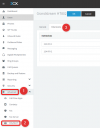
I think your should just factory reset the device, and reconfigure it from scratch because it says unprovisioned and this is a sign that the device has not been configured correctly under Advanced >> FXS/DECT >> Grandstream HT802. Mine has both extensions setup correctly here:
1634716338780.png

You can find the guide here: https://www.3cx.com/voip-gateways/grandstream-ht-fxs/
 
Hi @JohnS_3CX

thanks for your reply. I did it along your guide on first setup. Will redo it asap and be back...
 
  • Like
Reactions: JohnS_3CX
Status
Not open for further replies.

Forum statistics

Threads
112,149
Messages
590,965
Members
165,170
Latest member
SupportRock