• We do not provide troubleshooting help for unsupported phones. Please try with a supported phone.
  • V20 Update 10 Alpha 2 Learn more

Grandstream HT802 - can't find fxs settings in 3cx 20

Status
Not open for further replies.

aaronouthier

New User
Joined
Jun 21, 2017
Messages
8
Reaction score
3
About 2 weeks ago, I tried upgrading to version 20 from 18. However, I ended up having to reinstall the VM, as there didn't seem to be a way to setup my HT802 2-port FXS ATAs. I couldn't provision them or assign them to an extension. Although they DID show up under Phone section of the menu, 3cx thought the IP address of the ATA was 127.0.0.1, which of course is incorrect. I plan to connect a Fax machine to each one.

I ended up reinstalling and going back to 18 for now. Let me know when you guys have FXS devices working in v20.
 
I have a similar problem. Upgraded to V20 last night and on this system, there are a few Grandstream HT-701's and one of them isn't working now. I went into look at the provisioning details and that tab is no longer in V20. How are you supposed to manually provision phones now or check the auth credentials? I have a lot of manually provisioned phones and now don't know how to provision them manually. Looking for help.. Thanks.
 
FXS are now in Voice/Chat.
 
  • Like
Reactions: SweetAction
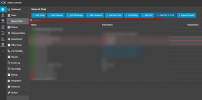
Check the option in the latest update of V20:
1708316567245.png
 
  • Like
Reactions: Evolute IT
Status
Not open for further replies.

Forum statistics

Threads
112,147
Messages
590,959
Members
165,167
Latest member
Finatra.us