Solved GXP1625 no LAN IP for PC

Status
Not open for further replies.

MPH2020

Forum User
Joined
Jan 26, 2020
Messages
48
Reaction score
6
When we connect the computer from Phone (GXP1625 ) cannot receive IP to the computer .

When i checked login to the phone , there is option PC port enabled . Even that option is enable still the Computer does not receive any IP . If you direct plug the Network cable to the computer then it could receive the IP .

Could any one help me out on this problem .
 
same message you opened for GXP2170 no?
So surely same fix is to be applied
 
same message you opened for GXP2170 no?
So surely same fix is to be applied
NO

I have issue with GXP2160 & GXP1625 not receiving IP
 
Same brand , same problem, fix is not the same ?
Which firmware release do you use on 1625?
 
Same brand , same problem, fix is not the same ?
Which firmware release do you use on 1625?
GXP1625 1.0.4.132 ver & GXP2160 1.0.8.56 ver
 
  • Like
Reactions: Evolute IT
If no ip received by the phone, did you try to connect other device same plug to see if problem is the same?
if so then surely LAN problem, cables? DHCP range already full? Switch port ? POE ?
 
If no ip received by the phone, did you try to connect other device same plug to see if problem is the same?
if so then surely LAN problem, cables? DHCP range already full? Switch port ? POE ?
The problem is solved .
14085
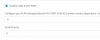
This appears to be due to the template pulling the "Enable VLAN for PC Port" value and using it for the PC Port Mode setting on the phone.

<!-- PC Port Mode. 0 - Enable, 1 - Disabled, 2 - Mirrored. Default is 0 -->
<!-- Number: 0, 1, 2 -->
<!-- Mandatory -->
<P1348>%%vlanpcenabled%%</P1348>

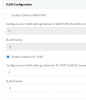
To workaround this issue we Enabled the PC Port VLAN, but left the VLNA ID set to "0" in the phone provisioning tab.
 
  • Like
Reactions: Evolute IT
Hi @MPH2020

If you were using the port on the phone to connect the PC to the network too, then yes.

The default configuration of the phone using 3CX provisioning should configure it like this so If yours was disabled then it makes sense that the port was not active at the time:

14086
 
  • Like
Reactions: Evolute IT
This is/was a bug with one of the recent firmware updates. It worked fine then once the new firmware came out, you had to enable the PC port in 3CX. I have not done enough testing but do you run LLDP on your network with a separate voice VLAN? I am wondering if it is looking for a separate VLAN and cannot find one so it just disables it. The situation I had was a customer with just 1 VLAN. Thankfully it was only 10 phones and was not a pain to resolve.
 
Status
Not open for further replies.

Forum statistics

Threads
111,935
Messages
589,823
Members
164,817
Latest member
Innovative Advisory