- Joined
- Dec 8, 2024
- Messages
- 7
- Reaction score
- 4
Hello,
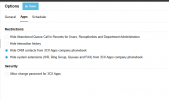
It appears like the Hide CRM contacts from 3CX Apps company phonebook doesn't work.
On the latest Windows Store app it still shows CRM contacts (in the v16/18 desktop app it did hide CRM contacts when this was selected).
I noticed that this also happens on Yealink phonebooks even though the option is selected, when going into the phonebook the CRM contacts show regardless of whether the option is selected or not.
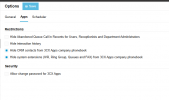
It appears like the Hide CRM contacts from 3CX Apps company phonebook doesn't work.
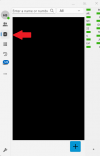
On the latest Windows Store app it still shows CRM contacts (in the v16/18 desktop app it did hide CRM contacts when this was selected).
I noticed that this also happens on Yealink phonebooks even though the option is selected, when going into the phonebook the CRM contacts show regardless of whether the option is selected or not.