- Joined
- Oct 15, 2018
- Messages
- 15
- Reaction score
- 1
Hi,
Some days ago we upgraded our 3CX installation from v16 to v18.0 (Build 314).
Suprisingly some good features where missing in the new build
Hoping to do something good I try to explain things in some posts.
Reading this implemented idea:
https://www.3cx.com/community/threads/hide-ivr-queue-and-ring-groups-from-phonebook.47094/
I think that Gunnar Brynjólfsson's idea was misunderstood.
When Gunnar says "I would like have the possibility to hide IVR, Queue and ring groups from company phonebook." he speeks about "POSSIBILITY".
With possibility he probably intended to add the option "Hide this extension from 3CX company phonebook and 3CX Apps" in each Digital Receptionists, Call Queue, Ring Groups and other system extensions record.
The same option you can find in the PBX Users record.
The meaning is: "in some cases it is useful to hide some extensions, please add the optional feature to all system extension types".
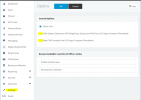
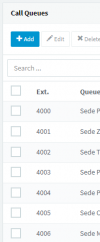
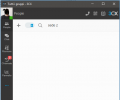
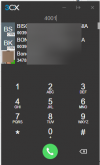
v18 cancelled all system extensions from search, listing and extension digits convertion. Please evaluate to reintroduct with optional hiding feature. To be honest in PBX Settings/Apps Option you can find the flag "Hide System Extensions (IVR, RingGroup, Queues and FAX) from 3CX Apps Company Phonebook" but it seems to be non functional.
Regards,
Mirco
Some days ago we upgraded our 3CX installation from v16 to v18.0 (Build 314).
Suprisingly some good features where missing in the new build
Hoping to do something good I try to explain things in some posts.
Reading this implemented idea:
https://www.3cx.com/community/threads/hide-ivr-queue-and-ring-groups-from-phonebook.47094/
I think that Gunnar Brynjólfsson's idea was misunderstood.
When Gunnar says "I would like have the possibility to hide IVR, Queue and ring groups from company phonebook." he speeks about "POSSIBILITY".
With possibility he probably intended to add the option "Hide this extension from 3CX company phonebook and 3CX Apps" in each Digital Receptionists, Call Queue, Ring Groups and other system extensions record.
The same option you can find in the PBX Users record.
The meaning is: "in some cases it is useful to hide some extensions, please add the optional feature to all system extension types".
v18 cancelled all system extensions from search, listing and extension digits convertion. Please evaluate to reintroduct with optional hiding feature. To be honest in PBX Settings/Apps Option you can find the flag "Hide System Extensions (IVR, RingGroup, Queues and FAX) from 3CX Apps Company Phonebook" but it seems to be non functional.
Regards,
Mirco